
Download UltraVNC for free. This program allows you to remotely control computers over a network or the internet. Use a mouse, keyboard, send files, and chat with the remote device. Ideal for remote computer support, with direct link access.
What is UltraVNC?
UltraVNC It's an open-source remote desktop program that uses VNC and the Remote Frame Buffer (RFB) protocol to display the screen of another computer over a network or the internet, allowing control with a mouse and keyboard from your own computer as if you were sitting in front of the other computer. The program divides the work into a Server for the computer needing access and a Viewer for the connected computer, making it suitable for troubleshooting, maintaining, or accessing computers located in different locations. If you're familiar with... Anydesk The workflow is similar, but UltraVNC offers more detailed customization options for connection and server-side elements.
The Viewer side offers a fairly comprehensive set of practical options, such as View Only for viewing the screen without mouse or keyboard input, Auto Scaling for scaling the image to fit the window, Full Screen, and the ability to select a single window or the entire desktop. Additionally, it allows you to use Ctrl+Alt+Del to refresh the screen and adjust connection settings from the Viewer menu during a session. The Tabbed Viewer allows you to open multiple connections in a single window, making it easier to switch between managed machines without opening separate full-screen windows.
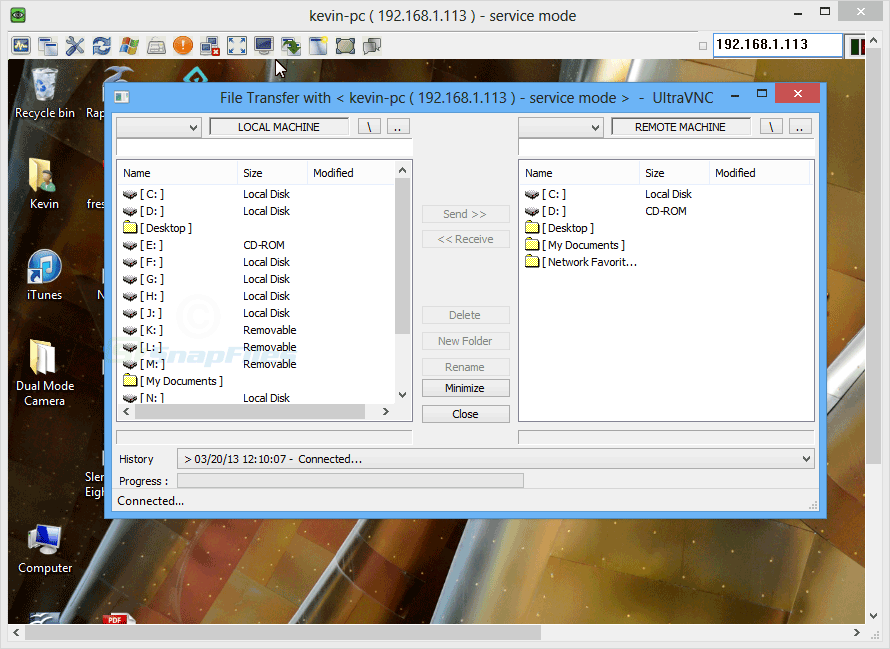
UltraVNC also features File Transfer for sending files or folders between two machines, with data compression during transfer, and Quick Chat for communicating with the recipient without needing to open an additional chat app. The connection supports the DSM plugin for data encryption and is compatible with RealVNC, TightVNC, and several other VNC applications that use the same standard. This is very useful when the environment doesn't use the same program on every machine. These functions make UltraVNC more than just for viewing screens; it's quite versatile for remote assistance, file transfer, and managing multiple machines from a single point.
Key Features
- Connect and control a remote computer using a mouse and keyboard via VNC.
- Compatible with RealVNC, TightVNC, and other VNC applications that use the same standard.
- There is a View Only mode for viewing the screen without sending mouse or keyboard commands.
- Adjust the image using Auto Scaling to fit the Viewer window size.
- Switch to full screen to utilize the entire screen area for remote control tasks.
- You can choose to view only the desired window or the entire desktop of the target device.
- Send files and folders between devices using File Transfer with data compression.
- There is Quick Chat for sending messages between the viewer and the server.
- Supports DSM Plugin for adding encryption to connections.
- You can send the Ctrl+Alt+Del command to the target machine from the Viewer.
- Refresh the screen and adjust connection options between sessions.
- Tabbed Viewer allows you to open and switch between multiple connections in a single window.
System Requirements
- Supported Operating Systems: Windows 10, Windows 8.1, Windows 7
- RAM (Memory): 2 GB RAM (4 GB recommended)
- Free disk space: 200 MB or more
What's new?
1.8.3.0 - Added multi-monitors support for noVNC - Fixes to support RealVNC viewer - Fixes for XZ encoders - Fixed clipboard HTML and bitmap issues - Updated translation files
File Information
- Operating System : Windows 7 / 8.1 /10/ Windows 11 (x64)
- Developer UltraVNC Team
- License Freeware
- Language English
- Size 6 MB
- File type *.exe
- Setup Guide : Available
- Updated on : 8/9/2026
- Required Reading: Download Guide





