
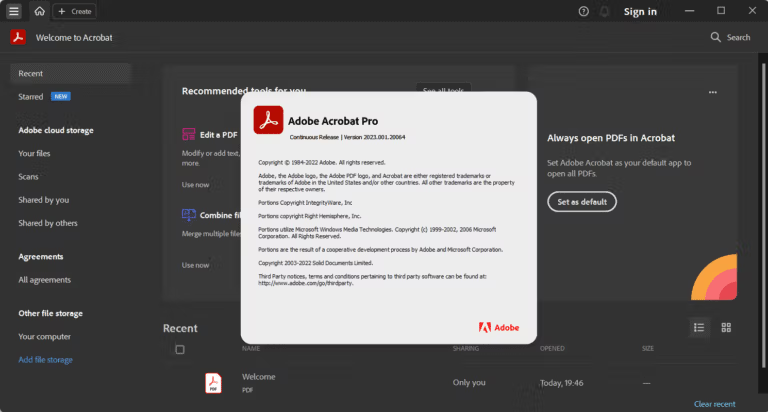
Download Adobe Acrobat Pro DC 2026 (u17) (x86/x64) Full Version for free. This popular PDF management, creation, reading, editing, and conversion program is available in its latest version with installation instructions.
What is Adobe Acrobat Pro DC?
Adobe Acrobat Pro DC This program is a single tool for creating, editing, merging, converting, and managing PDF documents. Basic tasks such as editing text, changing images, rearranging pages, deleting or inserting pages, merging multiple files into a single PDF, and exporting PDFs to Word, Excel, or other formats can be done from a single set of tools. It handles detailed editing of documents, not just for reading. For scanned documents, it includes OCR for character recognition, allowing for searching, copying, and editing of text. File compression helps reduce size before emailing or uploading while maintaining a balance between size and quality.
The document review function includes comments, highlights, drawings, and a file comparison tool for identifying differences between two PDF versions. Fill & Sign allows you to fill out forms and add signatures without printing them first. If you need to send documents to others for signatures, you can use Request Signatures to specify the input fields, the number of signatories, and track the status directly from Acrobat. The Protect PDF tool allows you to set passwords, restrict editing and printing access, and delete sensitive data with Redact before forwarding. This makes managing multi-page documents much more systematic than using separate tools for each.
The current version of Acrobat integrates more PDF work with Adobe services, including AI Assistant, document summarization, content-based question and answer, and natural language editing for supported features, as well as Adobe Express for creating covers or working further on certain types of content. If you want to compare other PDF tools, take a look... PDF Architect Pro Yes, the Prepare a Form tool transforms plain documents into data entry forms, while Accessibility and Preflight help check documents before publishing or submitting them according to standards. If PDF files are your primary daily task, consolidating editing, reviewing, signing, protecting, and converting files into a single window significantly reduces the need to switch between programs.
Key Features
- Edit PDF: Modify text and images in PDF files
- Add a comment: Add notes, highlights, and other annotations.
- Compress PDF: Reduce PDF file size for easy sharing
- Recognize text: Enable editable text from scanned images with OCR.
- File Merger: Combine multiple files into a single PDF document.
- PDF Split: Split PDF into multiple files
- Convert to PDF: Convert almost any file type to PDF
- Request Signatures: Send documents for others to sign
- Fill & Sign: Complete the form and add your signature.
- Prepare the form: Convert the scanned form and documents into editable PDFs.
- Delete Page: Remove a page from a PDF file.
- Rotate Page: Rotate the page to a vertical or horizontal orientation.
- Rearrange pages: Arrange the pages in a PDF file.
- PDF Page Split: Create a new PDF from selected pages.
- Insert PDF Page: Add Pages to Your PDF File
- Crop Page: Trim the outer edges of the content on the page
What's new?
Improvements in version 2026.002.21931
The September 2026 update for Acrobat was released as a hotfix patch to fix critical bugs, improve security, and enhance general stability.
- Important bug fixes and system stability improvements following the monthly update.
- Improve the performance of opening, rendering documents, and working with large PDF files.
- Update to Adobe's latest security standards to protect against document processing vulnerabilities.
System Requirements
- CPU: Intel or AMD 1.5 GHz or higher
- Operating system: Windows 11 (64-bit) or Windows 10 v1809 or later (64-bit)
- RAM: 2 GB or more
- Free space: 4.5 GB
- Screen resolution: 1024 × 768 or higher
- Video hardware acceleration: Supported as an option.
File Information
- Operating System: Windows 11 / 10 (64-bit)
- Risk Level: 🟡 Low Risk
- License: Shareware
- Language: Multilingual
- Size: 1.75 GB / 1.64 GB
- File type: *.rar
- Password: mawto
- Installation Method: Available
- Updated: 19/9/2026
- Required Reading: Download Guide
If you need an alternative for editing documents and converting PDF files, try comparing the tools of... PDF Architect Pro With a regular job.
==== For Windows 64-bit ====
==== For Windows 32-bit ====