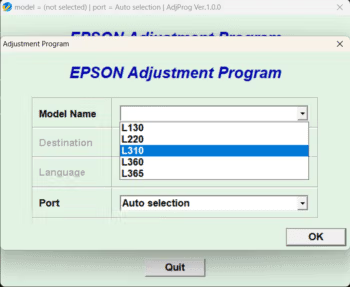
Download the Epson L3110, L360, L3150, L3210, L210, L3250, L1300, L120 ink waste reset program (Epson Adjustment Program) to fix the full ink waste issue and for other models – all in one place.
Epson Ink Sublayer Clear Program
The Epson Adjustment Program is a tool for resolving issues with the Epson ink waste tank being full, whether it's displaying a full waste tank warning message, flashing lights, or the printer stopping completely. This program will reset the printer to normal operation.
Epson printers are known for their quality and durability, but a common problem users encounter is a full waste ink counter. Every time you print or clean the print head, the printer counts the amount of waste ink absorbed and stored in the waste ink pad. Once the counter reaches the factory-set limit, the printer will lock itself and stop printing immediately, even after cleaning or replacing the waste ink pad. The solution is to use waste ink reset software to reset the counter to its original count.
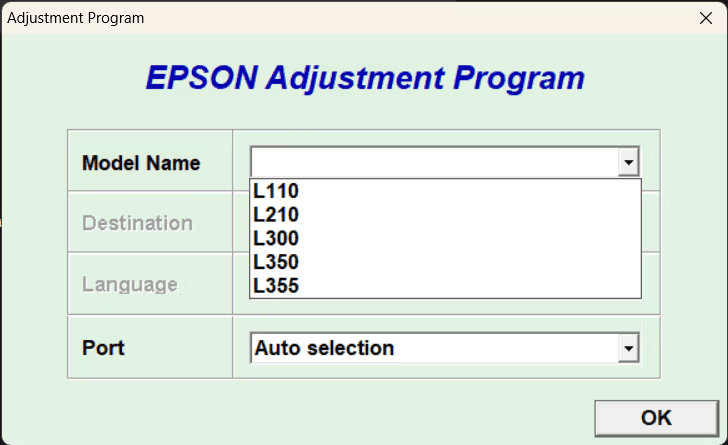
The Epson Adjustment Program is designed specifically to reset the ink waste counter of Epson printers. Simply connect the printer to your computer, open the program, and run the reset command. The counter will be set back to zero, restoring the printer to normal operation without needing repairs or a new one.
How does it work?
Its principle is very simple. The program communicates directly with the printer's firmware and resets the overflow ink counter to zero. In addition, it has supplementary functions for printer maintenance, such as power cleaning of the print head and checking for malfunctions – like having a personal technician in a single computer.
Benefits of Using the Epson Adjustment Program
The most obvious advantage is that it allows you to get your existing printer back in working order immediately, without having to spend money on a new one or sending it to a service center. The software is easy to use; just select the correct printer model and press reset. It only takes a few minutes to complete, making it ideal for those who encounter a full ink absorber issue and want to fix it in a single day.
Risks and Limitations
While convenient, there are some precautions to consider. Firstly, this is not official Epson software. Using it may void the printer's warranty, potentially preventing claims if problems arise later. Secondly, frequently pressing the reset button or using other functions without understanding them, such as excessive power cleaning, may damage the printer or waste ink unnecessarily. It is recommended to read the instructions carefully before use.
In summary, the Epson Adjustment Program is the fastest and most economical solution for Epson printers experiencing a full ink absorber. By understanding the precautions and using it correctly, your printer can print like new again. However, if you are unsure, it is recommended to consult a technician before proceeding.
Main Functions of the Program
- Resolve the issue of ink saturation or flickering lights.
- Solutions for ink not flowing properly
- Fix color distortion in printed output
- Power Cleaning Function for Print Head
- Check for printer malfunctions.
- And many other essential functions...
Download
We have compiled a collection of ink cartridge cleaning programs for various EPSON models in this post. For your convenience, you can download them directly from the links below. (Please don't forget to read the instructions.) How to Download FilesFrom the previous Teto cat website, please.
Password: mawto
Epson L Series Ink Subtle Clear Program Collection (49 Models)
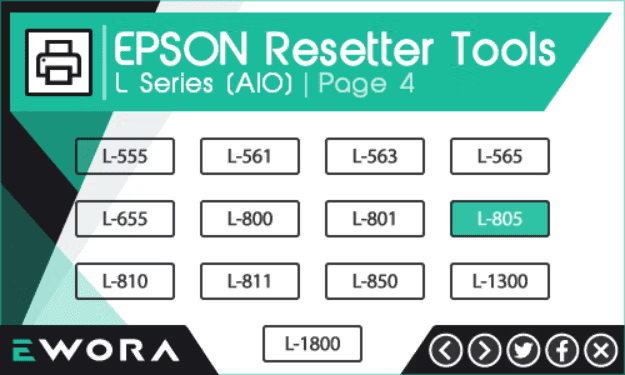
This is an All-in-One tool that consolidates multiple features into a single window, supporting models L100, L101, L110, L111, L120, L121, L130, L200, L201, L210. L211, L220, L300, L301, L303, L310, L311, L350, L351, L353, L355, L358, L360, L361, L363 L365, L375, L395, L455, L475, L500, L510, L520, L540, L550, L551, L555, L561, L563, L565, L655, L800, L801, L805, L810, L811, L850, L1300, L1800 (54 MB)
For Epson L3100, L3101, L3110, L3150
There are two options: the open version that is ready to use, supporting the L3110 model, but can also be used with L3100, L3101, and L3150.
And the version that requires KeyGen before using the program (includes instructions). Supports both L3100, L3101, L3110, and L3150 (13 MB).