Download WinRAR 7 for free, full version, permanent license, Thai/English language, no crack required, 32-bit/64-bit compatible with Windows 11. The world's most widely used file compression and extraction program. Supports RAR, ZIP, 7Z, TAR, GZIP formats. Latest version.
What is WinRAR?
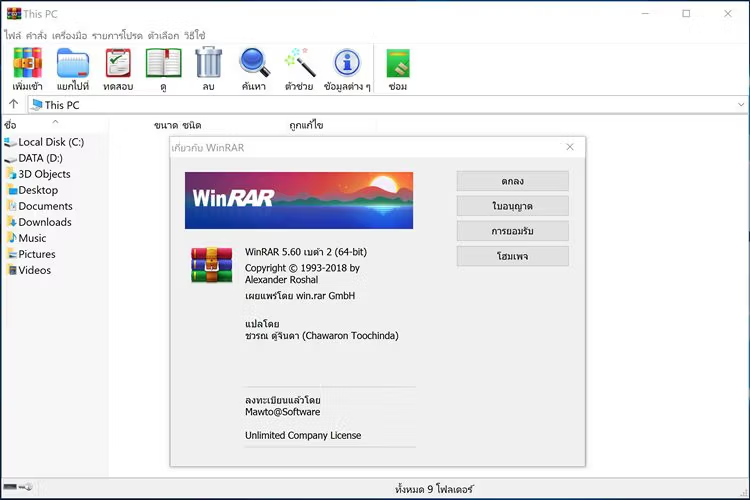
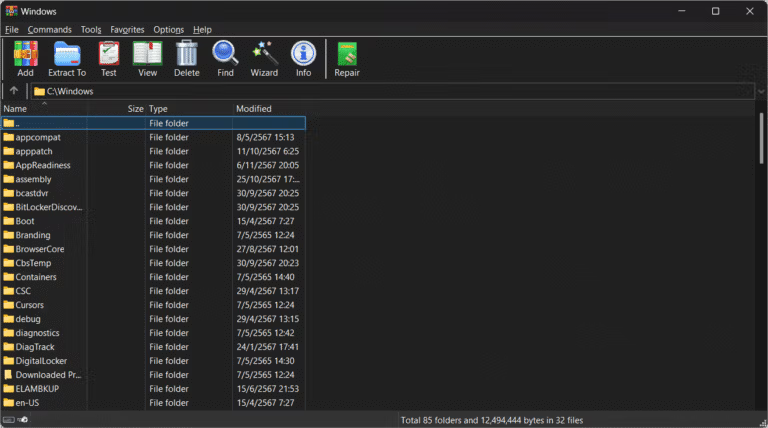
WinRAR RARLAB is a file compression and management program that helps merge folders into smaller archives and then extracts the files in a few steps. Besides creating RAR and ZIP files, it can also open 7Z, TAR, GZIP, CAB, ARJ, and many other file formats. Therefore, it can be used as a central tool for sending and receiving files, downloading software, or storing data on your computer conveniently. The 64-bit version is suitable for newer computers with ample memory.
RAR5 compression allows for a dictionary size of up to 64 GB when the system has sufficient RAM, enabling tighter handling of large files or sets of files with duplicate data. It also features Long Range Search and multi-threading to accelerate performance based on the number of CPU cores. Password protection (AES-256) and filename encryption in the archive are supported, along with the ability to split files into multiple parts, define a recovery record, and verify integrity before sharing.
In daily use, WinRAR includes commands for testing and repairing archives, creating self-extracting SFX, and command-line tools for batch execution, making it suitable for both personal storage and preparing files for distribution. When accessing files from the internet, always check the filename and scan for security before opening. For an alternative focusing on the 7z format and open-source compression, see... 7-Zip This allows for a comparison of usage patterns, so it can be used for both personal and office document work.
Key Features
- Compress and decompress files in various formats: Can create RAR and ZIP files, and open ARJ, CAB, GZIP, ISO, LZH, TAR, 7Z, and Z files.
- Encrypted with AES-256: You can set a password to archive and hide the filenames within.
- Divide the file into sections: Define sub-file sizes for transmission through media or services that have file size restrictions.
- Repair Archive: Use the Recovery Record and Repair command to recover data from corrupted files in many cases.
- Create SFX: Convert the archive to an .exe file that can be extracted automatically on the target machine.
- Long Range Search and Exhaustive Search: Retrieving duplicate data remotely improves the compression ratio.
- Dictionary maximum 64 GB: Choose the dictionary size for large files based on available RAM.
- Multi-threaded Compression: Use multiple threads to accelerate compression on multi-core CPUs.
- Mark of the Web: Transfer the Security Zone information to the extracted file so that Windows will display appropriate alerts.
- Comment and Lock Archive: Add a description and lock the archive to prevent accidental editing.
- Command Line: Supports commands for automatic compression, extraction, testing, and archiving.
- Supports multiple languages: Works with files from Windows and other platforms that create archives in supported formats.
What's new?
WinRAR 7.30 Beta 1 Enhancements and improvements have been made to several areas, focusing on TAR file extraction, NTFS data management, and commands for automation.
- Added support for extracting Sparse files into TAR archives, both GNU TAR and PAX formats, and attempted to create Sparse files on Windows.
- Add a Tab size option to Settings/Viewer to specify the tab size of the local file reader.
- The RAR command displays the NTFS Alternate Data Streams names when saving, extracting, or testing the archive.
- The Keep broken files option and the -kb switch support a corrupted data stream that can still be partially extracted.
- Report the error and return Exit code 6 when the stream fails, instead of ignoring the problem.
- The `l` and `v` statements support the `a` modifier to display Service Archive Blocks information in single-line mode.
- Add the -da switch to delete the archive after successful extraction, and use -dr to move it to the Recycle Bin.
- Added exit code 14 for file deletion errors, and added -ed1 to preserve the properties of the folder containing the files.
- Improved file overwriting, detection of truncated archives, support for long path names, and more accurate RAR4 recovery.
File Information
- Operating System: Windows 11 / 10 / 8.1 / 7 (x64)
- Risk Level: 🟢 Safe
- Developer: RARLAB
- Language: English
- Size: 3.61 MB
- File type: *.rar
- Installation Method: Available
- Link updated on: 13/9/2026
- Required Reading: Download Guide
Read more at How to Set Up for Maximum File Compression
==== WinRAR 7.30 Beta 1 (64-bit) ====
==== WinRAR 7.23 (64-bit) ====
WinRAR 7.01 Final (for Windows 32-bit)