

Download 7-Zip for free. This small, easy-to-use file compression and extraction program supports 7z, ZIP, RAR, ISO, TAR, and many other popular file formats. Available in both x64 and x86 versions. Free to use, with Thai language support. Latest version.
What is 7-Zip?
7-Zip This is a free, open-source file compression and decompression program. Its main feature is the 7z format, which uses LZMA/LZMA2 for efficient file compression. It can also open popular file formats such as ZIP, RAR, TAR, GZIP, BZIP2, ISO, CAB, and WIM from a single program. When downloading a file with multiple parts or unfamiliar file extensions, you can view the contents, extract only the desired files, or create a new archive from the program's File Manager. Furthermore, you can access these commands via the right-click menu in File Explorer without having to open the main window every time.
When creating compressed files, you can select the archive type, compression level, compression method, and set an AES-256 password. It also creates self-extracting 7z files for extraction on the target machine. The program features both a file manager and a command line interface, making it suitable for general tasks as well as scripting and automation. If you frequently send and receive RAR files and want a tool that can create RAR files directly, this program is a great option. WinRAR This would be another option that can work together. 7-Zip stands out because it's free, small in size, and supports many file types without needing to install additional extensions.
The program runs on Windows x86, x64, and ARM64 depending on the package released by the developer. There are also command-line versions for Linux and macOS. Common tasks like extracting files from multiple folders, testing archive integrity, calculating checksums, or compressing large numbers of files can be performed smoothly. The Explorer menu allows for immediate selection of "Extract Here," "Extract To," or "Add to archive." It's ideal for machines that need a small, fast-opening file extraction program that doesn't clutter the system with unnecessary extra services.
Key Features
- 7-Zip offers high compression capabilities in the 7z format with LZMA and LZMA2 compression.
- Packing/unpacking: 7z, XZ, BZIP2, GZIP, TAR, ZIP, and WIM
- Unpacking Only: AR, ARJ, CAB, CHM, CPIO, CramFS, DMG, EXT, FAT, GPT, HFS, IHEX, ISO, LZH, LZMA, MBR, MSI, NSIS, NTFS, QCOW2, RAR, RPM, SquashFS, UDF, UEFI, VDI, VHD, VMDK, WIM, XAR and Z
- 2-10% offers better compression rates for ZIP and GZIP compared to PKZip and WinZip.
- Strong AES-256 encryption in 7z and ZIP formats.
- Self-extracting capability for 7oz.
- Integration with the Windows Shell.
- A powerful file manager.
- An efficient command line.
- There is a plugin for FAR Manager.
- Supports translation in 87 languages.
- It supports newer compression methods including LZMA, PPMD, BCJ, BCJ2, BZip2, Deflate, and ZSTD.
What's new?
26.03 2026-09-03 ------------------------- - Improved support for Joliet ISO images and Compound archives. - Some bugs and vulnerabilities were fixed. - CVE-2026-58052 : 7-Zip failed to preserve the Mark-of-the-Web when extracting a crafted archive.
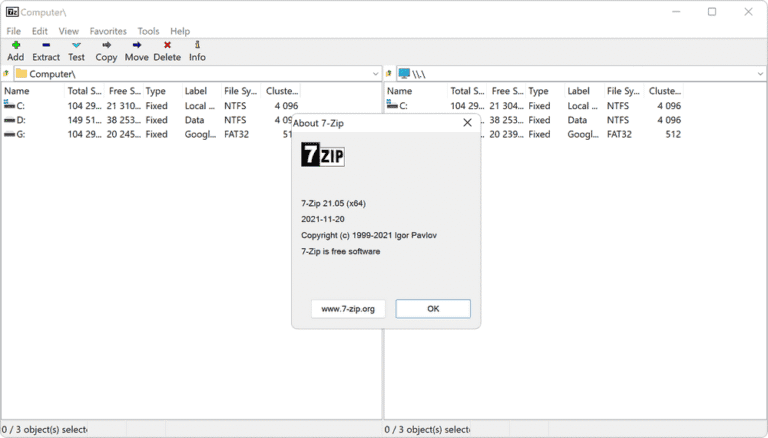
File Information
- Operating System: Windows XP/ Vista / 7 / 8 and 8.1 / Windows 10/11
- Developer: Igor Pavlov
- License: Freeware
- Language: Multilingual
- Size: 1.6 MB / 1.3 MB (x64 / x86)
- File type: *.exe
- Updated: 5/9/2026
- Required Reading: Download Guide





