
Download NanaZip 7 for free. This open-source file compression and extraction program, an enhanced version of 7-zip, can easily replace WinRAR and integrates well with the Windows 11 menu. This is the latest version.
What is NanaZip?
NanaZip 7-Zip is a file compression and decompression program developed from the well-known 7-Zip platform. Its origins stem from a classic problem for Windows 11 users: right-clicking didn't show the 7-Zip menu on the main menu, forcing them to constantly click to see more options. The developers redesigned it to natively support the new Windows 11 right-click menu. Upon downloading a file, right-clicking will immediately bring up the extraction menu, eliminating the need for registry modifications.
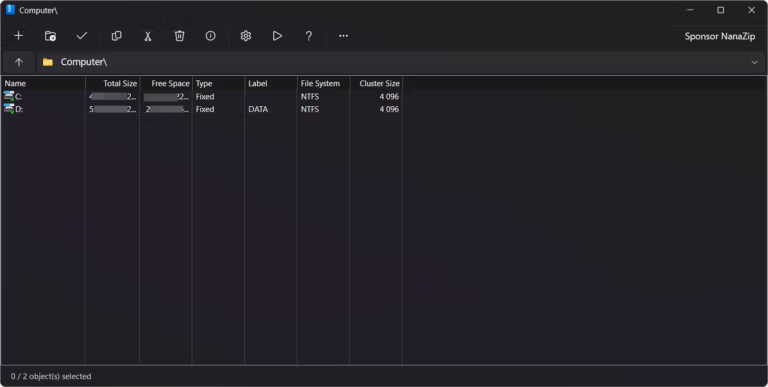
Besides the right-click menu, its UI has been redesigned to look modern and match the modern Windows design, with full support for dark mode. Inside, it boasts impressive performance and file support, handling ZIP, RAR, 7z, and various image files. Furthermore, the code has been improved for more stable and secure compatibility with modern operating systems. If you want to compare it directly to the original developer... 7-Zip It's also a very simple and lightweight option. NanaZip, on the other hand, focuses on a more modern Windows experience, with a shell menu and a more integrated interface without abandoning the basic file management fundamentals.
In short, if you value speed and lightweight performance, and want a seamless experience on the latest Windows versions, NanaZip is the perfect answer. It's open-source, free to download, and ad-free, making it an essential tool for those who like to optimize their system for faster and more efficient operation.
Key Features
- Free and open source, this is an enhanced version of 7-Zip.
- Compatible with Windows 10 and Windows 11, specifically the new right-click menu in Windows 11.
- Supports a wide variety of compressed and decompressed file formats, such as 7z, ZIP, RAR, TAR, GZ, ISO, and many more.
- Use a high-efficiency compression algorithm such as LZMA/LZMA2.
- Supports AES-256 file encryption.
- Extracting files in multi-volume format (divided file into parts).
- It is possible to create self-extracting compressed files.
- Supports large files.
- It has a Dark theme / supports Windows Dark Mode.
- It can be used via both GUI and Command Line.
- Supports drag and drop.
- You can check the integrity of the files or use a test archive.
- It uses relatively low system resources.
- Updates can be found through the Microsoft Store (if installed from the Store).
- No ads and no bundled software.
What's new?
NanaZip 7.0, version 2609.2 (7.0.1843.0)
- Fix wrong-password handling for all Zip archives.
- Update Brazilian Portuguese translation.
- Use Mile.DotNet.Helpers instead of Mile.Project.Helpers.
- Update Mile.Mobility to 1.1.678.
- Update Mile.Windows.Internal to 1.0.3729.
- Update Mile.Detours to 1.0.2442.
File Information
- Operating system: Windows 11 / 10 version 2004 or later (x64)
- License: Freeware
- Developer: Kenji Mouri
- Language: English
- Size: 11.9 MB
- File type: *.msixbundle
- Updated: 18/9/2026
- Required Reading: Download Guide
==== Download the .msixbundle file (GitHub) ====
Install directly from the Microsoft Store =====





