
Download Opera GX 136 for free in Thai. This web browser is designed for gamers, allowing for RAM and CPU usage limitations, smooth multi-tab browsing, and comprehensive theme and sound customization. This is the latest version.
What is Opera GX?
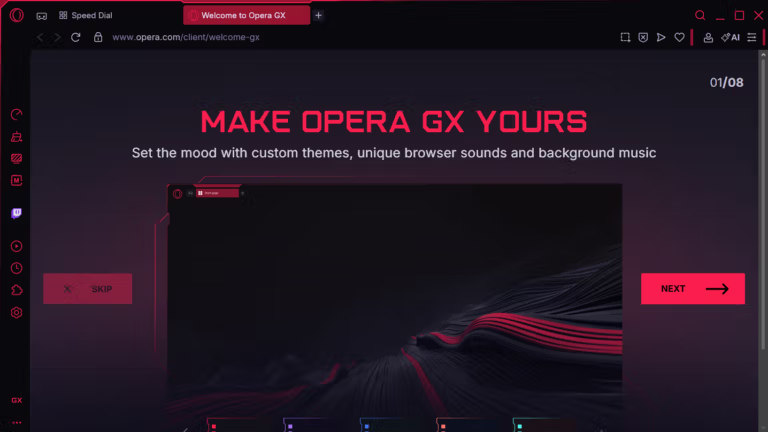
Opera GX Opera GX is a web browser designed specifically for gamers. It addresses a common problem gamers face: leaving a browser open while playing games consumes system resources, causing lag or frame rate drops. This forces users to constantly close tabs or the browser before starting a game. Opera GX's solution is GX Control, a system that allows users to control RAM, CPU, and internet bandwidth usage in real-time. This means you can listen to music, stream content, or search for information while playing games without worrying about resource consumption.
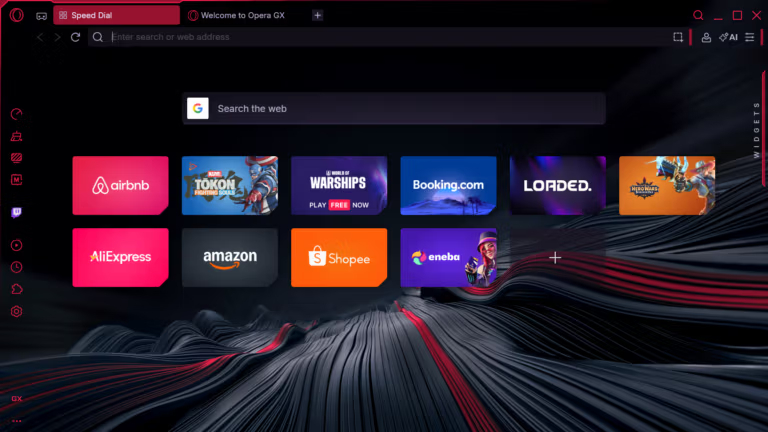
It's based on the same Chromium engine used by many popular browsers, so web pages load completely and it supports Chrome extensions like normal. What's different is that everything is wrapped up with what gamers actually use. The sidebar has built-in chat apps like Discord, Twitch, WhatsApp, Telegram, and Messenger, allowing you to chat with teammates without switching windows. GX Corner gathers gaming news, release dates, and game deals in one place. For those who like customization, there's a Mods system to change themes, colors, sound effects, and wallpapers. Features like Flow allow you to send files, links, and notes between mobile and PC in an instant, and there are tab management tools like Split Screen and Tab Islands to help organize multiple tabs simultaneously.
The people who will benefit most from this are gamers and streamers who need to keep it open while playing games, as well as those who open dozens of tabs or have low-spec computers and want to manage system resources efficiently. The included extras are also impressive, including a free VPN, a built-in ad blocker, a battery saver mode for laptops, and an AI assistant. If you're not a gamer but are interested in products from the same company... Opera Browser The regular model is also an equally attractive option.
What can Opera GX do?
- GX Control allows you to set limits on browser RAM, CPU, and network bandwidth usage. A Hard Limit mode is available to impose strict usage restrictions.
- Sidebar chat apps. Open Discord, Twitch, WhatsApp, Telegram, Messenger, Instagram, X, and TikTok on the side of your screen without switching windows.
- GX Corner: Your hub for gaming news, new game release schedules, and game deals.
- Mods. Change the entire browser's theme, colors, sound effects, and wallpaper. Includes both official and community mods.
- Flow allows you to instantly send files, links, and notes between your mobile phone and computer.
- Video Popout: Pulls the currently playing video into a floating window above other tabs.
- Split Screen. View two tabs side-by-side in a single window. Simply drag one tab to the other side or right-click and select the command.
- Tab Islands and Tab Traces group related tabs together, allowing for quick access to recently used tabs.
- Extension support is available. You can install Chrome extensions as usual because they use the same Chromium engine.
- Built-in ad blocker. Web pages load faster because there are no cluttered ads loading.
- Free VPN. Browse the web more privately without paying extra.
- RGX: Enhance the quality of online videos and images for sharper images in a single click.
- Opera AI: Chat, ask questions, and help with creative work for free, right from your browser.
- Battery saver mode. Significantly extends your notebook's lifespan.
What's new?
Version 136.0.6008.67
- This fixes the issue of the browser repeatedly closing immediately upon opening the program, which began appearing in version 136.0.6008.50. The cause stems from Chromium's font handling on Windows via DirectWrite.
- The team recommends updating via the offline installer, without needing to uninstall the previous version first.
File Information
- Operating System Windows 11 / 10 / 8 / 7
- Developer : Opera Norway
- License Freeware
- Language Multilingual
- Size 177 MB / 163 MB
- File type *.exe
- Updated on September 28, 2026
- Required Reading: Download Guide