

Download ShareX 21 for free. This open-source screen capture and video recording program comes with built-in image editing tools, automatic uploading, and the most customizable options among all screen capture programs. This is the latest version.
What is ShareX?
ShareX is a free and open-source screen capture and video recording program for Windows, licensed under the GPLv3, and has been under development for over 18 years. What sets ShareX apart from other screen capture programs is its After Capture Tasks system, which allows users to customize the post-capture workflow, such as automatic image editing, link shortening, uploading to a file hosting service, and instantly copying the link to the clipboard, without requiring any manual clicks.
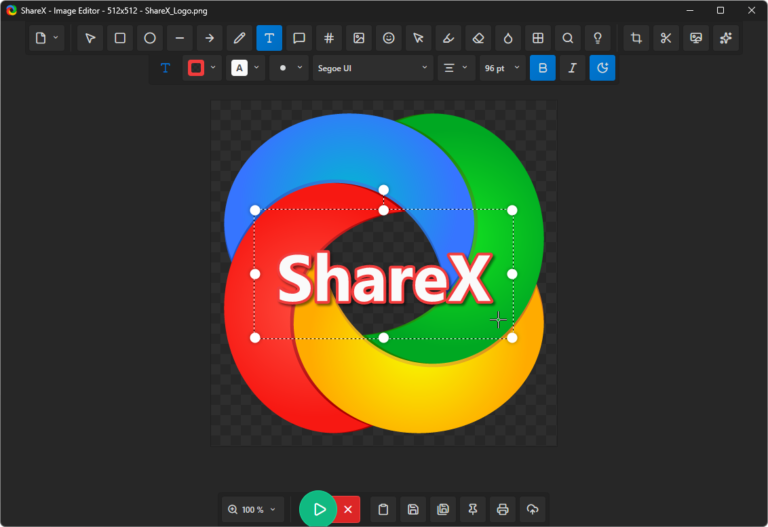
The program supports various screen capture methods, including full-screen, focused on the active window, freehand selection, scrolling capture for long web pages, and even screen video or GIF recording. It also features a comprehensive built-in image editing tool, including drawing arrows, adding text, blurring important information, adding watermarks, and supplementary tools such as a color picker, ruler, OCR tool for extracting text from images, and a QR code generator.
ShareX supports uploading files to over 80 external services, including image hosting, file sharing, link shortening, and cloud storage such as Google Drive, Dropbox, Imgur, or even its own server via Custom Uploader. This makes it ideal for developers, support teams, creators, and advanced users who frequently capture and share images daily. Despite its extensive features, the program remains completely free to use, without watermarks or any limitations.
The highlight is the transparent background of the captured image.
One of the rare features, almost nonexistent in other screen capture programs, is the ability to truly preserve the transparent background of the captured image. When a user captures a window with transparency effects enabled, such as a Terminal window or an app with translucent borders, ShareX saves the alpha channel value of that image instead of automatically filling the background with a solid color. The result is a PNG file with a truly transparent background from the moment of capture, which can be immediately overlaid on other images or used in graphic design without the need to spend time removing the background with image editing software afterward.
This feature also works with the Transparent Region Capture mode, allowing you to select a capture area without pausing the screen, and is compatible with video recording via the Transparent Region Selection option in the Screen Recorder menu. This makes ShareX an ideal tool for UI design, educational media creation, or illustration work that requires elements without backgrounds for later use in other projects, whereas typical screen capture programs usually only capture solid backgrounds.
Features:
Core Functions
- You can capture images in various ways, including full screen, the active window, a selected area, and scrolling screenshots.
- Record videos and GIFs from your screen. Record the entire screen, a window, or a selected area, along with system and microphone audio.
- Built-in image editing tools: Draw arrows, shapes, text, watermarks, blur and pixelate important information.
- Freely customizable hotkeys; assign separate shortcut keys for each capturing style as needed.
- Automatic uploading from over 80 services, supporting Imgur, Google Drive, Dropbox, FTP, and its own custom uploader.
- Complete set of accessories: color picker, measuring ruler, QR code generator, OCR tool to extract text from images.
Special Features
- After Capture Tasks allows you to set up post-capture steps to run automatically, such as editing, shortening links, uploading, and copying links.
- Image Effects and Image Combiner allow you to add image effects and combine multiple images into a single image directly within the device.
- Directory Indexer and Image Splitter are supplementary tools for creating file lists in folders and splitting large images into multiple parts.
- A custom-written uploader connects to upload services not supported by the program via custom API settings.
- Fully supports multi-monitor setups; you can select a capture screen from any monitor when using multiple screens simultaneously.
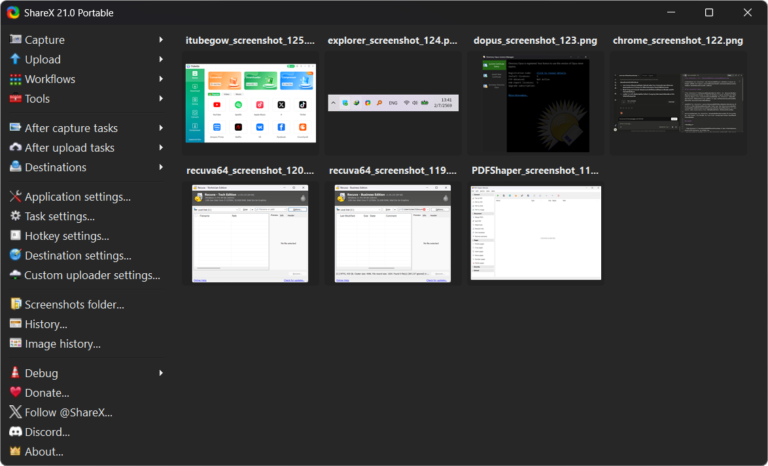
- Portable Mode allows for portable use without installation. It's ideal for carrying on a USB drive and using on other devices.
File Information
- Operating System Windows 11 / 10 / 8.1 / 7
- License Freeware
- Developer ShareX Team
- Language Supports multiple languages.
- Size 132 / 199 MB
- File type *.exe, *.zip
- Updated on : 4/7/2026
- Required Reading: Download Guide
==== GitHub ====
Microsoft Store





