
Download RustDesk for free, the full version. This Remote Desktop program allows you to control a computer remotely, using it over the internet without having to be in front of the screen. This is the latest version.
What is RustDesk?
RustDesk is an open-source remote control program developed using the Rust programming language, known for its security and performance. It's designed to allow remote control and access to other computers without relying on a central server, eliminating security risks. Therefore, it's ideal for users who require high security, good performance, and increased privacy.
In an era where remote work is the new standard, having a powerful and secure tool for remote computer control is crucial. RustDesk has become increasingly popular as a reliable and feature-rich remote control software, appealing to software developers, network administrators, and general users alike who need access to computers at home or in the office from elsewhere.
The program offers a choice between a basic, open-source, and free server and a professional, feature-rich server that can be purchased from the program's website. This choice makes it suitable for both individual users and organizations requiring a powerful and customizable remote control solution.
Features:
- Open sourceIt is open source, meaning users can access and improve the source code, making it transparent and secure.
- High securityEnd-to-end (E2E) encryption based on NaCl ensures that data transmitted during remote control is secure from interception or theft.
- No central server is required.We can configure our own hosting solutions on our own infrastructure, enabling control over access and enhancing privacy.
- Supports multiple platforms.It supports multiple operating systems such as Windows, macOS, Linux, iOS, Android, and the Web, allowing users to use it on a wide range of devices.
- High efficiencySupports VP8/VP9/AV1 encoding in software and H264/H265 in hardware, ensuring clear and uninterrupted video transmission.
- Easy to useDesigned for ease of use, users do not need administrator privileges or Windows installation, and can elevate privileges both locally and remotely when needed.
Is RustDesk any good?
When compared to other remote control software such as TeamViewer, AnyDesk, This program has several outstanding advantages:
- No costBecause it is open-source software, users do not have to pay to use it. It is also transparent and secure.
- Safety and privacyNot relying on a central server enhances security and privacy during use.
- CustomizabilityUsers can customize the source code and features to their own needs.
How to use RustDesk
1. Basic usage.
- Open the program.:
- After installation, open the program.
- Server settings (Optional):
- For maximum privacy, you can set up your own server.
- Connect to a remote computer.:
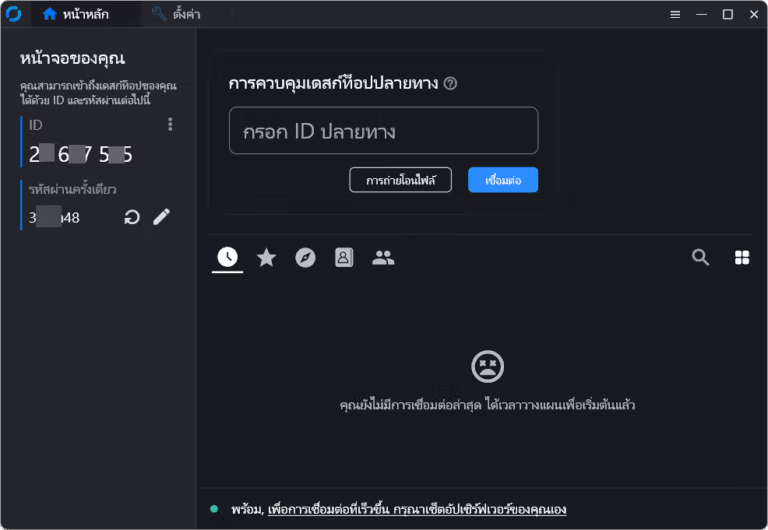
- Your computer's ID will be displayed on the program's main screen.
- Send this ID to the person you want to control your computer.
- However, if you want to remotely control another computer, ask the person you want to remotely control for their ID and enter this ID in the designated field in the program.
- Encryption and security:
- End-to-end (E2E) encryption is used for data security.
- You can set a password for the connection to increase security.
2. Using the various features.
- Sending files:
- When connected to a remote computer, we can send files between our computer and the remote computer by dragging and dropping them in the program window.
- remote control:
- We can control the computer remotely just like we would use our own computer, including opening and closing programs and adjusting various settings.
- Conversation:
- It has a messaging feature that allows us to communicate with remote computer users instantly.
3. Advanced settings
- Setting up your own server.:
- If you want to host your own server, you can download RustDesk Server from the website and follow the instructions.Installation Guide
- Adjusting various settings:
- We can configure several settings to customize the program according to our needs, such as image resolution settings, codec selection (VP8/VP9/AV1 or H264/H265), and access permission management.
File Information
- Operating System: Windows 11 / 10
- License: Freeware
- Language: Multilingual
- Size: 23 MB
- File type: *.exe
- Updated: 7/7/2026
- Required Reading: Download Guide





