
Download Google Chrome 153 Free in Thai language, Offline Installer for PC. Supports 64-bit and 32-bit operating systems. The number one popular web browser, fast, secure, and worry-free browsing. Latest version.
What is Google Chrome?
Google Chrome Google Web Browser is a web browser from Google that emphasizes speed, compatibility with website standards, and seamless integration with Google services. It uses the Chromium/Blink engine along with V8 JavaScript, allowing it to smoothly open web applications, high-resolution videos, and complex scripts on most computers. The address bar, or Omnibox, combines URL typing and search into a single field, automatically suggesting related websites, history, and search terms. When signed in to your Google Account, it seamlessly syncs bookmarks, history, passwords, tabs, and settings across devices.
In terms of security, Chrome employs a multi-process architecture with sandboxing to prevent malicious code from accessing the operating system. It features Safe Browsing to warn against dangerous websites, phishing, and risky downloads, along with automatic updates that regularly deliver security patches. For resource management, it includes a Memory Saver function to temporarily suspend inactive tabs to free up system memory, and an Energy Saver to reduce background processing tasks when the computer is running on battery power.
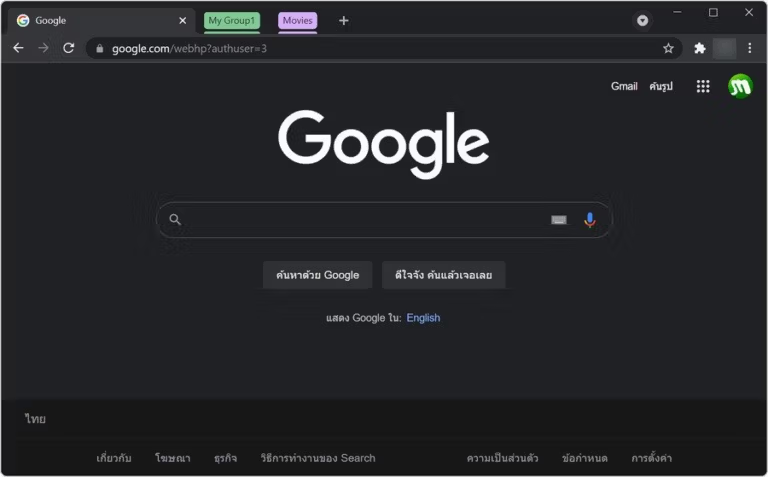
Chrome also supports a wide variety of extensions and themes from the Chrome Web Store, has a built-in translation system, tab grouping, and tab transfer capabilities. It's suitable for general web browsing, document work, and web applications that require high standards. If you want an alternative that focuses on blocking trackers and privacy, you can try... Brave Browser Or Mozilla Firefox That's also true, as Chrome continues to excel in its full compatibility with the Google ecosystem.
Key Features
- The webpage loads quickly. With the V8 JavaScript engine and Blink rendering technology.
- Safe Browsing security system Detect and block dangerous websites, phishing attacks, and malware automatically.
- Sync data across devices. This includes bookmarks, browsing history, and passwords accessed through your Google Account.
- Supports extensions. And numerous window customization themes from the Chrome Web Store.
- Automatic translation system Translate webpage content instantly. Supports Thai and other languages worldwide.
- Incognito mode Browse the web without saving history, cookies, and form data to your device.
- Organize tabs (Tab Groups) Categorize tasks, find open tabs, and pin important tabs.
- Processing high-level graphics and video. Supports HTML5, WebGL, and WebGPU at 4K resolution.
- Password Manager Help record information, create strong passwords, and check for leaks.
- Resource saving mode It has a Memory Saver to free up RAM from unused tabs and an Energy Saver to preserve battery life.
- Switch between multiple profiles. Work information, bank accounts, and personal history can be separated independently.
- Works with Windows 11 and Windows 10. It works seamlessly on both 64-bit and ARM64 architectures.
What's new?
Improvements in version 153.0.8010.53
Google Chrome 153.0.8010.53 is a stable update for desktop released on September 17, 2026. It addresses 16 security vulnerabilities and continues the web platform improvements included with Chrome 153 to enhance security and stability.
- Fixed 16 vulnerabilities. These include the critical use-after-free vulnerability in Dawn (CVE-2026-93374) and the buffer overflow in WebGL (CVE-2026-93372).
- Fill in gaps in several key components. Covers Tracing, PDFium, Skia, Extensions, ORB, V8, FileSystem, Omnibox, Permissions, DataTransfer, Storage, Paint, and WebAppInstalls.
- Single-axis scroll containers Improved single-axis page scrolling accuracy with a scroll-axis-lock feature to prevent diagonal scrolling.
- XML parsing in Rust Implement an XML parsing system written in Rust to enhance memory safety.
- Capability elements Add tags
<camera>And<microphone>Used to control the access of hardware devices. - Immersive Audio Model (IAMF) Supports surround sound decoding and optimizes WebAudio Render Quantum to reduce latency.
- WebGPU buffer_view Enhance computing and graphics capabilities that directly utilize the GPU.
File Information
- Operating System: Windows 10 or later (Intel/x64) / Windows 11 or later (ARM64)
- Developer: Google
- License: Freeware
- Language: Thai / Multilingual
- Size: 160 MB / 148 MB (64-bit / 32-bit)
- File type: EXE (Offline Installer)
- Updated: 18/9/2026
- Required Reading: Download Guide