

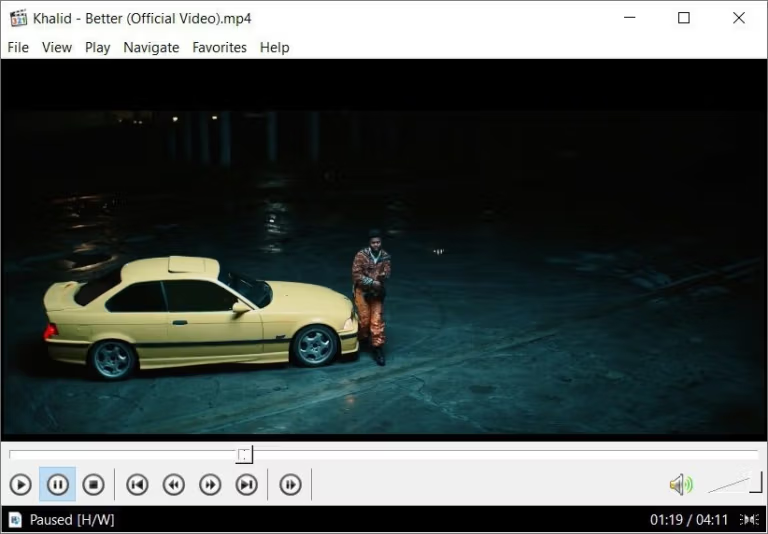
Download K-Lite Codec Pack 2026 for free. This codec and video playback tool suite supports multiple file formats, both 32-bit and 64-bit, and includes MPC-HC to help resolve issues where files open without image or sound.
What is K-Lite Codec Pack?
K-Lite Codec Pack This is a comprehensive suite of audio and video decoders and filters for Windows, allowing media players to recognize a wider range of files, including movies, music, and videos using different encodings. This reduces problems such as no picture, no sound, or audio-video mismatches when opening files, eliminating the need to install separate decoders. The Full version is ideal for those who need more complete media playback components than the basic package and also serves as a foundation for other video players to work with a wider variety of file types.
The K-Lite Codec Pack includes components to manage decoding, video and audio rendering, and file verification, allowing you to choose between the built-in player or your familiar existing player. Many settings are integrated into a single tool, making it easier to adjust decoder types and resolve compatibility issues compared to searching for plugins from multiple sources. It supports both 32-bit (x86) and 64-bit (x64) Windows, as well as high-resolution files depending on the system's capabilities.
This program is ideal for those who have old video files or files downloaded from multiple sources and want to watch them immediately without having to guess which additional plugins to install. It's also suitable for those who need a standalone media player that supports a large number of file types. VLC Media Player It's another option that can be used in conjunction with other software. The K-Lite Codec Pack excels at preparing the components to allow Windows media players to work more systematically with various file types.
Key Features
- A Media Player Classic Home Cinema (MPC-HC) software is available for installation to play audio and video files.
- Use LAV Video Decoder to decode many common video formats.
- Use the LAV Audio Decoder for decoding audio and it supports multiple audio formats.
- There is a LAV Splitter for separating video, audio, and subtitle streams from a container file.
- Supports subtitles via DirectVobSub and offers customizable display options.
- MPC Video Renderer is available for high-quality video rendering and supports hardware acceleration.
- The Full package includes madVR for higher quality image rendering and upscaling tasks.
- There is a Codec Tweak Tool available for checking, resetting, and managing decoders installed on the system.
- MediaInfo Lite is available for viewing technical information about audio and video files.
- iCaros is used to create previews and display video file information in File Explorer.
- Supports hardware video decoding to reduce CPU load when the device supports it.
- Supports HDR, audio bitstreaming, and file association settings via the installer.
- The installer allows you to customize components, enabling you to install only the players, filters, and tools you need.
What's new?
Changelog 19.9.5 to 20.0.0 ~ 2026-09-17
- Updated MPC-HC to version 2.8.2.0
- Updated LAV Filters to version 0.83-5-gd65a9
- Updated MPC Video Renderer to version 0.10.8.2587
File Information
- Operating System: Windows XP/ Vista / 7 / Windows 8 and 8.1 / 10 / 11
- License: Freeware
- Language: English / Thai
- Size: 55 MB
- File type: *.exe
- Updated: 18/9/2026
- Required Reading: Download Guide





