

Download Office Tool Plus 11 for free in Thai. This tool helps you install, uninstall, and manage Office. It's easy to use and secure. The latest version includes instructions.
What is Office Tool Plus?
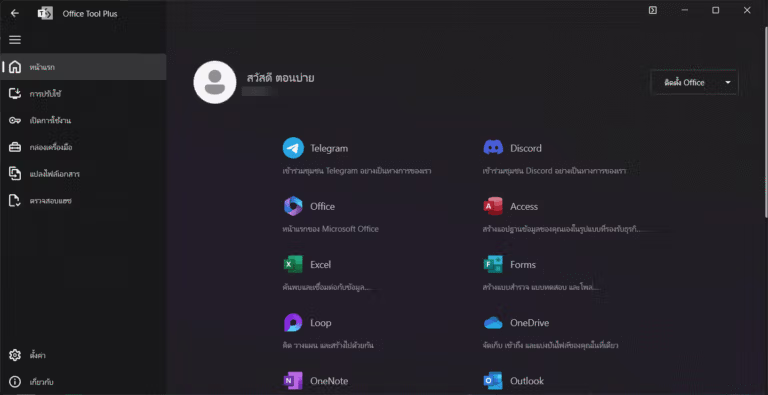
Office Tool Plus is a tool that makes installing and managing the Microsoft Office suite more convenient and efficient. Its main functions include installing and configuring various Office versions, such as Office 365, Office 2024, Office 2021, as well as Visio and Project, or other Office versions, directly from Microsoft servers without the need for pre-prepared installation files. Furthermore, it allows for customization of the installation, such as selecting which applications to install or choosing the desired language.
A key feature of Office Tool Plus is its ability to...Remove or uninstall Office quickly and cleanly. This can be difficult with a normal uninstallation. It can configure the installation and manage Office activation on multiple machines, which is ideal for system administrators or organizations that need to install a large number of Office units quickly. The tool is easy to use and supports the installation of multiple Office versions, as well as managing other settings such as updates and changes to the installation according to user needs. It also has the ability to easily and quickly uninstall or remove Office from the machine. This is extremely useful for those who experience problems with uninstalling Office from the system, which often takes a long time.
Key Features
Installation and configuration:
- It's easy to install various Office versions, such as Microsoft 365, Office 2016, 2019, 2021, and others.
- Customize the installation by selecting your preferred programs and language.
- Create an XML file for installing Office on multiple computers.
Download:
- Download Office installation files quickly from Microsoft servers.
Office Management:
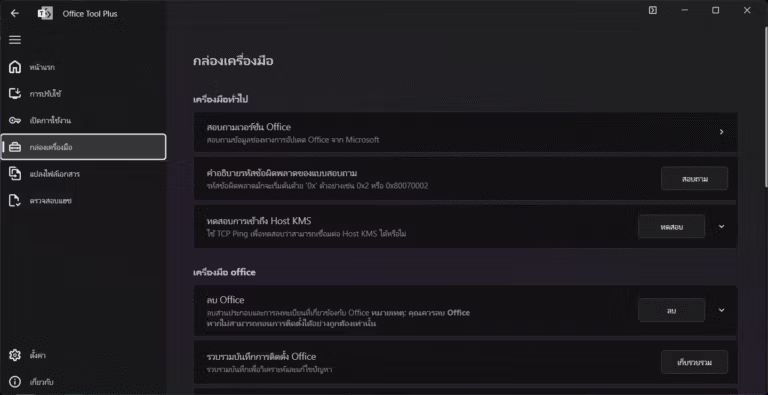
- Troubleshoot and manage installed Office.
- Change the way you update Office.
- You can uninstall the problematic Office application.
Activating Office:
- Install the product key.
- Manage KMS (Key Management Service) activation.
Is Office Tool Plus any good?
- safe: All of its components come from Microsoft and the code is open source on GitHub.
- free: This tool is free and ad-free.
- Effective: It has a user-friendly interface, making it easy to download, install, activate, and manage Office.
How to use Office Tool Plus
You can read it here: Office Tool Plus User Manual (Thai Language) Detailed Version
File Information
- Operating System: Windows 11 / 10 / 8.1 (x64)
- Developer: Landian.News
- Language: English / Thai
- Size: 77 MB
- File types: *exe, *zip
- Updated on: 9/9/2026
- Required Reading: Download Guide
Note:
- We recommend downloading the version that is... Office Tool with Runtime Because it will be more convenient to use.
- This program is only for downloading and installing Office. For activation, we recommend... Ohook Activation (Good and safe)
==== Office Tool with runtime x64 (.zip) ====
==== Other Options ====





