Download the latest version of WinScript for free, an open-source Windows 10 and 11 optimization tool that helps remove unwanted programs, disable tracking, tune performance, and install multiple favorite applications simultaneously with a single click.
What is WinScript?
WinScript is a free, open-source program that greatly simplifies Windows 10 and 11 configuration. Instead of manually disabling unwanted features, removing pre-installed apps, or tweaking the registry and system policies yourself, this tool consolidates all options into a single interface resembling the Settings app. Users simply check the options they wish to change, and it generates a PowerShell script based on those selections to execute. This approach ensures complete transparency because users can always preview what instructions are being given to the system, rather than pressing a single button and letting it make changes in the background through guesswork.
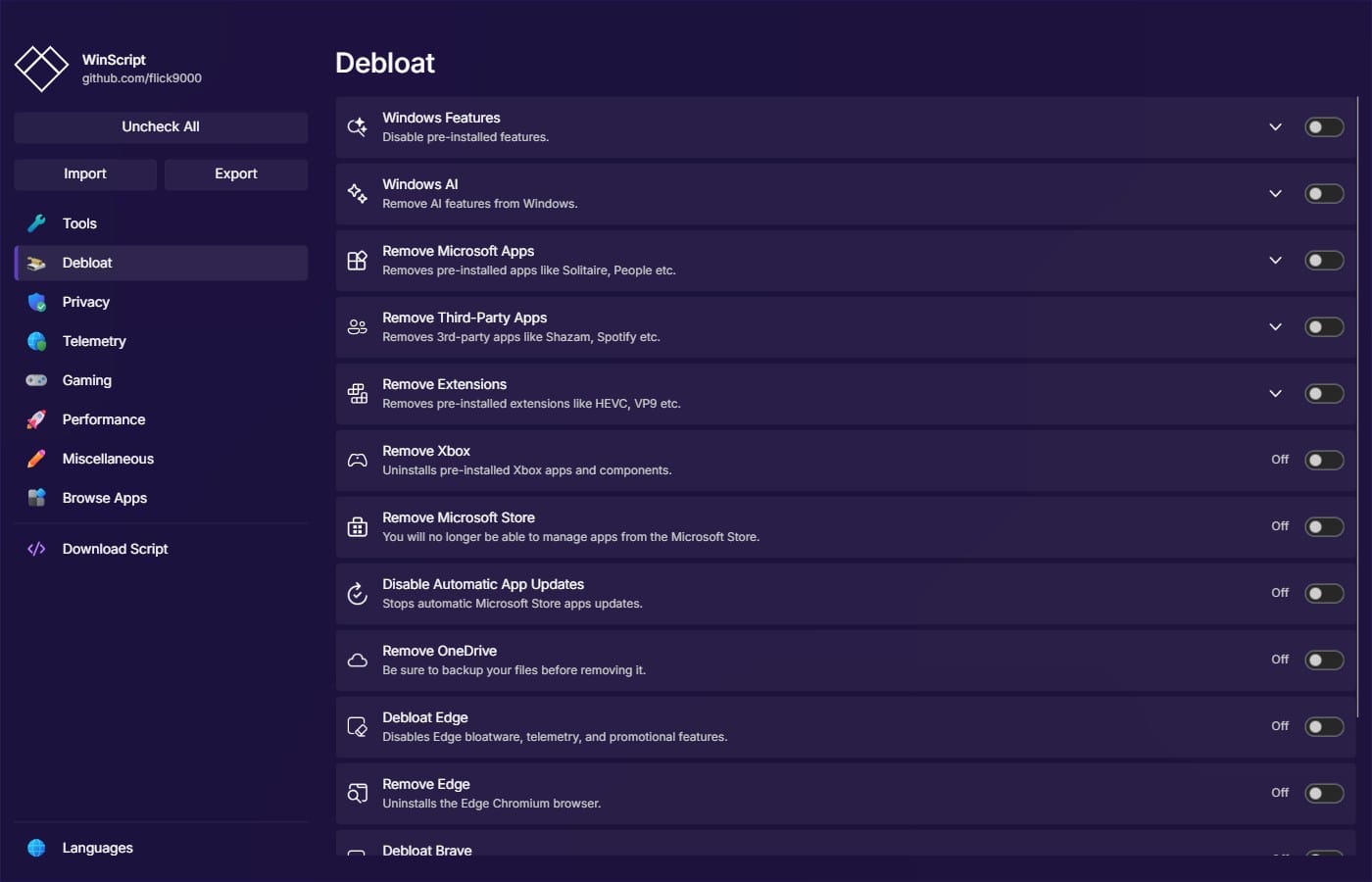
The core focus of WinScript is removing unnecessary items from the system, commonly known as de-bloating. It helps uninstall pre-installed manufacturer and Microsoft apps, as well as deeply embedded components like Copilot, Widgets, OneDrive, Microsoft Edge, and the Microsoft Store. Additionally, it features a privacy category for disabling usage data collection and various tracking services, and a performance category for managing resource-heavy background services. Anyone doing a fresh system install can use WinScript to clean up their system all at once, while those looking for a more turnkey tweaking tool rather than choosing scripts manually can check out Ashampoo WinOptimizer to compare first.
WinScript doesn't just remove old clutter; it also helps install essential new software. Users can select desired popular programs from a list, and it will generate a script to install multiple applications simultaneously via Winget or Chocolatey. This is ideal when setting up multiple new systems, as the generated command sets can be saved and reused repeatedly.
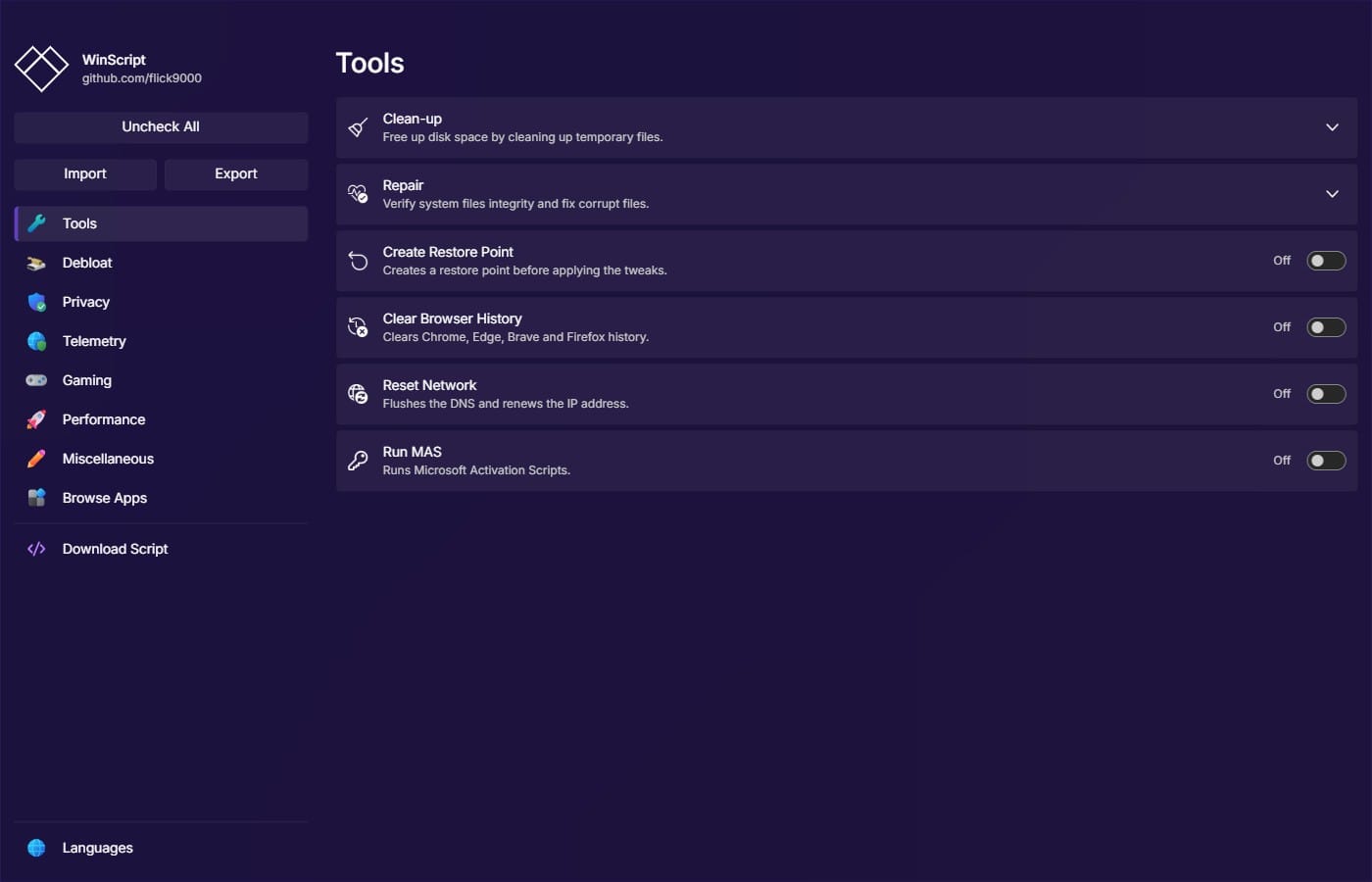
Before starting work, WinScript also provides built-in system maintenance tools, including system restore point creation, temporary file cleaning, and system file integrity checking. It is available in both installer and portable editions, while those who prefer not to download extra software can use the online version to generate command sets through a browser. The tool is lightweight, free to use, and its code is open for review on GitHub. Crucially, system-level tweaks must be run with administrator privileges, and you should carefully read through your selected options before clicking run, as some choices may disable features you still want to use.
Key Features of WinScript
- Remove Unwanted Programs. Uninstall pre-installed apps including Microsoft Store, OneDrive, Copilot, and Edge, while disabling Widgets, Recall, and unused features.
- Disable Tracking. Stop Windows, Office, and Search telemetry, block apps from accessing sensitive data, and disable background theme and password synchronization.
- Boost Performance. Enable the Ultimate Performance plan, reduce mouse latency, disable Superfetch and Storage Sense, adjust Windows Defender CPU usage, and manage startup services.
- Batch Install Multiple Programs. Select popular apps from the list and install them all at once via Chocolatey or Winget, eliminating the need to download them one by one.
- Automated Windows Setup. Generate an autounattend.xml file to bypass hardware requirements, create a local account, skip initial setup steps, and run preset configurations post-installation.
- Generate Custom Scripts. Check only the desired settings, and the program will generate a PowerShell script for your review before execution, avoiding hidden system modifications.
- Import Presets. Save settings to a file and reload them using the -i command, perfect for deploying systems across multiple machines.
- Install via Winget or Run Directly from PowerShell. Use the winget install winscript command or run via irm from winscript.cc without needing to download files beforehand.
- Built-in System Maintenance Tools. Create system restore points, clean temporary files, and check system file integrity before starting optimizations.
- Open-Source and Auditable. Code is open-source on GitHub under the GPL-3.0 license and all files are digitally signed. Warnings from Windows Defender are noted by the developers as false positives due to the script directly modifying system settings.
What's new
Version 2.28.1 – Nov 5, 2026
- Fixed the right-click menu. Disabled the right-click menu from opening within the application window.
file information
- Operating System: Windows 10 / 11
- License : Freeware / Open Source (GPL-3.0)
- Developer: flick9000
- Language: Multilingual
- Size: 5.55 MB / 13.15 MB
- File type: *.exe
- Password: None
- Installation method: Yes
- Updated on: November 6, 2026
- Need to read: Download Guide
==== Installation Package (.exe) ====
==== Portable (.exe) ====