

Download Sysinternals Suite 2026 for free in Thai. This comprehensive software package from Microsoft includes tools for managing, diagnosing, and troubleshooting computer systems, helping you keep your computer running smoothly. This is the latest version.
What is Sysinternals Suite?
Sysinternals Suite It is an advanced system utility suite that includes more than 70 management, diagnostic, and troubleshooting tools for the Windows operating system. Developed by Mark Russinovich and Bryce Cogswell before officially becoming part of Microsoft, the tools in this package are widely recognized by software developers, network administrators, and security professionals worldwide because they can delve deeper into the operating system's workings than standard Windows tools can. When used in conjunction with system cleaning programs such as... CCleaner This will allow us to access comprehensive, fast, and accurate operational information within the system, whether for monitoring processes, managing resources, or performing advanced security checks.
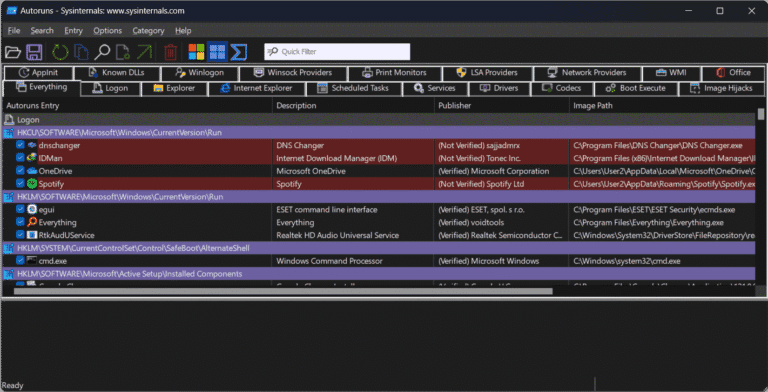
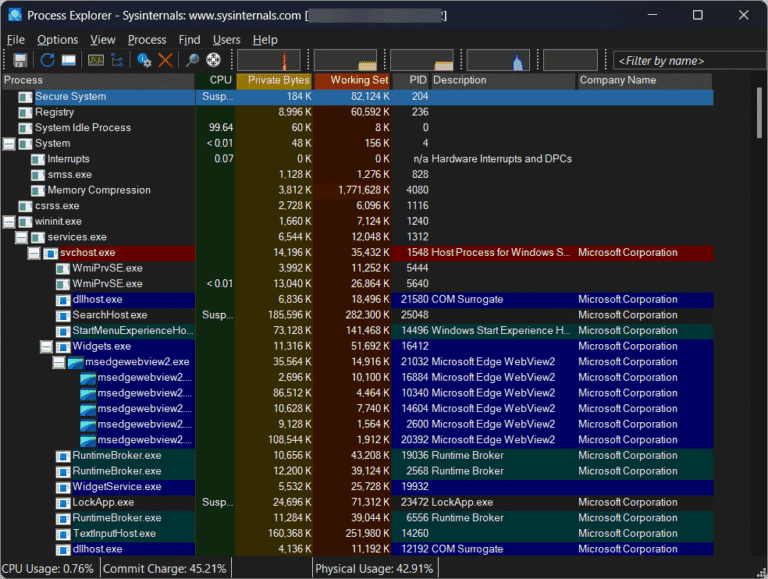
The Sysinternals Suite 2026.09.10 includes utilities that cover virtually every aspect of system operation. These include real-time process monitoring via Process Explorer, analysis of file and registry access with Process Monitor, management of startup programs via Autoruns, network connection detection with TCPView, and memory management and analysis with RAMMap. Almost all tools in this suite are portable, meaning they can be downloaded and run immediately without installation. This allows system administrators and general users to efficiently identify the causes of slow computer performance, application freezes, or detect hidden malware, making it an essential tool for everyone.
Key Features
- Process Explorer – A tool for monitoring and managing processes running on the system, providing insightful information about resources and DLLs.
- Process Monitor – A tool for monitoring and recording activity of the file system, registry, and processes in real time.
- Autoruns – A tool for monitoring and managing programs, services, and drivers that start with the Windows system.
- TCPView – A tool that displays a list of all TCP and UDP network connections, along with the identifiers of the processes running them.
- ProcDump – A process crash dump recording tool for analyzing the cause of errors.
- RAMMap – A tool for in-depth analysis of physical memory (RAM) allocation and usage.
- PsTools – A command-line tool for managing computers both locally and remotely.
- VMMap – A tool for analyzing the virtual memory of each application.
- Disk2vhd – A utility for creating Virtual Hard Disk (VHD) images from a physical hard disk for use on VMs.
- Coreinfo – A tool that displays information about the CPU architecture and supported features.
- Sigcheck – A tool for verifying digital signatures and checking files via VirusTotal.
- Sysmon – A service for monitoring and logging system security activity to the Windows Event Log.
File Information
- Operating System: Windows XP / Vista / 7 / 8.1 / 10 / 11
- Developer: Microsoft
- License: Freeware
- Language: Multilingual
- Size: 184 MB
- File type: *.zip
- Version: 2026.09.10
- Updated: September 11, 2026
- Required Reading: Download Guide





