

Download Free Download Manager 6 (FDM) for free. This free download manager can be used as an alternative to IDM. It supports both regular and torrent files and manages download queues quickly and easily. This is the latest version.
What is Free Download Manager?
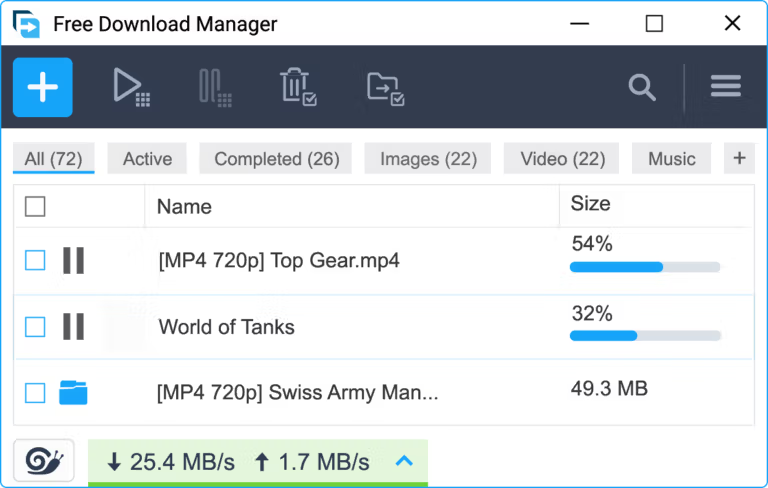
Free Download Manager This is a file download manager designed to organize downloaded files and maximize network speeds better than relying on the web browser's built-in downloader. The program supports downloading large files, queuing multiple downloads simultaneously, and downloading via the BitTorrent protocol without needing a separate BitTorrent program. It also offers cross-platform compatibility across Windows, macOS, Linux, and Android, allowing for seamless control of downloads.
The program's mechanism works by integrating with a browser extension to automatically detect download links. When downloading a file, the system splits it into multiple parts to open several connections simultaneously, making efficient use of network bandwidth. If the internet connection is lost or interrupted, the program can resume the download from where it left off without restarting. Additionally, there are download speed limiting modes available: Low, Medium, and Maximum, to optimize network speed during use.
In practical use, when compared to popular programs such as... IDM While IDM generally detects and extracts video streaming links from various web pages more comprehensively, Free Download Manager has the advantage of being freeware, ad-free, and supporting both torrent and direct download files in a single program. Additionally, it offers a function to preview audio and video files while downloading, and includes a tool to convert multimedia file formats to desired extensions after downloading is complete, allowing users to manage various media and files comprehensively in one place.
Core Competencies
- Speed up download speed This is achieved by dividing the file into multiple parts and retrieving data simultaneously from multiple channels.
- Supports BitTorrent protocol. Downloads can be made via .torrent files and Magnet links built-in.
- Continue downloading from where you left off. Data can be resumed immediately after a connection loss without having to restart the download.
- Automatic link detection Supports integration with Chrome, Edge, and Firefox browsers via extension.
- Manage download queues and schedule downloads. You can freely set the start and stop times for receiving files in advance.
- Limit bandwidth usage. Adjust download speeds based on traffic mode to share the bandwidth with other users.
- Preview multimedia files. You can preview video files or listen to audio immediately, even while the files are still downloading.
- Convert media file format. Change the file extension of video and audio files after downloading to make them ready for immediate use.
- Manage and sort files. Automatically group downloaded files into folders based on file type.
- remote control Check the status and start the download on your computer via your Android smartphone.
- Free to use, no ads. It's a completely freeware product, free from banner ads and hidden malware.
- Supports multiple platforms. It can be installed and used on Windows, macOS, Linux, and Android.
What's new?
Improvements in version 6.35.1
- Updated internal program components to improve compatibility and download stability.
- Improved the functionality of the "Download Later" button for scheduling and queuing downloads in advance.
- Improve the performance of program windows and the user interface (UI).
- Fixed common errors found in previous versions to improve system stability.
File Information
- Operating System: Windows 11 / 10 / 8.1 / 7
- License: Freeware
- Developer: Free Download Manager.ORG
- Language: English
- Size: 35 MB
- File type: .exe
- Updated: 23/9/2026
- Required Reading: Download Guide





