
Download Ghost Downloader 3 for free, a free file download manager that splits files into multiple parts and downloads them simultaneously, making large files download faster, allowing pause and resume midway, with built-in support for video, torrents, and live streams all in one.
Get to know Ghost Downloader
Ghost Downloader is a download manager designed to make downloading files from the internet faster, more stable, and easier to manage than relying solely on a browser. Instead of downloading a whole file through a single connection, the program splits the file into multiple parts and downloads them simultaneously across multiple channels, maximizing available internet speed, especially when downloading large files.
A key highlight that makes many users choose this program is its ability to pause and resume downloads. If the internet disconnects or the computer is shut down unexpectedly, there is no need to restart the download from the beginning, as the program remembers the progress and resumes immediately when ready. Additionally, it can pause tasks, manage multiple download queues simultaneously, and limit maximum speeds to prevent bandwidth hogging. This makes it ideal for frequent downloaders who do not want downloads to interfere with other activities.
Usage is straightforward because the program can automatically detect copied links and prepare download tasks instantly, eliminating the need to paste links manually. The user interface is designed to be modern, clean, and intuitive, displaying progress, speed, and the status of each task on a single page. This allows users to see at a glance which tasks are downloading, completed, or queued.
Ghost Downloader supports a wide variety of file formats, allowing for the management of multiple download types from a single application instead of installing several separate tools. It is an excellent choice for those seeking a primary tool for general downloading tasks. Free Download Manager it is another great choice, and it also includes a post-download file integrity verification system to ensure that the downloaded files are not corrupted or missing pieces along the way, which is very important for large files.
Consequently, Ghost Downloader is suitable for both users who want fast downloads without worrying about interruptions and those who regularly work with large files—whether students, professionals, or media collectors—as it makes downloading more controllable and reliable.
Who is this program suitable for?
People who frequently download files from the internet will benefit immediately because large file downloads no longer require hoping they won't disconnect halfway through; they can be paused and resumed without losing the progress already downloaded. Those who like saving clips or playlists for offline viewing are also well-suited, as they can choose the resolution, subtitles, and desired episodes from a single place without switching between tools.
Livestream recording enthusiasts will love how it records streams and combines the files ready for viewing in a single step, rather than having to manually piece together or convert files later. Meanwhile, those who still download files via torrents or eD2k links can use this program as their main tool because it supports those protocols alongside regular download tasks. In short, if you previously had to use multiple separate programs depending on the task, this program combines them all into one and manages all task queues from the same screen.
Compatibility with other programs.
Ghost Downloader communicates with other tools via an RPC API compatible with aria2. External tools that already use this protocol can submit tasks, check status, and pause or resume jobs without needing to learn a new communication method. Furthermore, the developer provides a comparison table against popular download managers like IDM, NDM, Gopeed, Motrix, and FDM on the official website. Ghost Downloader's selling point is the integration of multiple protocols, video tasks, and stream recording into a single program, complete with its own browser extension. This comparison is useful as it gives readers an overview before deciding, saving them from having to install each one to find the best fit for their workflow.
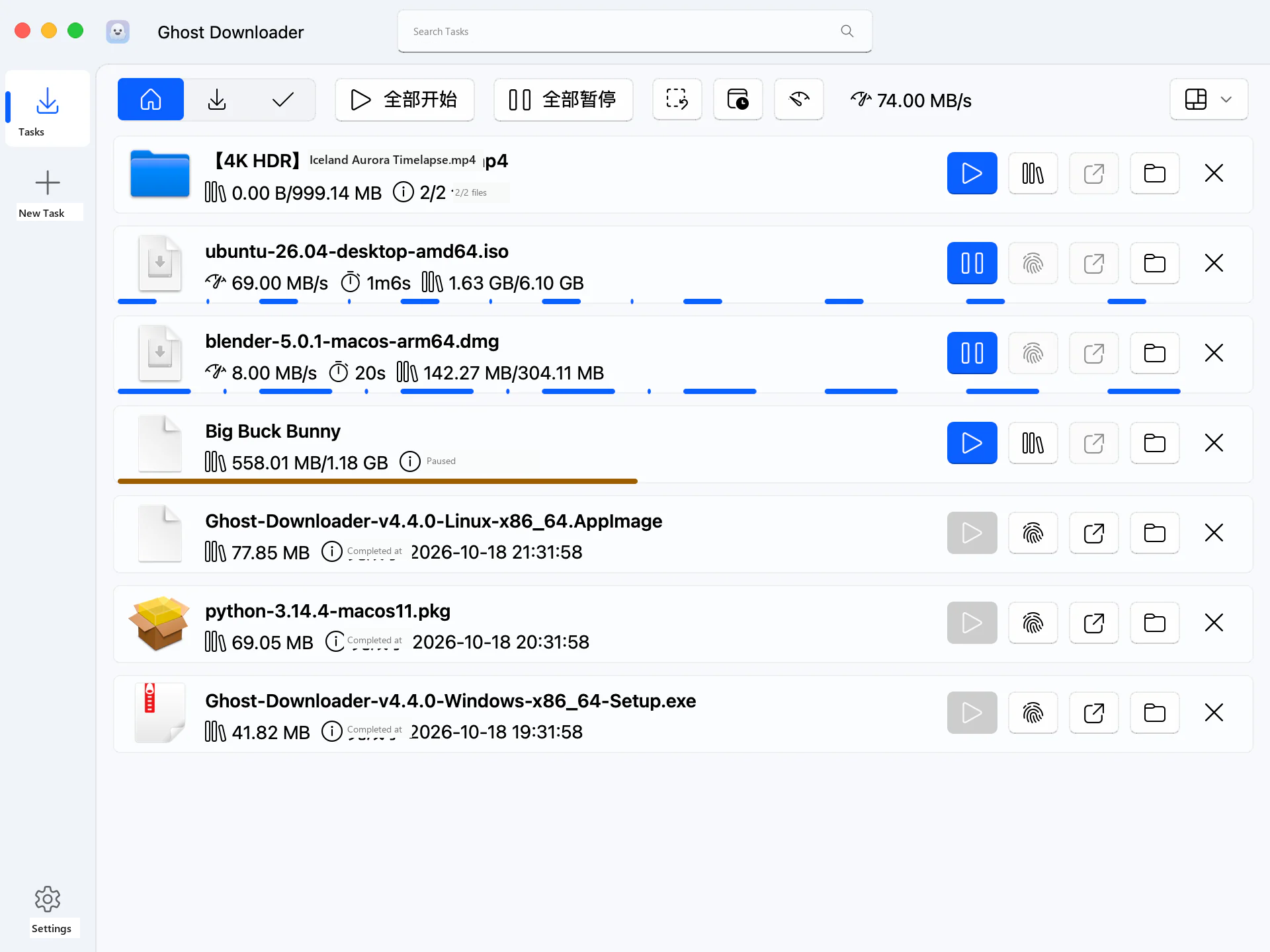
Key features of Ghost Downloader 3
Acceleration engine
- Split files without needing to merge them later. The program splits files into multiple parts and downloads them simultaneously. Once all parts are complete, the files can be used immediately without any additional file-merging step.
- Measures internet speed and adjusts threads automatically. The program detects available bandwidth and dynamically increases the number of threads, up to 253 threads, with AI-driven acceleration.
- Real browser-like TLS fingerprinting. The connection uses the same TLS fingerprint as real browsers, making the server perceive it as a normal browser file request.
- Intelligently segmented and resumable. The intelligent segmentation system records progress in a .ghd file. If the internet disconnects or the computer shuts down midway, downloading can resume from where it left off without starting over.
- Faster segments split to help slower ones. Segments that finish downloading quickly are split into new threads, helping pull up the speed of the remaining parts instead of leaving threads idle and waiting.
Supported protocols and content.
- Multi-threaded HTTP/HTTPS and FTP/FTPS. Download via HTTP/HTTPS and FTP/FTPS using multiple threads with resume support, plus browse the server's FTP folder structure as a tree before selecting files.
- Magnet and BitTorrent with file selection. Supports magnet links and torrent files, allowing you to selectively download only the desired files from a torrent without downloading the entire package.
- M3U8/HLS and MPEG-DASH. Download M3U8/HLS and MPEG-DASH video streams directly from links.
- eD2k links. Supports eD2k links for peer-to-peer file sharing tasks as well.
- Detailed selectable YouTube and Bilibili downloads. Download clips from YouTube and Bilibili while selecting resolutions, subtitles, playlists, and multi-part episodes in a single task.
- Accelerated downloads from GitHub and HuggingFace. Downloading from GitHub and HuggingFace is accelerated through mirrors provided by the program.
- Record livestreams until ready to watch. Record HLS and DASH livestreams with automatic decryption and file merging, ready for viewing without manual file concatenation.
- Feature Packs expand capabilities. The Feature Packs plugin system adds specialized capabilities with packages like bili, ffmpeg, yt_dlp, http, and ftp.
GD4B browser extension
- Download button on currently playing videos. The GD4B extension places a download button right on the video being played, allowing you choose any quality to download directly from there.
- All-media page popup. Open the popup to see all media items on that page, allowing you to download them individually or multiple items simultaneously.
- Select quality, subtitles, and episodes in a single click. From the same popup, select video quality, subtitles, and series episodes without opening a new page.
- Login cookies follow along. Login credentials such as cookies and headers from the browser are passed along with the download task, enabling the downloading of media that requires prior authentication.
- Take over download tasks from the browser. Enable download interception, and files triggered for download in the browser will be automatically sent to Ghost Downloader to handle instead.
- Fallback options when direct media capture fails. If standard methods fail to capture media, there is still Cat Catch which records directly from the player, along with fallback methods via WebRTC and browser cache.
- Capture all images on a page at once. The image collection mode extracts a large number of images from a webpage and queues them for download simultaneously, eliminating the need to save pictures one by one.
- Merge video and audio into a single file. Videos with separate video and audio tracks will be merged into a single file, ready for viewing immediately after the download completes.
- DRM limitations as specified by developers. The developer explicitly states that DRM-protected media cannot be downloaded using this method, as this is an inherent limitation of the media itself and not a program bug.
Download management
- RPC API compatible with aria2. The program opens an aria2-compatible RPC API, allowing external tools to control operations and check status using a familiar protocol.
- Edit URLs, headers, and proxies on the fly. While a download is in progress, you can edit the URL, headers, or proxy without losing the progress already downloaded.
- Batch downloading with templates. Create multiple tasks simultaneously from templates, setting file names and destinations according to predefined formats.
- Configure separate threads for each task. Each task can set its own number of threads; important tasks get more threads, while secondary tasks do not hog the speed.
- Pause and resume at any time. Pause tasks and resume downloading whenever ready; the entire download queue remains intact.
- Integrity check using hashes. After downloading, verify files using MD5, SHA1, or SHA256 to confirm that the obtained files are complete and undamaged.
- Automatic categorization by file extension. Downloaded files are automatically organized into categories based on their extensions, making it easier to find files later.
- Schedule shutdown or sleep after downloads complete. Instruct the computer to shut down or enter hibernate mode when the entire download queue is finished, eliminating the need to wait.
- Clipboard link capture. Whenever a link is copied, the program detects it and prepares to create a task immediately, eliminating the need to paste links one by one.
- Smart file name guessing. The intelligent file name recognition system helps correctly name downloaded files, even if the server provides incomplete names.
- Control overall program speed. Set a maximum speed limit for the entire program so that downloads do not consume all the bandwidth and leave enough for other tasks.
- All proxy types supported. Supports SOCKS5, HTTP, and HTTPS proxies, allowing you to choose based on your current network.
- Choose whether to inspect SSL. Enable or disable SSL certificate verification according to your network's requirements.
- Sparse files save space. Supports sparse files, preventing partially downloaded large files from taking up full disk space right from the start.
- ghd command-line tool. Includes the ghd tool for command-line operations, ideal for those who want to write scripts to manage downloads.
System integration
- Modern Fluent Design interface. The interface uses Fluent Design with Mica, Acrylic, and Aero effects, blending seamlessly with the system.
- Matches Windows 11 theme colors. The program adopts the Windows 11 accent color, ensuring the interface matches the system theme.
- Toast notifications from Windows 10 version 1709 and above. Progress and task status pop up as system toast notifications without needing to keep the program window open.
- Minimize to system tray and continue downloading in the background. Minimize the program to the system tray, allowing downloads to continue in the background without cluttering the screen.
- Resume downloads automatically upon system startup. Can be set to launch at system startup, and pending tasks will automatically resume downloading after a reboot.
- Only one instance can be open at a time. Operates as a single instance; opening it again brings the existing window to the front instead of launching a duplicate.
- Available for multiple platforms. Not only available for Windows, but also for macOS, Linux, and Android for cross-device use.
What's new
Version 4.5.2
- Added a pop-up notification in the bottom-right corner upon download completion, allowing users to open the file or destination folder immediately. Users can also choose between pop-up mode, system notifications, or disabling them in the settings.
- Fixed an issue where files would still open with Ghost Downloader even after file association was disabled, without affecting file types already associated with other programs.
- Fixed an issue where system notifications had no alert sound, restoring normal functionality.
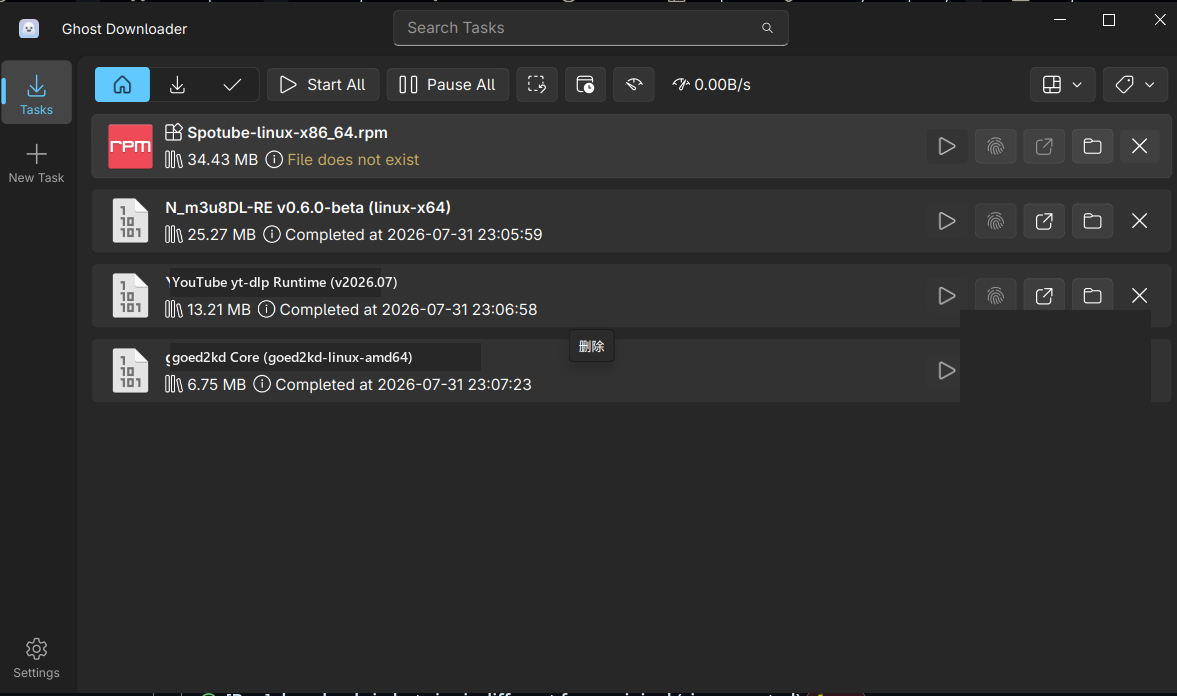
file information
- Operating System: Windows 10+ (64-bit)
- License : GPL v3.0 (Open Source)
- Developer: XiaoYouChR
- Language: Multilingual
- Size: 42.49 MB / 43.96 MB
- File Type: .exe / .zip
- Installation method: Yes
- Updated on : November 12, 2026
- Need to read: Download Guide
==== Ghost Downloader 3 (Installer) ====
==== Ghost Downloader 3 (Portable) ====