
Download Sandboxie / Sandboxie Plus for free. The latest dual-screen program, full version, 32-bit and 64-bit. Use this dual-screen program to simulate a desktop and test files in a secure area.
Get to know Sandboxie.
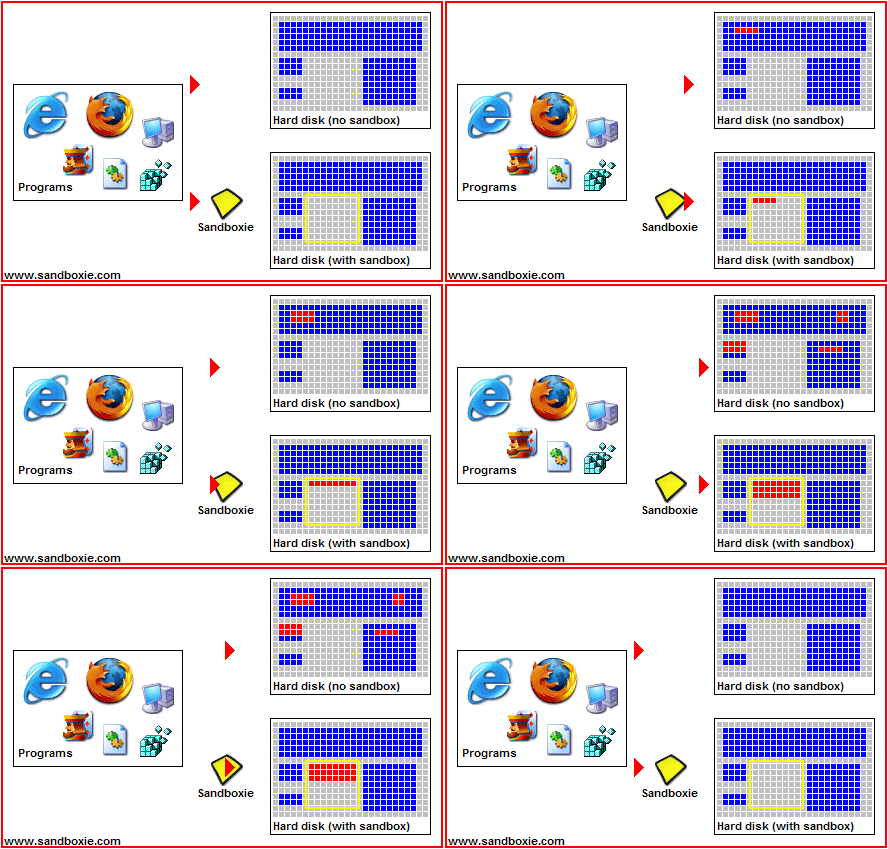
Sandboxie It's a tool that creates a separate area on Windows for running apps or opening documents without directly touching the physical machine. All file writing, registry modifications, and component installations that occur within the sandbox are quarantined. The problem it solves is uncertainty; downloaded apps might include unwanted extras, or email attachments might hide malware. Instead of guessing if something is safe, you simply throw it into the sandbox. If something goes wrong, the impact remains confined within the sandbox; you can clean it up and start over without having to go back and fix the system point by point.
The principle of operation is to intercept everything the program attempts to do to the system and redirect it into a sandbox. Inside, it still thinks it's running on a normal machine, can open and use things as usual, but the things it writes or the values it changes will never escape unless we allow it. This is different from relying solely on antivirus software, because this method doesn't require knowing the malware beforehand to prevent it from the source. In addition, each sandbox can set its own rules, such as restricting which folders can be accessed or blocking all internet access. For those who are already running antivirus software... Malwarebytes You can add this as an extra layer of protection. This way, the antivirus won't have time to actually touch the machine, even if it's something the antivirus doesn't recognize.
The people who benefit most are those who like to try new things frequently, open documents from unfamiliar sources, or want to use multiple separate accounts without data mixing, such as opening two browser profiles simultaneously. This project is open source and offers two versions based on the same core: the Classic version with a traditional interface for those familiar with the old system, and the Plus version with a new Qt-based interface and added features like snapshots for reviewing block statuses, automated command execution, and a built-in debugging tool. Both versions are free and offer almost complete functionality; only a few additional features in the Plus version require a supporter certificate to unlock.
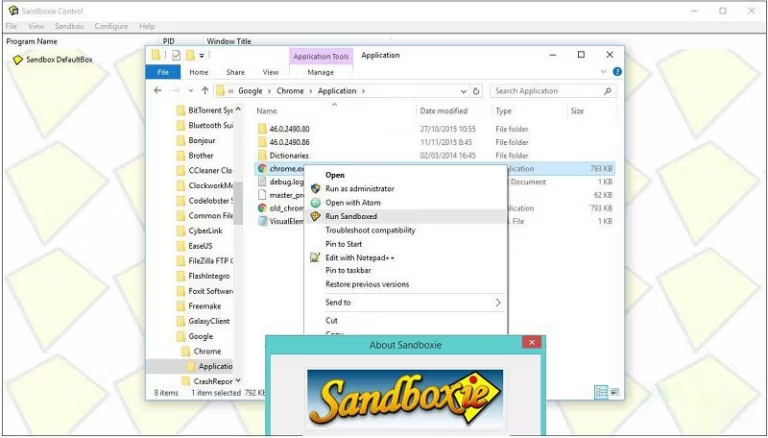
Sandboxie Classic and Sandboxie Plus
After Sandboxie became open source, developer David Xanatos took over the project and split it into two versions that share the same core. This means both versions have identical levels of security and compatibility. The only differences are the program's interface and the features accessed through the user interface.
Sandboxie Classic This is the original version that retains the old look and feel using the MFC UI. Users familiar with the original Sandboxie will find it immediately recognizable. However, this version does not include any new features. Features added after open-source development must be configured manually via the Sandboxie.ini file.
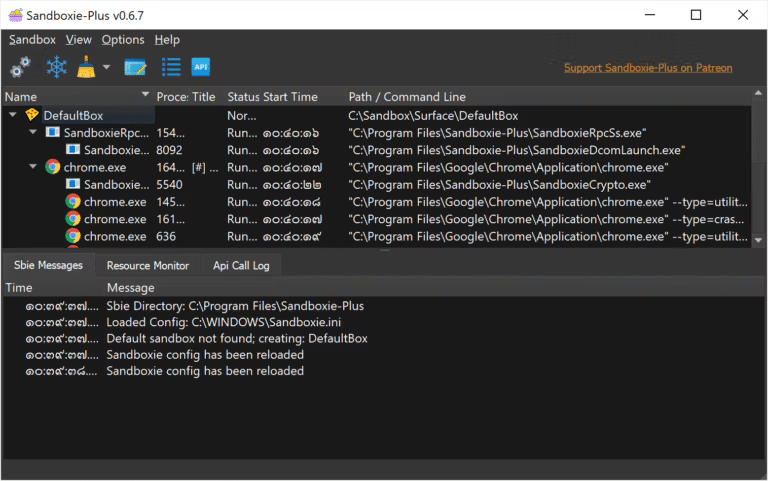
Sandboxie Plus This is a newer version that uses a more modern Qt UI. It supports all new features added after the project became open source, accessible directly through the interface without needing to modify configuration files. These include a Snapshot Manager for backing up sandbox states, an automated triggering system based on different states, a troubleshooting wizard, and the ability to limit memory or the number of processes in each sandbox. For general users, Sandboxie Plus is recommended as it offers more comprehensive features and is easier to use.
Sandboxie Plus is a freemium platform, meaning almost all features are free to use. Only a few optional features (mostly not necessary for general use) require purchasing a Supporter Certificate to unlock, which also supports the project's development.
Update to the new version without losing any settings.
If you encounter problems after installing the new version, the developer's recommended method is to uninstall the old version while keeping the sandboxie.ini file, and then install the new one. This is because all the settings for all the boxes are contained in that file; if that file is lost, all the rules you have set will be lost as well.
What makes Sandboxie interesting?
- Snapshot. Take a picture of the box's status and save it. If something breaks after testing, go back to the previous page.
- You can set incredibly detailed rules for each box, from touchable folders to blocking the entire internet.
- Privacy Mode. A special box that prevents the apps inside from accessing our personal data.
- Security has been hardened. Another type of box that limits system commands and the channels through which apps can access them.
- The firewall for each box controls incoming and outgoing traffic separately for each box.
- Trigger. Set the program to perform actions automatically based on the box's synchronization, such as at the start of the box or during file recovery.
- Portable mode: Extract the installation files into a single folder and run it on any machine.
- A template builder for browsers that are not yet officially supported.
- A built-in troubleshooting tool for when things don't work as expected.
- The system administration menu allows you to manage drivers and services from a single screen, eliminating the need to run commands manually.
- The middle shortcut key stops or closes all processes in the box simultaneously.
- Importing or exporting boxes as 7z files makes it easy to transfer them to another computer.
- Prevents external screenshots from being taken; information inside the box will not be leaked through screenshots.
- You can block access to the printer spooler and clipboard from the settings page.
- Automatically detects the Electron app and customizes how you handle it from the start.
- Recovering files is easy, and you can use wildcards to format file and folder names.
- You can open a Chromium-based browser with your device's default profile; settings will not be reset.
What's new?
Version 5.73.5 / Plus 1.18.5
- Chromium-based browsers and Electron apps that previously froze or crashed in the box. Application Compartment It's back to normal operation. The cause was an incorrect hook position detection.
- The issue of reading File ID values via the fsutil command has been resolved, ensuring accuracy compared to other reading methods.
File Information
- Operating System: Windows 7 / 8 / 10 / 11
- Developer: Sandboxie Holdings, LLC.
- License: Freeware
- Language: Multilingual
- Size: 3 MB / 23 MB
- File type: *.exe
- Updated: 28/9/2026
- Required Reading: Download Guide
==== Sandboxie ====
==== Sandboxie Plus ====