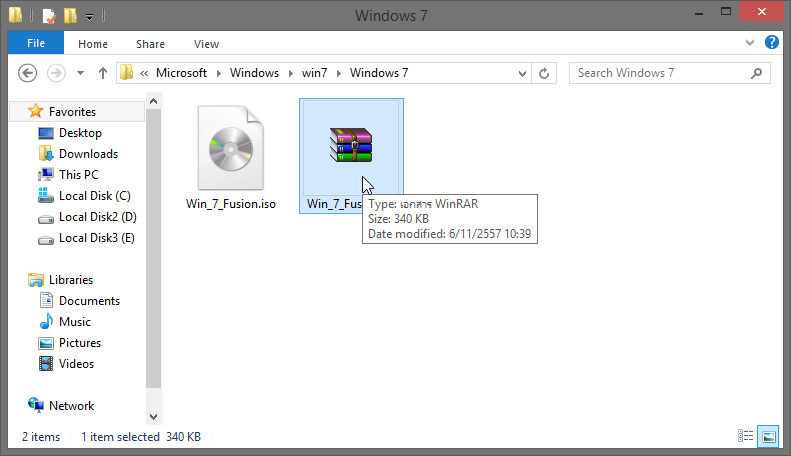

How to use WinRAR settings to compress RAR files to the smallest size.
WinRAR It offers high data compression capabilities to optimize performance for multimedia data such as music files, movie files, and various document files. It also features file extraction capabilities and numerous functions, including password setting, adding information, even repairing data corruption and locking to prevent further changes. It retains the latest updated data and can split large files into multiple smaller files.
Today, Mawto Software will present a method for compressing data using WinRAR to the smallest possible size. We believe that more than 99% WinRAR users are unaware of this method, even though it's a simple setting.
This configuration allows for file compression with a very low compression ratio, as low as 0%. This means you can compress a 4.54GB file down to just 340KB! Wow, is that really possible? The answer is yes, it is! We'll show you how to do it using the configuration we'll demonstrate. Let's get started!
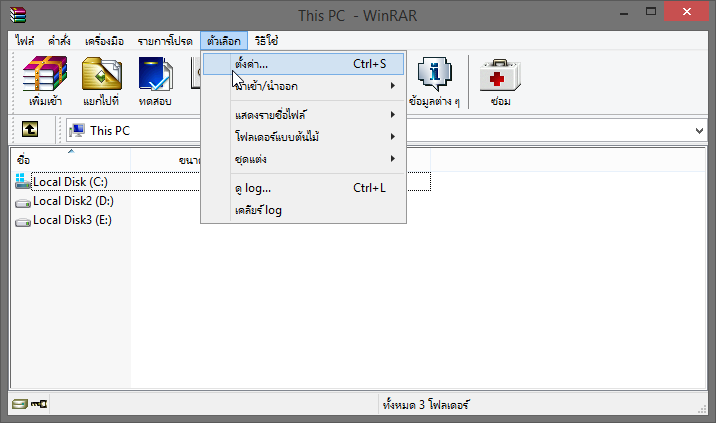
Start by opening the program, then go to Settings…
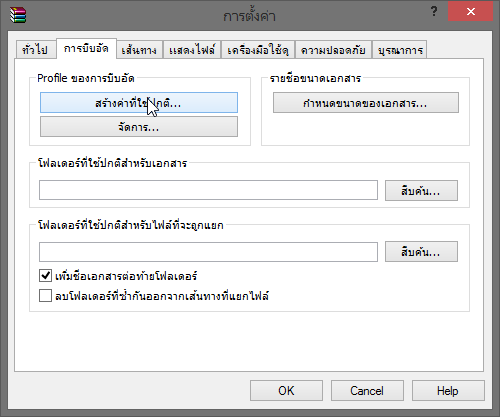
Go to the Compression tab > Click Create Normal Value.
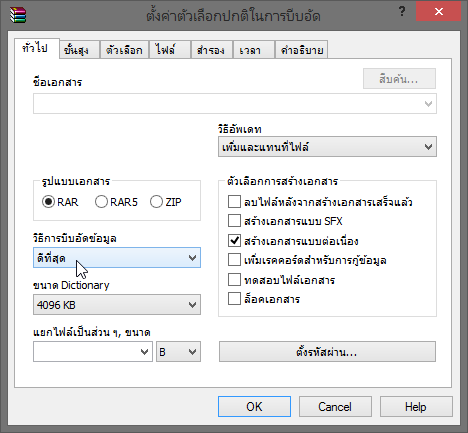
In the General tab > Set the settings as shown in the image.
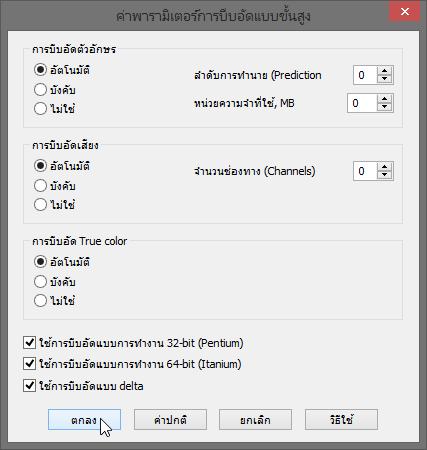
Go to the Advanced tab > Click Compression.

Set the settings as shown in the image > then press OK > OK.
That's it for the simple setup method. Now let's test if it really works. The file we'll use for testing is the Windows 7 Fusion file, which caused quite a stir for its ability to compress files to such a small size. The answer is with the settings described above.

You can see that the compression ratio is 0% (the lower the %, the smaller the file).

After compression, the size is only 340KB.