Download Microsoft Office 365 v2608 Build 20326.20158 (x64) ISO for free, lifetime access. This is a single, full file with Thai/English language options. Includes the latest versions of Word, Excel, and PowerPoint (September 2026).
What is Microsoft 365?
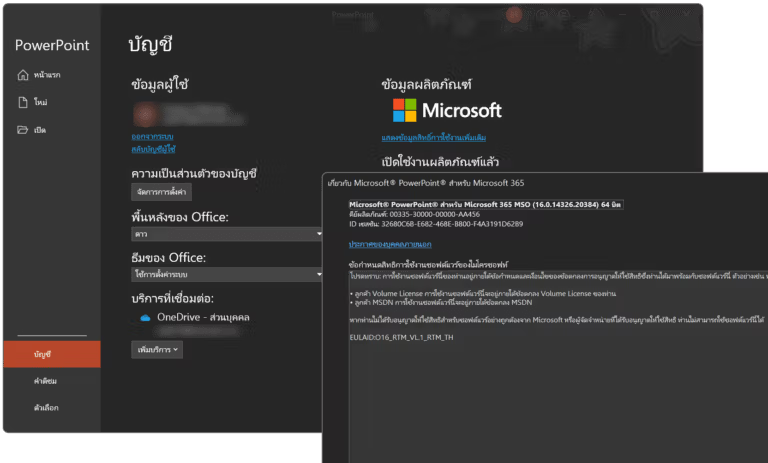
Microsoft 365 Or its original name Microsoft Office 365 This is a subscription service that bundles Microsoft's document management and productivity applications. It includes core desktop applications like Word, Excel, and PowerPoint, which can be downloaded, installed, and used offline just like their original versions. However, the subscription model changes from a perpetual purchase to a recurring service fee, ensuring the system always provides the latest software updates.
The most distinct difference when compared to the one-time purchase version like Office 2024 is that Microsoft 365 receives new feature updates and intelligent tools as soon as developers release them, whereas Office 2024 only receives security updates. Additionally, a single Microsoft 365 account allows installation and sign-in on up to 5 devices simultaneously, whether it be a PC, Mac, tablet, or smartphone. It also comes with a generous 1TB of OneDrive cloud storage to ensure seamless and continuous workflow across devices.
This software suite is ideal for users who require high flexibility. For students, individuals, or anyone needing to work across devices and requiring large file storage, the Personal or Family packages are perfect. Companies and organizations can opt for the Business package, which includes advanced security features. However, for those who primarily use only one computer, mainly for general document creation, and want to avoid binding costs, Office 2024 might be a more suitable and cost-effective option.
Key Features
- Always up-to-date: Desktop software will automatically receive updates with new features and the latest security measures, without having to pay for new versions separately like a perpetual license.
- Multi-device support: It supports perfect installation and use on a variety of devices, up to 5 devices per account, across Windows, macOS, iOS, and Android.
- Massive Cloud Storage: Users will receive 1TB of storage on OneDrive for backing up data, saving work across devices, and freely sharing files.
- Real-time Collaboration: A function that allows multiple users to type, edit, and comment on the same document simultaneously.
- Ecosystem Integration: It works seamlessly with other Microsoft services, such as Outlook for managing email or Teams for organizational collaboration.
What's new in 2026?
AI features and Microsoft 365 Copilot.
- Copilot Cowork & Multi-model Intelligence: The upgrade enables Copilot to handle complex and multi-step tasks across applications. A key feature is the integration of third-party AI models like Claude, with features such as Council, allowing side-by-side comparisons of GPT and Claude responses, and Critique, where one AI model reviews another's response.
- Edit with Copilot: You can edit content and preview changes in Word, Excel, and Outlook in real-time while typing, without switching windows.
- Voice Chat & Memory: Copilot and Outlook on mobile support voice commands to manage various tasks, such as summarizing unread emails, setting up automatic replies, or categorizing emails. It also features an AI-powered memory system that remembers your preferences and working context for future use.
- Microsoft Scout: An always-on personal agent that takes care of minor tasks, automating workflows based on the priorities you've set.
New features in Microsoft Teams
- Video Recap: The AI-powered video meeting summary system will extract key highlights from the discussion into short clips, along with an accompanying audio summary, allowing those who weren't in the meeting to quickly review it.
- AI Meeting Recaps: An update scheduled for August 2026 will allow you to instantly summarize meetings using Copilot, without having to record video or leave transcripts open, ensuring maximum privacy and reducing storage space consumption.
- New Meeting Chats Section: Add a separate window to the chat overview page to specifically display chats from the meeting, eliminating the need to scroll through private or regular group chats.
- Brand Impersonation Protection: A new security feature that alerts you to incoming calls from external sources that appear to be fraudulent or impersonating a trusted organization.
Features related to SharePoint, OneDrive, and Microsoft Purview.
- Entra B2B External Sharing: Discontinue the old system of sharing files with external parties using OTP codes and transition fully to the Microsoft Entra B2B system, which manages permissions more accurately and securely.
- Custom AI Skills in SharePoint: Users can create and save AI command sets in SharePoint to train the AI to perform repetitive tasks consistently, such as reading for errors in forms or summarizing reports exactly according to a template.
- Data Security Posture Agent: The AI system on the security side has been upgraded to be able to scan and find confidential information that employees may inadvertently leave behind in files throughout the organization, such as API tokens, private keys, and passwords.
- Priority Cleanup (Hard Delete): Administrators now have more sophisticated Data Lifecycle Management tools that allow them to permanently delete old files that haven't been accessed for a very long time in OneDrive and SharePoint, saving storage space.
File Information
- Operating System: Windows 11 /10 (x64)
- Risk Level: 🟡 Low Risk
- License: Full
- Language: English, Thai
- File size: 2.97 GB
- File type: *rar
- Password: mawto
- Installation Method: Available
- Updated on: 20/9/2026
- Required Reading: Download Guide
Click to read more.
💡You can also read more about... Microsoft Office 2024 is available here.