Tutorial on installing IDM 2026
Today we will present a detailed guide on how to install and configure IDM to achieve maximum download speeds, avoid "registered with a fake serial number" or "the main IDM executive file is damaged, it's possible it was infected with a virus" errors, and prevent problems using extensions in Chrome.
Please note that this IDM installation method is only for installing IDM downloaded from mawtoload.com, for which we have provided a link below. If you already have an older IDM program installed, simply close the old one and install this new one. Without further ado, let's begin.
How to permanently install IDM.
1. Close the browser. (Chrome, Edge, Firefox) Install all of them before proceeding.
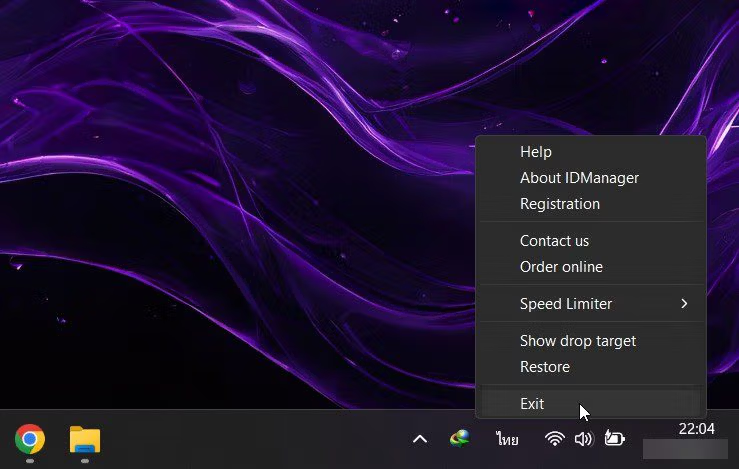
2. Close the IDM program tray icon. Exit (right-click the IDM icon > press Exit)
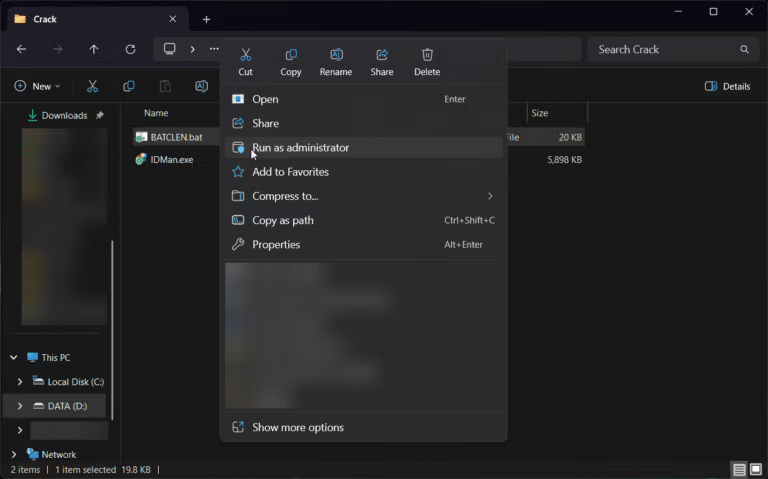
3. Go to the "Crack" folder.“ alreadyRight-click the “BATCLEN.bat” file.” Select. “"Run as administrator"” Wait until the command window closes automatically.
4. Double-click the "Setup.exe" file.“ The installation window will pop up as shown in the image. Click on it. “"Next>"”

5. Next, you will be taken to the "Reading the IDM License" page.Click “Next>” Likewise.

6. Next, you'll be taken to the "Choose destination folder" page. You can choose any location you like, then click [button/click]. “"Next"“

7. On this page, if you are sure that the previous steps were set up correctly, click. “"Next"“

8. Wait... until the installation is complete.Press “Finish >” The program installation is now complete.

8.1 But if you see this pop up, don't panic.Press “OK”.” Then press it. “"cancel"” go


8. When the installation is complete.Do not open the program yet. Or, if it's already open, close it first.
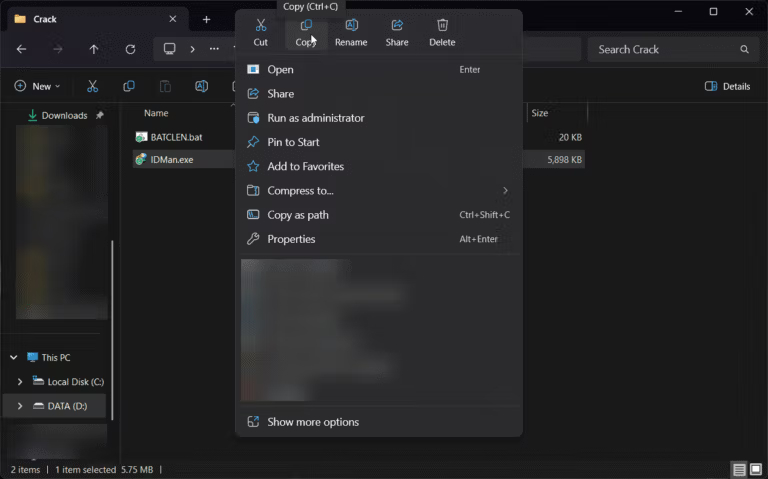
9. Go to the "Crack" folder.“ Then, copy the "IDMan.exe" file and paste it into the program's installation location.
(Usually located at “C:\Program Files (x86)\Internet Download Manager” or “C:\Program Files\Internet Download Manager”)
10. Open the IDM program and start using it.
How to configure IDM for fast, full-speed downloads.
1. How to prevent IDM from opening automatically when the computer starts. This will help reduce boot time and minimize unnecessary resource usage. Don't worry, when you want to download something, IDM will launch automatically. Set it up as shown in the image.


2. How to configure for full-speed download. It flowed as smoothly as a river.We recommend adjusting it to just 16. That's enough for now. Because when we download large files with IDM, which is being used up to 32 pipelines, it might slow down website access and cause the computer to lag at times. But if anyone wants to try it, go ahead and use the full 32 pipelines.

With this, you'll get the full version of IDM for free. You can also configure IDM to utilize your internet connection fully for maximum download speeds. And rest assured, you won't encounter the "registered with a fake serial number" error. If you haven't used it before, download and try it out. You won't be disappointed.
You can go to the article to...Download the latest permanent version of IDM. Get it here.
Or read more about... How to fix IDM not appearing in extensions or prompting downloads in Chrome/Edge That's also fine.