Download AnyDesk 9 for free. This innovative remote computer software allows you to connect and control your computer screen at high speed, securely, and conveniently, with fast file transfer and immediate use without installation. This is the latest version.
What is AnyDesk
AnyDesk It is a world-class, high-performance remote desktop software developed to provide fast, smooth, and secure access to computer screens from different locations. The program is powered by DeskRT compression technology, a video codec designed specifically for managing screen interfaces, enabling impressively low latency for video and audio transmission, along with frame rates up to 60 FPS. This allows for seamless control of a remote computer, just as if you were working in front of it. The program works in conjunction with leading display mirroring software. TeamViewer This will help provide comprehensive technical support and IT system management throughout the organization.
In addition to its outstanding speed, AnyDesk comes with bank-grade security standards, featuring TLS 1.2 and RSA 2048-bit Asymmetric Key Exchange encryption technology that perfectly protects connections and sensitive data from interception or theft. It supports fast file transfers between devices, remote printing, precise keyboard and mouse typing, and online conferencing via AnyDesk One Meeting. This makes AnyDesk the number one choice for IT engineers, support providers, and general users who require flexibility for remote work.
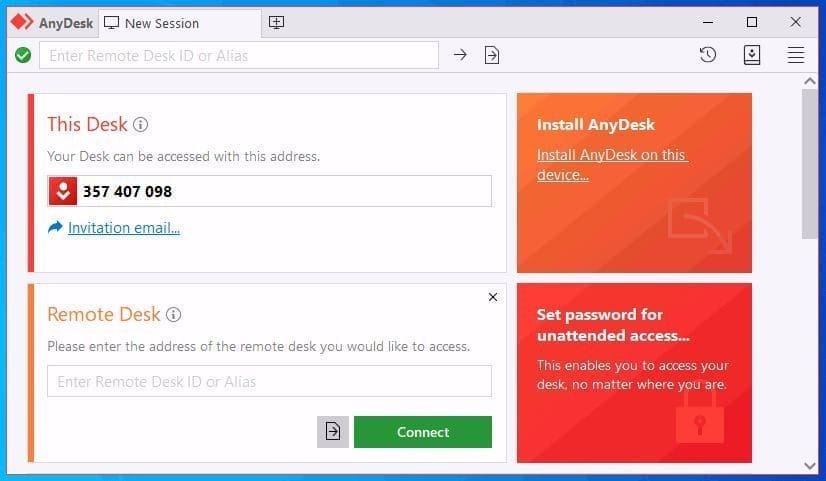
Key features of AnyDesk
- DeskRT Codec: High-speed image compression technology provides smooth 60 FPS response with low latency.
- Bank-Grade Security: High-level data encryption using TLS 1.2 and RSA 2048-bit provides maximum security.
- Unattended Access: Supports automatic password creation for controlling terminals without requiring manual input.
- File Transfer & Remote Print: Transfer files quickly between computers and print documents directly to your printer.
- Cross-Platform Support: It supports cross-operating system connectivity including Windows, macOS, Android, and iOS.
- Low Latency Performance: It works smoothly and accurately even with a low internet connection.
- On-screen whiteboard: Drawing, crossing out, and pointing at points on the screen during remote sessions can be used to facilitate presentations and training.
- Custom Client Creation: The logo and program's features can be customized to match the company's image.
- Session Recording: Record video of remote control history of the machine for future security review.
- Portable Standalone EXE: The program can be run for remote use immediately without needing to be installed on the computer.
What's new?
What's new in AnyDesk 9.7.16?
- Improved interactive onboarding system to provide initial guidance for new users.
- The AnyDesk One Meeting feature allows users to choose to hide their own video window.
- Improved the whiteboard window for drawing and writing notes to aid in screen control.
- Fixes the issue of the popup menu displaying in the wrong position in the chat window.
- Fixes the issue of the Copy popup menu remaining on the screen after closing the main menu.
- Resolve the issue of the Accept Window freezing when a new monitor is connected.
- Resolves issues with incorrect screen orientation and webcam video transmission.
File Information
- Operating System: Windows 11 / 10 / 8.1 / 7 (32-bit & 64-bit)
- Developer: AnyDesk Software GmbH
- License: Freeware
- language : English / Multilingual
- File size: 8 MB
- File type: *.exe / *.rar
- Updated on: 23/9/2026
- Required Reading: Download Guide
==== Download AnyDesk ====
==== Download ID Reset ====