

Download MP3Gain Free + Portable Program in Thai. This program equalizes the volume of all MP3 files and increases their volume. Compatible with the latest Windows 11/10 versions.
What is MP3Gain?
MP3Gain This is a free program that helps to consistently adjust the volume of MP3 files without losing quality. It works by calculating and adjusting the volume level both as individual files and as an album, using Replay Gain techniques to determine how loud the file sounds to the human ear. The program then adjusts the scale factor of the audio in each frame of the MP3 file and saves undo information to tags such as APEv2 or ID3v2, allowing you to revert the audio adjustments if needed.
It's a very useful tool for those who want to adjust the volume of MP3 files without worrying about losing sound quality. With its comprehensive capabilities and ease of use, it becomes a must-have program for anyone who loves listening to MP3s. Whether you're a casual user or a musician, this program can fully meet your audio management needs. Importantly, it's free and available without any cost, which is a great thing in this day and age where everything costs money.
Key Features
- Lossless audio adjustmentIt analyzes and adjusts the audio level of MP3 files directly, without re-encoding. This means that the MP3 file does not lose quality from the adjustments. This is a significant advantage compared to other tools that may reduce sound quality during adjustments.
- Precise sound analysis and adjustment.It uses techniques to analyze the audio level of MP3 files and adjust the sound to be consistent throughout the file, allowing users to listen to sound at a consistent volume level regardless of the source of the file.
- Supports group use.It can process MP3 files in batches, making it easy and convenient to adjust the volume of multiple files. We can select several files simultaneously and adjust the volume of all of them accordingly.
- Easy to use and with a simple interface.One of the key advantages is its user-friendly interface. Even those without technical knowledge can use it immediately; there's no need to learn complex commands or functions.
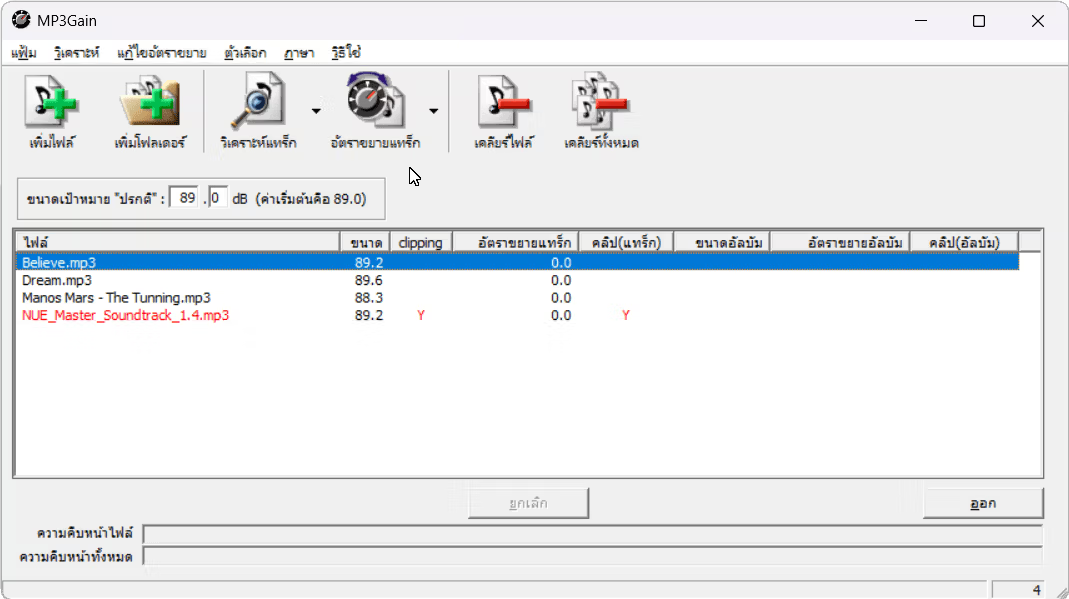
What is the difference between MP3Gain and MP3Gain PRO?
These two programs are different programs from different developers, only they have similar names. MP3Gain That program was developed earlier and remains very popular to this day, but... Mp3Gain PRO That was developed later (renamed from SuperMp3Normalizer) and development has since been discontinued, with the developers focusing on a program called... MP4Gain Instead, it has the ability to adjust the volume level of video files and many other interesting features.
How to use MP3Gain
Using it is very simple. Just select the MP3 files you want to adjust the volume of, add them to the program, and choose the Track Analysis command. The program will then analyze and adjust the sound. After that, the program will display the volume level of each file, and you can immediately adjust the volume to your liking by pressing the Track Grain command.
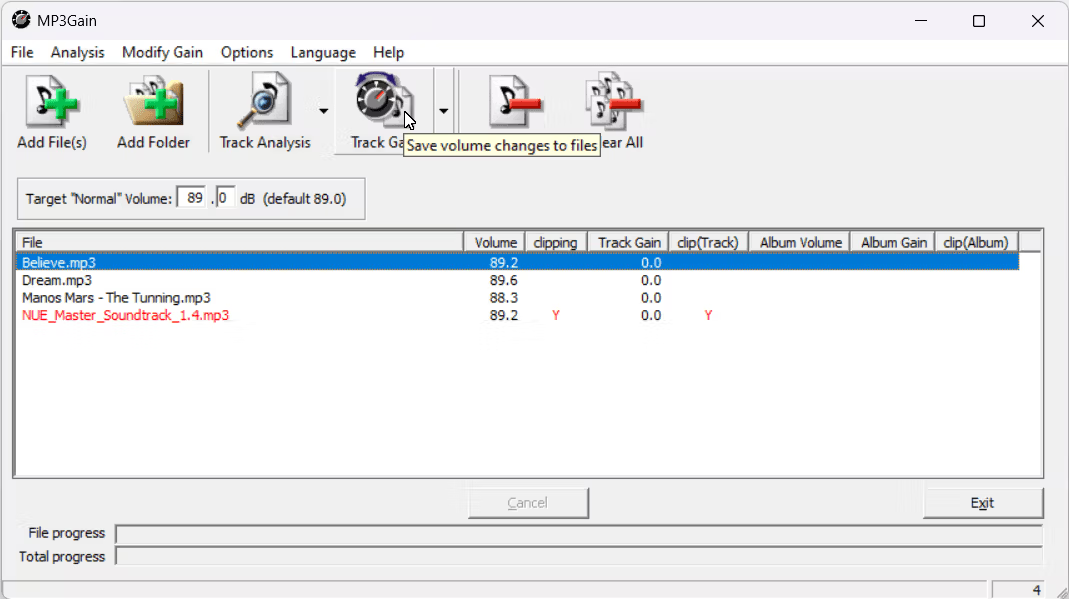
wxMP3gain program
For those experiencing compatibility issues with newer Windows versions, you can download wxMP3gain (no Thai language support) which is a newly created front-end program but uses the latest mp3gain-dos-1.5.2 back-end. It has a simpler interface and is more compatible with newer Windows versions.
File Information
- Operating System: Windows 11 / 10 / 8.1 / 7 / XP
- Developer: SourceForge
- Language: Multilingual
- Size: 4 MB
- File type: *rar
- Password: mawto
- Updated: 26/08/2024
- Required Reading: Download Guide
==== Download v1.2.5 Stable ====
==== Download v1.3.4 Beta ====
==== Download wxMP3gain (GitHub) ====





