
Download Mp4Gain (Full) for free. This is the full, permanent version of a program to adjust the volume of audio and video files, control loudness, and convert files into various formats including MP3, WMA, MP4, and more. (Latest version)
What is Mp4Gain?
Mp4Gain (formerly Mp3Gain PRO) This program is capable of adjusting the volume level of audio and video files to be optimal and balanced across a wide variety of file formats. It uses sophisticated algorithms to analyze every frequency range and frame of the file, making precise adjustments to achieve perfect sound level. This allows for stable audio and makes quieter parts of music or videos clearer without distorting louder areas.
In addition to its volume adjustment capabilities, this program can also function as a file conversion tool. It allows you to change the desired export file format while adjusting the volume level. It supports major audio formats such as MP3, FLAC, AAC, and others, as well as video formats such as MP4, AVI, WMV, and others. Furthermore, it can convert video files to audio formats.
This program is easy to use; just a few clicks can deliver professional results. With its simple interface, you can import files and improve audio quality in just a few clicks. It offers multiple volume adjustment methods, including the well-known ReplayGain, and allows for separate adjustment of volume and tempo. It's a professional tool trusted by musicians from top bands.
Key Features
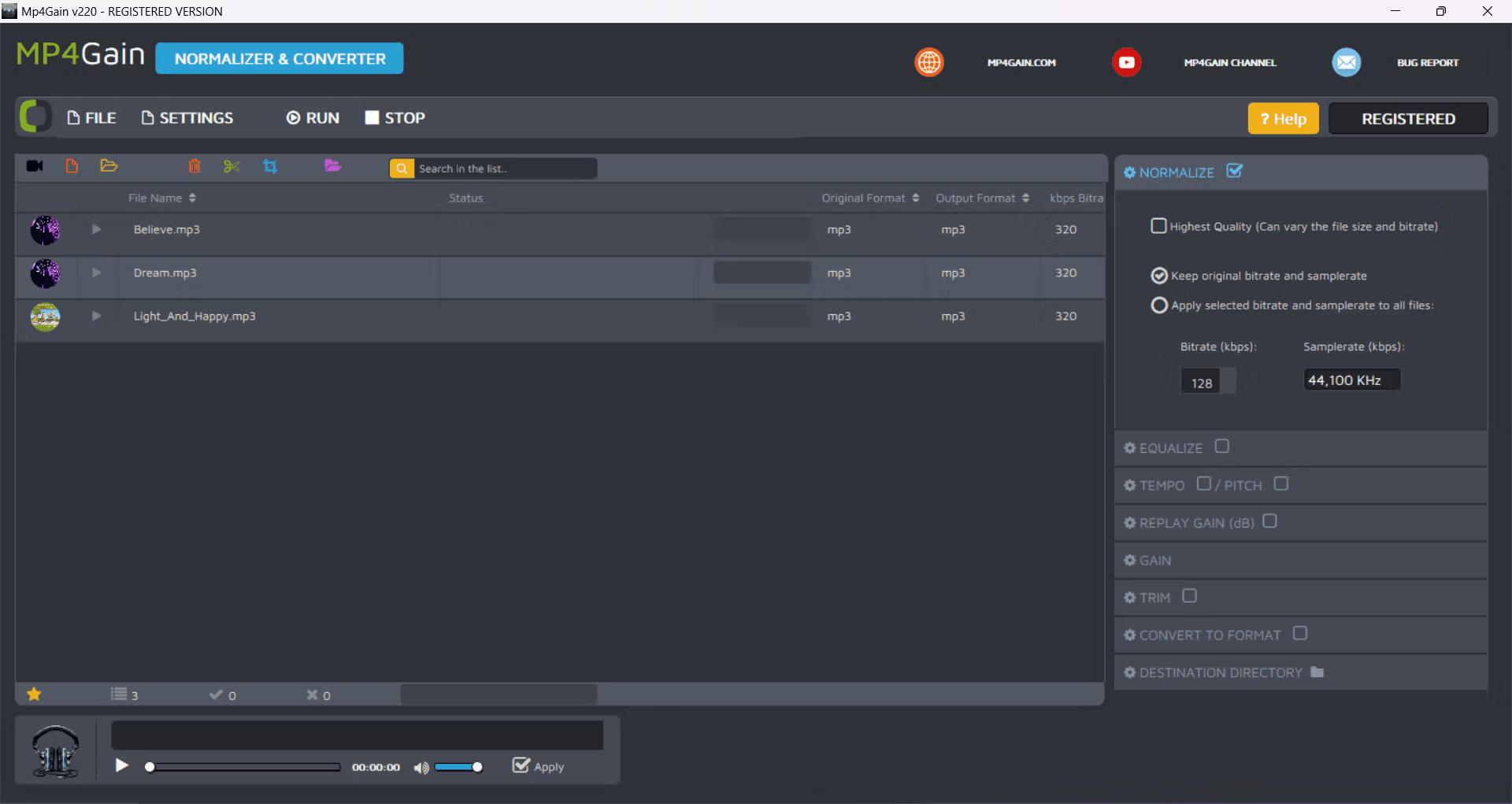
- Normalize (Adjusting the sound balance)Normalizing adjusts the audio level of a file to a consistent or even level throughout the file. This helps to correct sounds that are too loud or too quiet, resulting in a more balanced listening or video viewing experience.
- Equalize (Sound adjustment)This allows you to fine-tune audio or video to improve sound quality. For example, in recordings of older audio or videos, you might want to enhance the high frequencies for greater clarity. Or, in videos with surround sound, reducing the mid-range frequencies might help improve sound clarity.
- Change Pitch (Changing the Key)This feature allows you to change the key of a video or audio file without affecting playback speed or tempo. You can adjust the key up or down from a half-step to more than one octave without affecting the file's playback speed.
- Change Tempo (Changing Speed)You can change the speed of videos or music without affecting the key or tone. Adjusting the speed will make the audio play faster or slower while maintaining the original tone.
- Replay Gain (Increasing the Volume)This feature helps increase the volume without adjusting the amplitude of the audio signal, but by adding information to the file to let the player know what volume to play at. This feature is popular in many programs. MP3Gain Used to adjust the volume level for MP3 files.
- Trim (Audio trimming)It helps to remove the beginning and end sounds of a song, making it more complete.
- Convert to Format (File Conversion)Converting a file from one format to another, such as from MP4 to MP3 or from WAV to FLAC, allows the file to be used with various devices or programs as needed.
- TagsThis feature allows you to copy tags present in major audio files such as Ogg Vorbis, APE, ID3 V1 and V2, etc.
File Information
- Operating System: Windows 11 / 10 / 8.1
- Developer: mp4gain.com
- License: Full
- Size: 20 MB
- File type: *rar
- Password: mawto
- Updated: 25/08/2024
- Required Reading: Download Guide