

Download Wireshark 4 (x64) for free. This network analysis software helps capture and inspect data packets in detail, view device communications, analyze connection problems, and troubleshoot issues that common tools don't provide enough detail for.
What is Wireshark?
Wireshark is a network protocol analyzer that displays network transmission information at the packet level. It provides a clearer view of the source, destination, time, protocol, and details of each data segment than simply looking at the connection status. The program separates data layers and formats them for easy reading, with filters that reduce large amounts of data to only the events being monitored. This makes it ideal for those who need to find the cause of slow connections, communication errors, or unexpected performance.
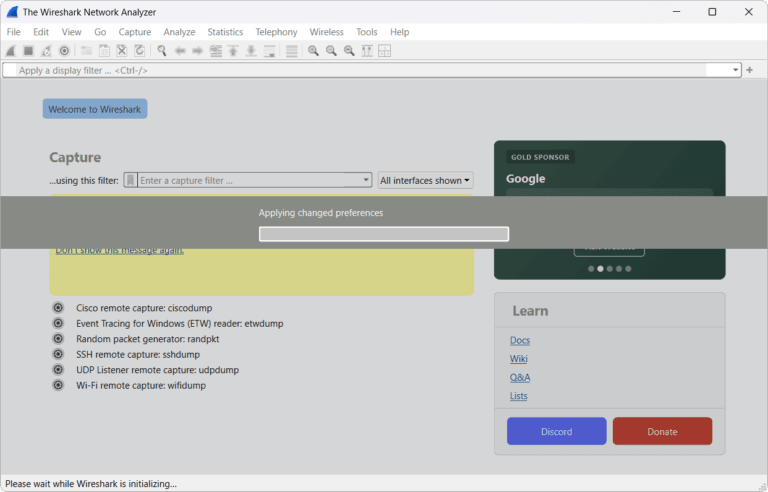
The typical workflow begins with selecting a network interface and starting packet capture. We can then stop recording, set display filters, search for specific fields, and view packet details layer by layer. Wireshark supports reading recorded capture files, allowing for later analysis or collaborative review. Furthermore, it features color coding and an event sequence to quickly visualize server responses, resending, and abnormal packets.
Wireshark is ideal for inspecting internal systems, network devices, applications interacting with servers, and for hands-on protocol learning. We should only use it on networks or data we have permission to inspect and be mindful that packets may contain sensitive information that should not be disclosed. If our work focuses on data flow control and setting rules for each application, tools like Wireshark... NetLimiter Pro It would be a different option. Wireshark is better when we need to see the details of communication at the packet level.
Key Features
- Capture packets from a supported network interface.
- Displays packet details with data layer separation.
- Filter the data using the display filter to find specific events.
- Search for values, fields, or text within captured data.
- Save and open the capture file for later review.
- Use colors to help categorize and sequence events on the screen.
- Check TCP, UDP, DNS, HTTP, and other supported network protocols.
- Track the conversation and relationships between packets.
- Export data or selected sections for further reporting and analysis.
- Supports scalability via dissector and extcap.
What's new?
Wireshark 4.6
- The Release Notes for version 4.6 group the fixes into sections: Bug Fixes, Features and Improvements, Protocol Support, Data Capture, and File Format Decoding.
- Version 4.6.8 does not include any new protocols announced in the Release Notes, and there are no added or improved decrypted file formats in this release.
- Changes to plugin development on Unix systems have been documented; extcap will search for binaries in the libexec directory by default, and the location can be customized using the WIRESHARK_EXTCAP_DIR variable.
- For detailed fixes and subtopics of version 4.6, please check the Wireshark Release Notes page before implementing it in a production system.
File Information
- Operating System: Windows 11 / 10 (x64)
- Developer: Wireshark Foundation
- License : Freeware / Open source
- File type: *.exe
- Version: 4.6.8
- Size: 94 MB / 104 MB
- Updated: 13/8/2026
- Required Reading: Download Guide
==== Installation Package ====
==== Portable ====





