

Download Microsoft PowerToys, a free suite of tools for organizing windows, finding files, customizing shortcuts, renaming files, and shortening routine Windows tasks all in one program.
What is PowerToys?
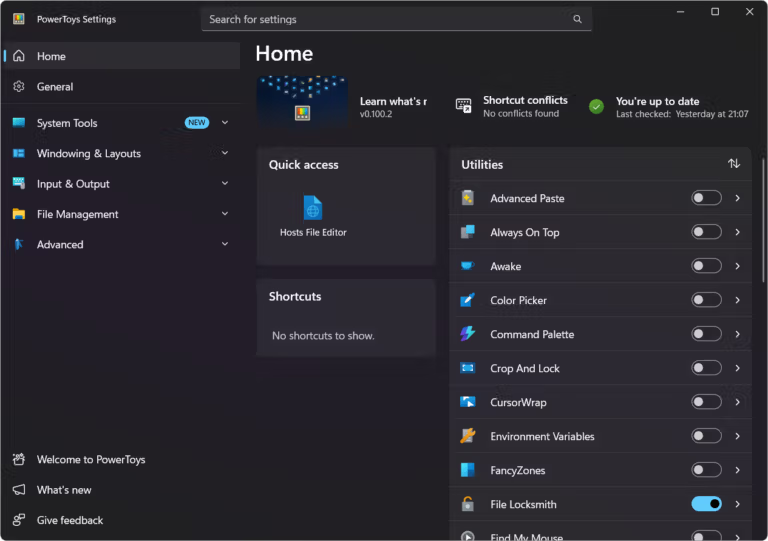
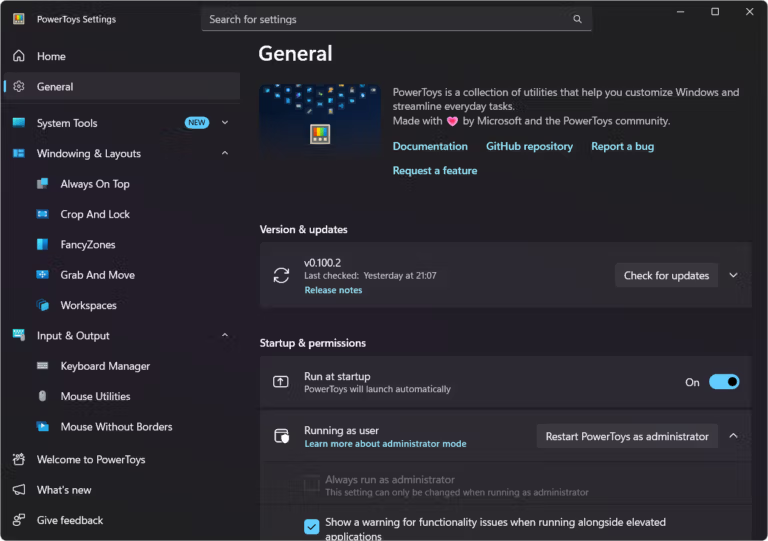
Microsoft PowerToys These are toolsets of add-on tools that Microsoft makes available to the community for development. Each utility is designed to solve specific problems in using Windows, from window arrangement and search to file previews, color selection, and keyboard shortcuts. The settings page can be accessed from an icon in the system tray, allowing you to customize the behavior of each tool to suit its specific task. Integrating multiple capabilities into a single central hub reduces the need to search for small tools from multiple sources.
PowerToys is ideal for office work, software development, and managing large numbers of files because many of its tools interact directly with Windows and File Explorer. FancyZones helps arrange windows according to a defined layout, PowerToys Run quickly searches for apps or commands, and PowerRename renames files in batches using flexible formats. Additionally, it includes a Keyboard Manager, Color Picker, Peek, and other tools that are launched only when needed, eliminating the need to add large programs just to solve small tasks.
PowerToys is ideal for users who primarily use Windows 10 or Windows 11 and want to streamline their workflow. It's recommended to read the description of each utility before enabling functions that alter system behavior. If your work involves comprehensive Windows optimization and repair across multiple categories, tools like PowerToys... Windows Manager Another approach might be suitable, but PowerToys would be better if we need specialized utilities that are separately enabled and disabled and are developed by the open-source community.
Key Features
- FancyZones arranges windows according to defined areas and layouts.
- PowerToys Run quickly finds apps, files, folders, and commands.
- PowerRename renames multiple files using flexible formats.
- Keyboard Manager remaps keys and shortcuts to suit the task.
- Peek allows you to preview files without opening the full program.
- Color Picker selects colors from the screen and copies the color values.
- Image Resizer resizes multiple image files from File Explorer.
- File Locksmith checks which process is currently accessing the file.
- Always on Top makes the selected window appear on top.
- Window management assistants and other utilities can be enabled and disabled separately.
What's new?
PowerToys v0.101.2362.0 is a major update released on August 25, 2026, adding several new features and improving many existing tools. Microsoft has stated that the update release may take slightly longer than usual.
The key features are as follows:
- Add a Window Hopper to switch between multiple windows within a single program, such as a browser, File Explorer, or Terminal, using the keyboard shortcut Alt + `.
- Added a system to select Stable and Insider update options.
- Improve the update page to clearly display download, installation, and error status.
- The Command Palette now includes Compact Mode, which opens as a small search box and expands when a result is found.
- The Command Palette offers faster searching, better search ranking, and gradual icon loading.
- Performance Monitor provides additional information on disk usage, disk read/write operations, and network performance.
- The Command Palette adds location-based notifications, icons, command buttons, and direct links to the Extension Gallery.
- Quick Accent and Mouse Jump have been switched to the WinUI 3 base, with improved theme support, DPI accessibility, and multi-monitor support.
- PowerDisplay allows you to control the brightness of multiple monitors simultaneously, add commands via the command line, and wake monitors from their off state.
- Advanced Paste supports local processing of Phi Silica on compatible devices, working without the need for APIs or cloud services.
- Shortcut Guide supports pressing and holding the Windows key to open it and includes a shortcut search function.
- Shortcut Guide adds keyboard shortcut information for Brave, Zoom, Outlook, DaVinci Resolve, Obsidian, Postman, and other programs.
- ZoomIt added DemoMirror for live display from one screen to another.
- ZoomIt adds webcam background blur, noise reduction, brightness adjustment, and supports WebP/JPEG images.
- Mouse Highlighter adds a ripple effect when you click the mouse, and you can adjust the size, intensity, and duration.
- FancyZones adds instant adjustment to distance, sensitivity, and the number of zones.
- Peek adds preview files of Unreal Engine project files and plugins.
- File Explorer Add-ons improve Markdown previews and SVG images.
- Image Resizer provides a better preset editing interface and allows for more detailed CLI command verification.
- Mouse Without Borders improves encryption and session key generation.
- Color Picker solves the problem of color picking on displays that report incorrect refresh rates.
- Keyboard Manager improves the remapping of the Alt and AltGr keys.
- PowerToys Run fixes the frozen search issue and adds VS Code workspace search on UNC paths.
File Information
- Operating System: Windows 11 / 10 (x64)
- Developer: Microsoft
- License : Freeware / Open source (MIT)
- Language: Multilingual
- Version: 0.101.2362
- File type: *.exe
- File size: 282 MB
- Updated: 26/8/2026
- Required Reading: Download Guide





