
Download RawTherapee 5 for free. This open-source RAW image processing and editing software for Windows 64-bit supports both x86_64 and ARM64.
What is RawTherapee?
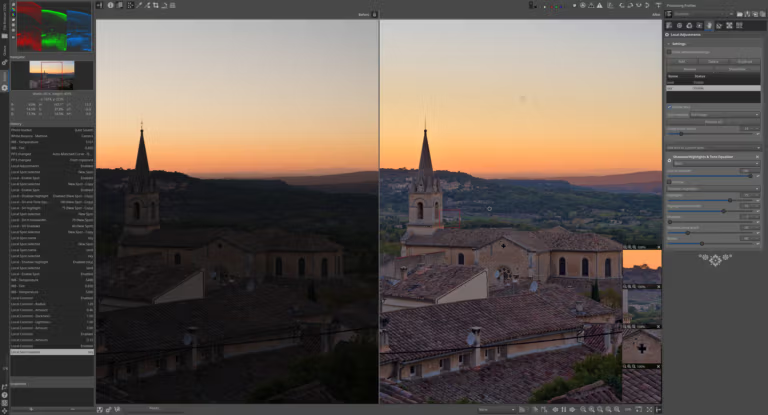
RawTherapee This is an open-source RAW image processing program designed to give you detailed control over the image development process, from opening files from the camera, correcting white balance, managing color, reducing noise, sharpening, to exporting to standard image files. The program supports RAW files from many camera manufacturers, including specific sensors and formats such as X-Trans, Foveon, Canon Dual-Pixel, and Pentax or Sony's Pixel Shift. Therefore, it's suitable for both those just starting out in image editing and professional photographers who want in-depth editing tools without paying licensing fees.
RawTherapee operates in a non-destructive manner, saving adjustments as separate profiles. This allows for flexible experimentation with various color tones and details before final export. It includes color management tools, lens correction tools, tone curves, selective editing tools, and a multi-image processing queue. Users can select and adjust images file by file and export a large number of projects simultaneously within a single workflow.
Version 5.13 enhances gamut control, area-specific customization, noise reduction, and sharpness enhancement, along with improved HiDPI display and enhanced performance on the ARM architecture. Additionally, the default color profile has been changed to Rec2020 for more accurate color processing within the true color gamut, although users can still switch back to ProPhoto depending on their needs.
For RAW tools that work with Photoshop, you can look... Adobe Camera Raw
Key Features
- Processes RAW files from various brands and sensor types of digital cameras.
- It works without destroying the original files and stores settings in a separate profile.
- It features a color management system and supports ICC profiles with multiple working color spaces.
- Adjust white balance, exposure, contrast, tone, and detail with precision.
- Supports noise reduction, sharpening, and capture deconvolution for specific areas of application.
- There are Selective Editing tools for controlling color, lighting, and detail in specific areas.
- Corrects lens distortions and geometry, including adjusting horizontal or vertical scaling.
- Use curves and GHS tools to control dynamic range and tone.
- It can queue and process multiple image files continuously.
- It can read color labels from XMP data embedded in image files.
- Improve the display of image previews and thumbnails on HiDPI screens.
- Supports Windows 64-bit on both x86-64 and ARM64 processor systems.
What's new?
- Improved Gamut Compression tool and added automatic distance limit settings.
- Added custom destination primaries option and adjustable highlight attenuation in Abstract Profile.
- Added the Michaelis-Menten tone mapper and improved the GHS tool in Selective Editing.
- Added Capture Deconvolution for localized sharpening.
- Improve blur, grain, denoise, and detail recovery with a luminance mask.
- Improved crop guides to display multiple orientations simultaneously, change colors, and define bleed areas.
- Improved HiDPI, enhanced performance on ARM, and added Hebrew and Korean languages.
- Change the default color profile from ProPhoto to Rec2020, while still allowing you to select ProPhoto.
File Information
- Operating system: Windows 64-bit
- Architecture: x86_64 and ARM64
- File type: EXE Installer
- Copyright: Freeware / Open Source (GPLv3)
- Developer: The RawTherapee Team
- Size: 45 MB / 116 MB
- Language: Multilingual
- File type: exe / zip
- Updated: 7/8/2026
- Required Reading: Download Guide
==== Install-on type =====
==== Portable =====





