

Download VMware Workstation Pro 26H1u1 Build 25688693 (x64) for free. This full, permanent license provides PC virtualization for running Windows, Linux, and other systems, with snapshot, clone, and virtual networking features for testing and development.
What is VMware Workstation Pro?
VMware Workstation Pro A virtual machine (hosted or Type 2 hypervisor) is a system simulation program for Windows and Linux operating systems. It allows the installation and running of multiple operating systems, such as Windows, Linux, BSD, etc., as virtual machines (VMs) simultaneously on a single computer. Each VM operates independently from the main system, allowing for software testing and system trials without affecting the physical machine.
Workstation Pro comes with professional-grade features such as Snapshot, which saves the state of virtual machines for easy restoration; Clone, which quickly copies VMs for various testing scenarios; Virtual Networking, for simulating complex network infrastructure; and integration with vSphere/ESXi for direct connection and management of virtual machines from remote data centers. It also supports 3D graphics, USB external devices, and DevOps integration via API or command line, making it ideal for flexible development, testing, and creating virtual environments within an enterprise setting. Alternatively, VirtualBox It can also be used to create and manage virtual machines.
Previously, Workstation Pro was licensed software, but recently VMware has made it available for free for personal use and has extended its availability to commercial use. This allows users for testing, development, or small-scale server tasks to access it without paying licensing fees.
Key Features
- It's possible to run Windows, Linux, BSD, and other operating systems in multiple virtual machines on a single computer.
- Use snapshots to save the VM's state, allowing you to revert to a previous point when testing the system or program.
- Use Clone to quickly create multiple test environments by copying a virtual machine.
- There are NAT, Bridged, and Host-only virtual networking options available for simulating networks and server-client tasks.
- Connect to and manage virtual machines on ESXi, vSphere, and vCenter Server from Workstation Pro.
- Supports 3D graphics for VMs, including DirectX 11 and OpenGL 4.3, on compatible systems.
- Supports VM encryption and Virtual TPM 2.0 for operating systems that require a TPM, such as Windows 11.
- Supports external USB devices and connecting devices from the host to the virtual machine according to the settings.
- It has command-line tools and automation capabilities for managing virtual machine tasks.
- Workstation Pro is free to use for commercial, educational, and personal applications.
What's new?
VMware Workstation Pro 26H1u1 is a security update to the 26H1 series from Broadcom. This release is a fixed version addressing two critical vulnerabilities in Workstation, while retaining the features and system support added in the original 26H1 release.
- This update addresses CVE-2026-59346, an integer overflow vulnerability in VMXNET3, which Broadcom rated as Critical and had the highest CVSS score of 9.3.
- This patch fixes CVE-2026-59347, a stack buffer overflow vulnerability in HGFS, which Broadcom rates as Important and has the highest CVSS score of 8.1.
Key features of the 26H1 model.
- The Windows edition of Workstation Pro is now a 64-bit application suite, including installation files, libraries, and related services.
- Added Lifecycle Timestamps to make it easier to see the VM creation time and the last time it was activated.
- Supports remote connection to an ARM-based ESXi host for basic VM operations.
- There's a combined Notes folder within the folder tab, making it easier to take notes/add information to VMs.
System support
- Added support for guest OS such as Ubuntu 26.04 LTS, Fedora 43/44, SUSE Linux Enterprise 16, openSUSE 16.0, and FreeBSD 15.0.
- Added support for multiple Windows/Linux host OS within the same bundle, such as Ubuntu 26.04 LTS, Fedora 43/44, SUSE Linux Enterprise 16 GA, and openSUSE 16.0.
other
- This version also includes security fixes and bug fixes, as well as improved credential format for encrypted VMs and remote servers.
- Broadcom states that some UI issues have been addressed, such as help links now pointing to the correct documentation.
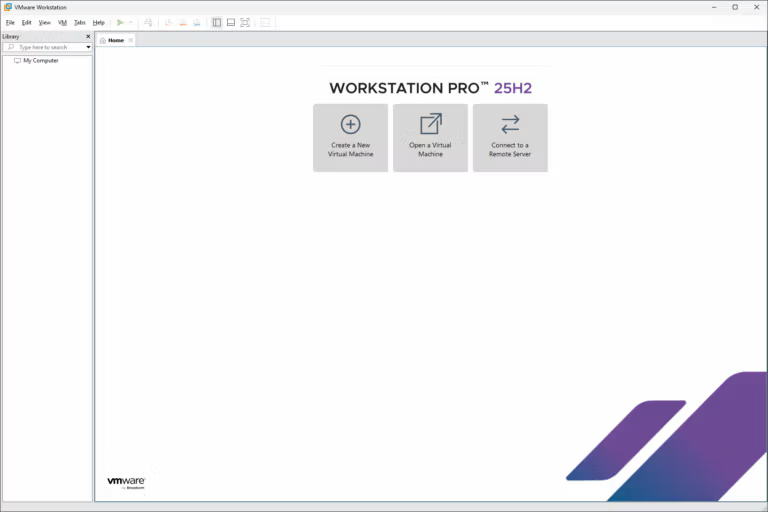
File Information
- Operating System: Windows 11/10 (64-bit only)
- License: Freeware
- Developer: VMware, Inc.
- Language: English
- Size: 268 MB
- File types: *.exe, *.zip
- Version: 26H1u1 Build 25688693
- Password: mawto
- Installation Method: Available
- Updated: September 7, 2026
- Required Reading: Download Guide
==== Download v26H1 (Direct Link) ====
==== Download v25H2u1 (direct link) ====





