Download the full version of Stardock Fences, a desktop icon organizer with Fence Groups, Folder Portals, Tabs, Peek, Quick-hide, and Snapshot. It helps categorize files and shortcuts and supports multi-monitor layouts.
What are Stardock Fences?
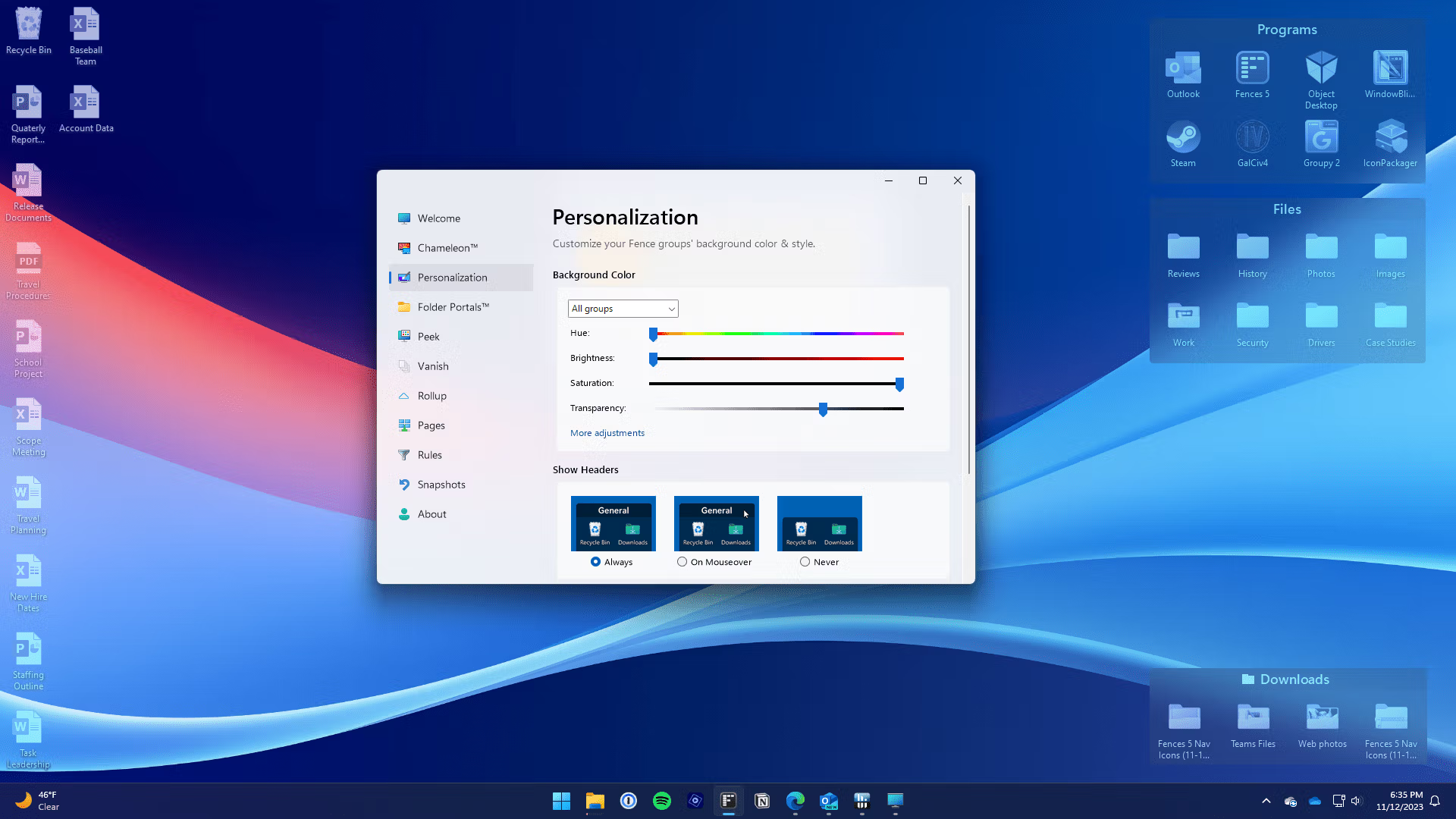
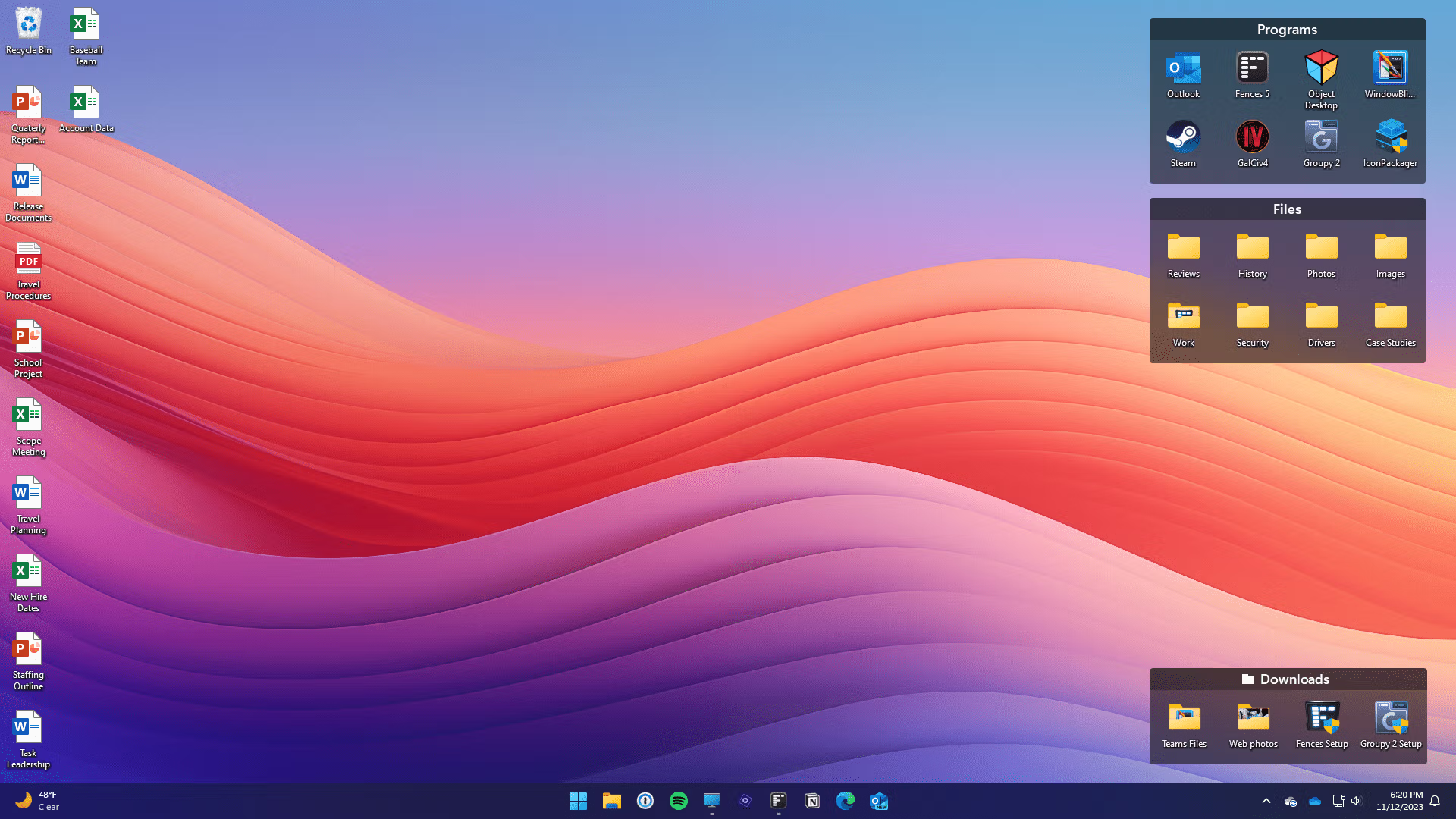
Stardock Fences It's a program for organizing your desktop by creating groups of areas for icons, files, and shortcuts. Each group can be named, resized, recolored, and displayed in a specific way. When your screen gets cluttered, you don't have to drag icons to the corners like before. If you want to customize the Start Menu and Taskbar as well, see this article. StartAllBack One tool would be dedicated to directly managing the Shell, while Fences focuses on organizing items on the Desktop for easy access while maintaining the original layout.
Folder Portals pulls contents from physical folders to the Desktop without opening multiple File Explorer windows. Tabs allow you to nest multiple Fences in a single location and switch between tabs based on task, such as documents, development tools, or temporary files. Fences Peek brings a group of files to a view above the currently open window, and Quick-hide quickly hides icons on the Desktop for a cleaner look. Setting rules also automatically sends files or shortcuts that meet specific criteria to a defined Fence, reducing the need to manually organize icons.
For multi-monitor setups, the software features a layout saving system based on monitor arrangement and a snapshot function to revert icons to a previous position when they become scattered after changing resolution or disconnecting a monitor. Version 6 adds tabbed fences, icon tinting, and an improved folder portal to closely resemble a file explorer. With support for Windows on ARM in current product lines, it's ideal for desktops with many components and frequent monitor changes, while allowing detailed control over group placement, colors, and roll-up arrangements from a single configuration page.
Key Features
- Create Fence Groups to separate icons, files, and shortcuts by task category.
- You can adjust the name, size, color, transparency, and display style of each fence.
- Folder Portals displays files from actual folders on the Desktop and allows you to view them without switching windows.
- Tabbed Fences place multiple groups of fences within a single area and alternate them using tabs.
- Fences Peek brings up a group on the Desktop and displays it above the currently active window.
- Quick-hide allows you to quickly hide and restore icons on the Desktop.
- Rules automatically arrange icons or files into Fences based on their name, type, or specified conditions.
- The roll-up minimizes the Fence to just the title bar and opens when clicked or hovered over, according to the settings.
- A snapshot saves your desktop layout and allows you to restore it after a change in resolution or monitor settings.
- Supports multi-monitor layouts and allows group positioning according to multi-monitor configuration.
- Icon Tint uses color tones to help group icons or create a cohesive desktop look.
- Supports drag-and-drop file placement into tabs and folder portal navigation similar to File Explorer.
What's new?
Fences 6.54 — 2026-08-18 - Fences Peek now supports taskbars docked on the left or right edge. - Reduced lag while moving groups and animating icons. - Configuration UI loading is faster.
File Information
- Operating System: Windows 11 / 10 (64-bit)
- Risk Level: 🔴High Risk
- Developer: Stardock
- License: Shareware
- Version: 6.54
- Language: Multilingual
- Size: 23.62 MB
- File type: *rar
- Password: mawto
- Updated: 2/9/2026
- Required Reading: Download Guide