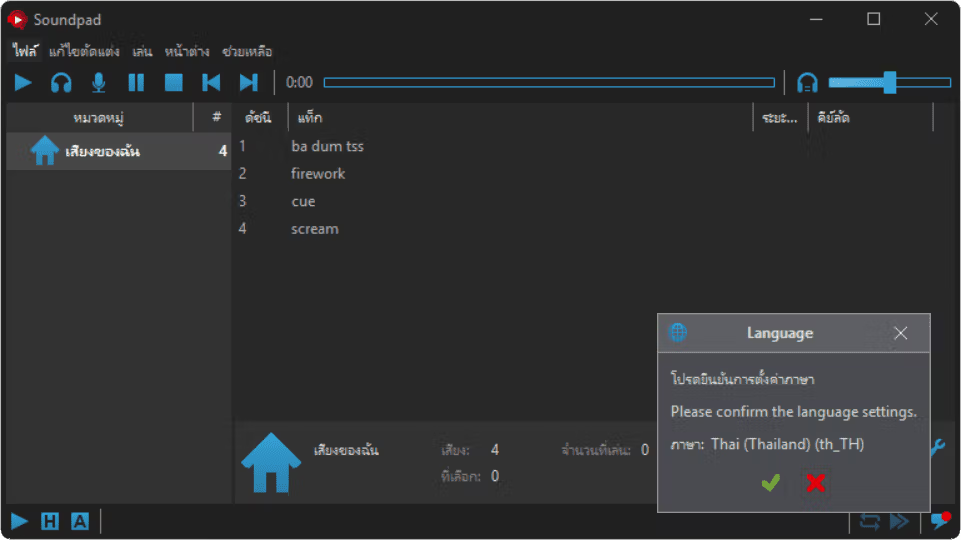
Download Soundpad, a free, permanent Thai language soundboard program that plays sound effects or audio files (such as .mp3, .wav) through your microphone during voice chat. This is the latest version.
What is a Soundpad?
Soundpad is a soundboard program used to play audio files through a microphone during online conversations in programs like Discord, Skype, or in games. This program allows users to quickly send pre-prepared sound effects or short audio clips using hotkeys, adding fun and excitement to communication.
Its main selling point is its versatile and convenient functionality. Users can customize audio, such as adjusting volume levels and performing basic editing, and it also features direct audio recording within the program. This makes it suitable for casual users who want a fun chat experience, as well as creators such as streamers or podcasters who want to enhance the quality and appeal of their content.
Features:
- You can play various audio files in high digital quality through the microphone to a wide range of audio-compatible programs such as Teamspeak, Mumble, Skype, Discord, as well as in games like Dota2, CS:GO, or PUBG.
- You can set hotkeys for each audio file to quickly play the audio while playing games or using other applications.
- It has a built-in voice recorder that lets you record what you hear, and built-in audio editing tools that allow you to quickly trim audio.
- Resolve issues where some audio files are too quiet and others too loud by normalizing the volume levels to match the speech volume.
- Supports various audio file types such as aac, flac, m4a, mp3, ogg, opus, wav, or wma.
- Developed using C++, it is small in size, uses less memory, requires less CPU, and runs quickly.
- Audio playback mode:
- Headphones: Play audio only in your headphones, just like a regular media player.
- Microphone: Play the sound so only your conversation partner can hear it.
- Both: Plays audio both in your headphones and through the microphone (this is the default when playing audio by double-clicking or using a keyboard shortcut).
- Quickly find audio files using the search bar.
- It is possible to save and load different audio tracks.
File Information
- Operating System: Windows 11 / 10 / 8.1 (x64)
- Risk Level: Medium
- Developer: Leppsoft
- Language: English / Thai
- Size: 5 MB
- File type: *rar
- Password: mawto
- Updated on: 6/6/2025
- Required Reading: Download Guide