Download Lazesoft Windows Recovery 5 + WinPE ISO free full version. This system recovery program fixes computers that won't boot, have a black screen, power on but won't boot, and can access the BIOS but not Windows.
What is Lazesoft Windows Recovery?
Lazesoft Windows Recovery This program is designed to help users repair, recover, and restore their powerful and easy-to-use Windows operating system in case of various problems such as system crashes, boot failures, or other issues that may prevent normal operation. It helps manage various problems that may occur with their Windows operating system, providing tools for system repair and restoring to a previous state, making it an invaluable tool for those experiencing problems with their Windows PCs.
This program was developed to help restore a computer's operating system, especially in cases of problems such as forgotten passwords or virus attacks that render the computer inaccessible. It can restore various operating system functions, including recovering lost data, resolving boot issues, and repairing corrupted system files.
Lazesoft Windows Recovery is commonly used by general users who need to restore their operating system, whether they are personal computer users or system administrators using corporate computers. It is popular among many users due to its ease of use and stability in operating system recovery. (This program is also included in...) Hiren's BootCD PE x64 (It is also a multipurpose boot disc for troubleshooting various computer problems.)
Key Features
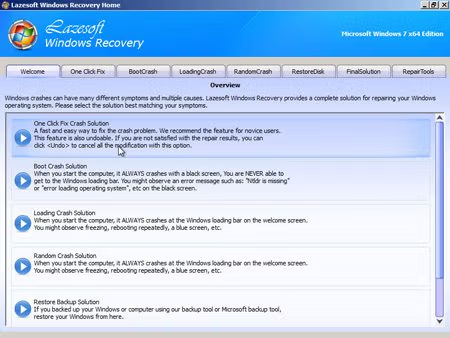
- Recover Windows from critical system errors or boot failures.
- Recover Windows from critical system errors when a BSOD (Black Screen of Death) occurs.
- Recovering the MBR even if it has been damaged by a virus.
- Recover Windows passwords and domain administrator passwords when you forget or lose them.
- Recover your Windows CD-Key for use when reinstalling the operating system.
- Repair the Windows boot sector with a single click.
- Recover missing or corrupted Windows system files, such as 'ntldr is missing', 'bootmgr is missing', etc.
- Recover or repair a registry corrupted by a virus.
- Repair and modify Windows boot files such as boot.ini or BCD.
- Helps recover Windows XP, Vista, 7, 8.1, 10, and 11 (32-bit and 64-bit versions).
- Lost files can be recovered even if they have been deleted, reformatted, or the media is damaged.
- Access and copy files from the computer even if Windows is not functioning normally.
- Others:
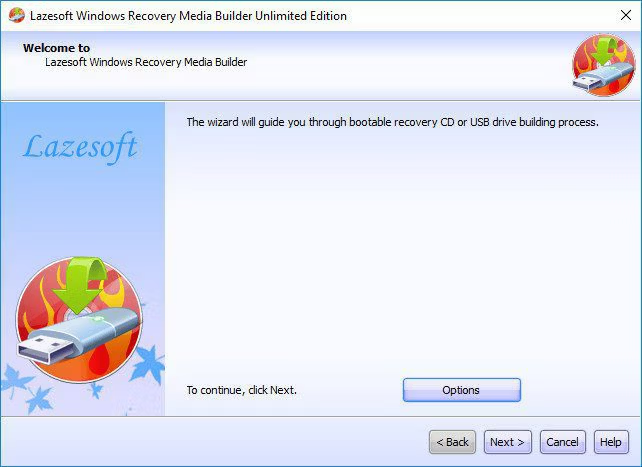
How to use Lazesoft Windows Recovery:
- Install the program.
- Create a bootable USB or CD/DVD by following the on-screen instructions.
- Boot the computer using the created USB or CD/DVD.
- Select the desired function (e.g., password recovery, system recovery) from the main menu.
- Follow the step-by-step instructions provided by the program to complete the recovery process.
- Restart your computer and check if the problem is resolved.
File Information
- Operating System: Windows 11 / Windows 10 / 8.1 / 7 / Vista / XP
- Risk Level: 🟢 Safe
- Developer: Lazesoft
- License: Full
- Language: English
- Size: 987 MB
- File type: *.rar
- Password: mawto
- Installation Method: Available
- Updated on: May 3, 2026
- Required Reading: Download Guide