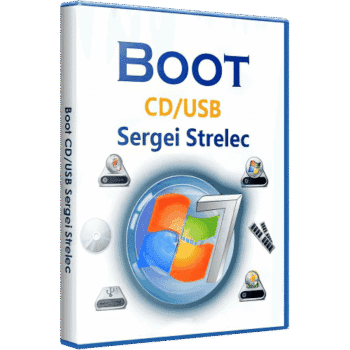
Download the full, permanent WinPE 11-10 Sergei Strelec x64 bootable ISO file for free. This emergency boot system includes comprehensive tools for repair, data recovery, backup, partition management, and computer troubleshooting.
What is WinPE 11-10 Sergei Strelec?
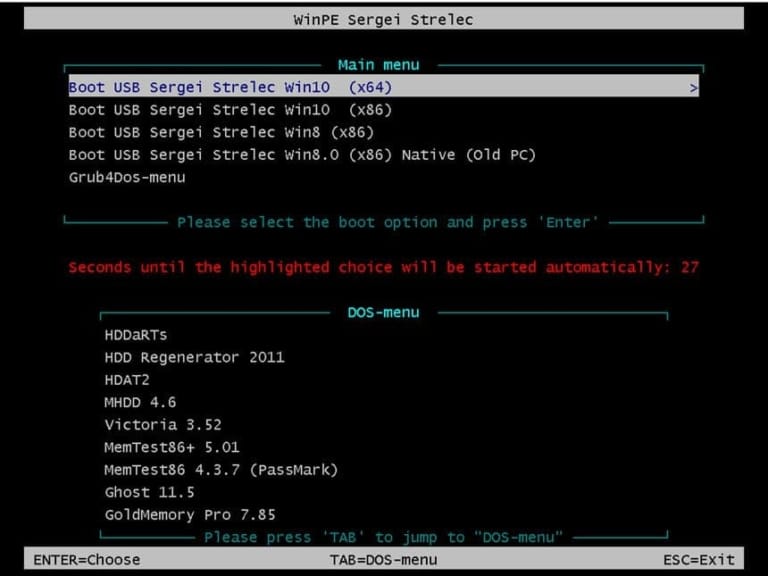
WinPE 11-10 Sergei Strelec This is an emergency operating system boot disc in ISO file format, developed based on the 64-bit Windows 11 and Windows 10 Preinstallation Environment. It's designed for computer technicians and general users to burn onto a USB flash drive or DVD and use to boot a computer when the main operating system fails to boot, is heavily infected with viruses, displays a blue screen of death, or experiences hardware problems that prevent normal Windows access. This allows for quick data recovery, file backup, and problem management.
The value of this bootable disc lies in its comprehensive collection of top-tier technical programs and utilities, covering everything from hard disk management and partitioning programs, backup and system recovery tools, disk cloning, memory testing programs, and renowned data recovery software. MiniTool Power Data Recovery To recover important files from a problematic drive, there's also a tool to reset the Windows password in case you forget it, and a program to check the device's health, such as measuring CPU temperature and thoroughly checking for bad sectors on the hard disk.
This 64-bit version, 2026.09.08, upgrades the entire internal software database to the latest versions, improves network drivers, NVMe storage drivers, and graphics drivers to provide comprehensive support for newer computers and notebooks. It also enhances stability on UEFI and Legacy BIOS systems, resulting in faster boot times. This is an essential tool to keep on a flash drive for emergencies.
Key Features
- Emergency boot disc based on Windows 11 and Windows 10 64-bit.
- Supports both UEFI and Legacy BIOS boot modes.
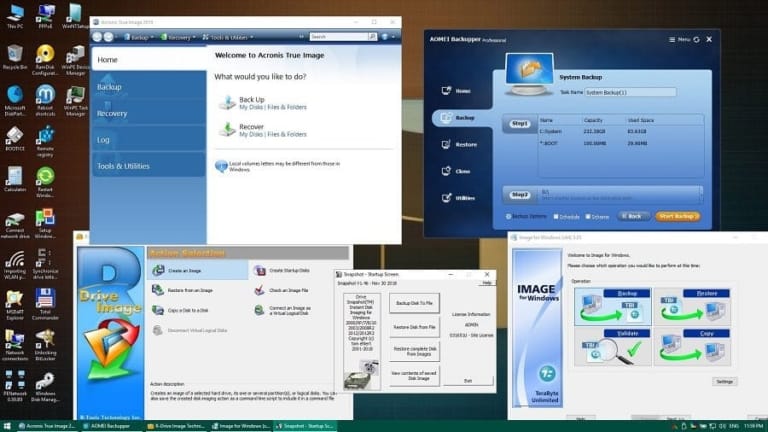
- Includes system backup and recovery tools such as Acronis True Image and AOMEI Backupper.
- Hard disk management and partitioning tools such as MiniTool Partition Wizard and DiskGenius.
- Software for recovering lost files, such as EaseUS Data Recovery Wizard and R-Studio.
- Hardware monitoring tools, temperature measurement tools, and disk checking tools such as AIDA64, CrystalDiskInfo, and HWiNFO.
- A program to reset passwords and unlock user accounts for the Windows operating system.
- Includes tools for detecting and removing viruses, spyware, and malware while the main Windows operating system is idle.
- Remote control programs such as AnyDesk and RustDesk are used for requesting remote assistance.
- Supports internet connectivity via both LAN cable and Wi-Fi.
- It comes with scripts to help with quick system installation and system image file recovery.
What's new?
- This update, version 2026.09.08, focuses specifically on 64-bit WinPE systems for optimal stability and performance.
- Update your backup, system recovery, and disk management software to the latest version.
- Update the NVMe controller drivers, SATA drivers, and Wi-Fi/LAN network drivers to the latest versions.
- Improve system boot stability via UEFI mode on newer motherboards and computers.
- Fixed common errors found in previous versions.
File Information
- Operating System: Windows 11 / 10 (Bootable ISO)
- Risk Level: 🟢 Safe
- Developer: Sergei Strelec
- Architecture: x64
- Size: 3.48 GB
- File type: *.rar
- Password: mawto
- Installation method: Write to a flash drive using Rufus or Ventoy.
- Updated: 12/9/2026
- Required Reading: Download Guide