
Download TechSmith Camtasia 2026.2.2 build 19936 x64 Full version for free. This screen recording and editing software supports audio, webcam, subtitles, and multiple export formats. It's ready to use immediately.
What is TechSmith Camtasia?
TechSmith Camtasia This is screen recording and video editing software that integrates all steps in one place. It was created to solve the problem for those creating tutorial videos who have to switch between screen recording tools and video editing software, which is time-consuming and risks losing audio narration. With this software, you start by recording the screen along with system audio, microphone audio, and webcam video simultaneously. Then, you drag the recorded clip onto the timeline to trim excess, add annotations, and export it as a video ready to share immediately without opening any other programs.
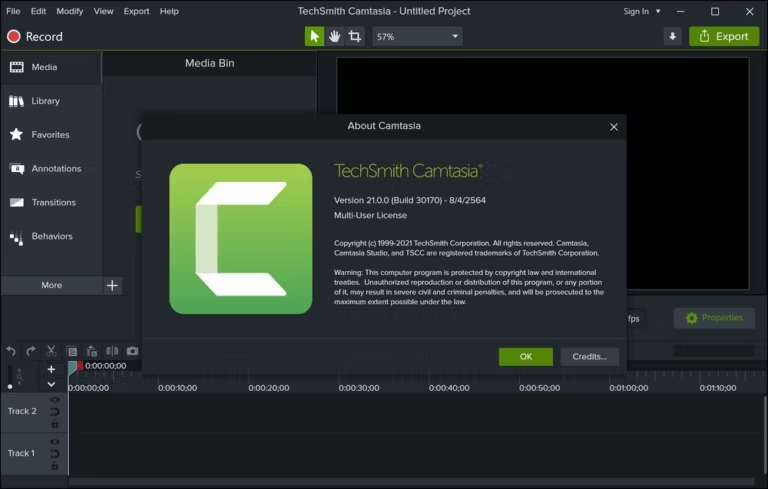
The workspace is divided into two main parts. The first is a screen recorder with precise area selection, allowing you to record the entire screen, the program window, or select a specific area by dragging a drag-and-drop frame. It records system audio and microphone audio along with webcam video, ideal for teaching that requires pointing to specific locations on the screen in a step-by-step manner. The second part is an editor that uses a multi-track timeline to separate video, audio, and other elements. You can trim length, adjust speed, add transitions, callouts, and mouse effects directly to the clip. The SmartFocus feature automatically zooms and pans based on mouse movement. The Edit as Text function sends the clip to Camtasia Audiate for video editing, including text correction and audio preservation.
Camtasia is ideal for teachers, trainers, and content creators who regularly produce instructional videos, software demonstrations, or meeting recordings. The entire process, from filming to exporting, is integrated into a single platform, eliminating the need to assemble multiple tools. In addition to the main program, there's Camtasia Audiate for producing clean and pleasant audio narration, and Camtasia Rev for quickly assembling videos with automatic subtitles. For those seeking a free screen recording program for live streaming, Camtasia offers other options. OBS Studio It's another suitable option for that type of work.
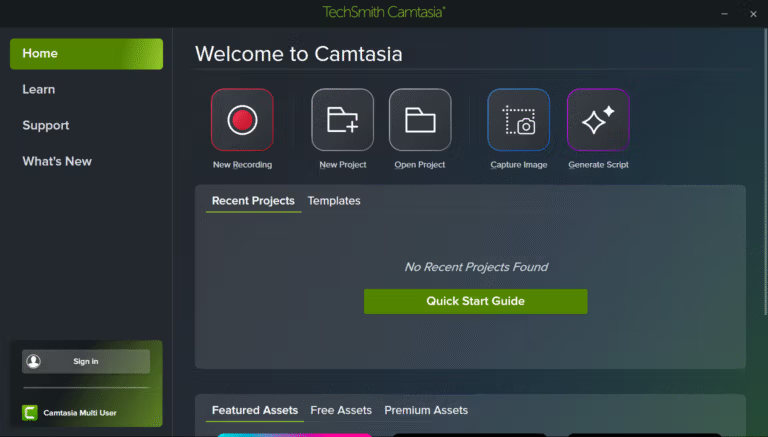
Features:
- You can record your screen in full screen, program window, or by dragging a frame to select a specific area, while simultaneously recording system audio, microphone audio, and webcam audio.
- SmartFocus. Automatic zoom and pan based on mouse movement. Can also be used as an effect with Rev media.
- Assemble videos quickly with Camtasia Rev. Adjust elements on the Canvas and properties panel without having to split files first.
- Edit as Text. Send the clip to Camtasia Audiate for editing, including correcting the text and ensuring the audio is smooth.
- The multi-track timeline separates images, audio, and other elements, allowing for precise trimming, tempo adjustment, and pauses.
- Add dynamic captions to your timeline and adjust their position according to time periods.
- Add callouts, arrows, frames, and text to highlight important points on the screen, including the new curved arrows.
- Add Transitions, Animations, and Behaviors to connect scenes and move elements smoothly.
- Mouse effects emphasize clicks and make cursor movement appear smoother.
- Import PowerPoint files, zoom clips, and VTT captions. Basic support for Lottie and SVG files is also included.
- Export videos as MP4 and WebM, scaling them to fit lessons, websites, or social media.
- You can share videos directly to YouTube, Vimeo, or Screencast from the program.
What's new?
Version 2026.2.2 – 22 September 2026
- Provides basic support for SVG files. SVG image files can now be used in Camtasia Editor.
- Prevents abnormal program closing when a window resizing signal is accidentally detected during program closing.
- Fixed a bug that caused 10-bit HEVC video to display faded colors upon decoding.
- Resolved the issue where the color properties of Lottie files were not displayed in the properties panel.
- You can now open Camtasia Online projects with filenames containing multiple bytes.
- Fix the scrollbar of a text box that is displaying incorrect styles.
- Fixes the risk of the program freezing when canceling the file export on the local machine.
- Fixed a bug that caused distorted colors in exported MP4 videos.
- Prevent Camtasia Audiate from opening when this feature is disabled during installation.
System Requirements
- Windows 11 or Windows 10 version 22H2, according to the TechSmith compatibility chart.
- 64-bit systems on Intel or AMD processors; non-Intel/AMD Windows ARM systems are not listed as supported.
- If working with media at resolutions higher than 1920x1080, a dedicated graphics card (discrete GPU) is recommended.
- Video editing is resource-intensive; you should have sufficient CPU, RAM, and storage space for the size of the project.
- Windows N requires the Media Feature Pack to be installed, as advised by TechSmith.
File Information
- Operating System: Windows 10 / 11 (64-bit)
- License: Full
- Developer: TechSmith
- language : English
- size : 306.44 MB
- File type: *.rar
- Password: mawto
- Installation instructions: There is.
- Updated on: 27/9/2026
- Required Reading: Download Guide
==== Techsmith Camtasia 2026 ====
==== Techsmith Camtasia 2025.2.5.13406 ====
==== Techsmith Camtasia 2024.1.5.6542 ====