

X-Mouse Button Control 2.18.7, the latest version for 2020, allows you to customize mouse functions and settings | 2.4 MB
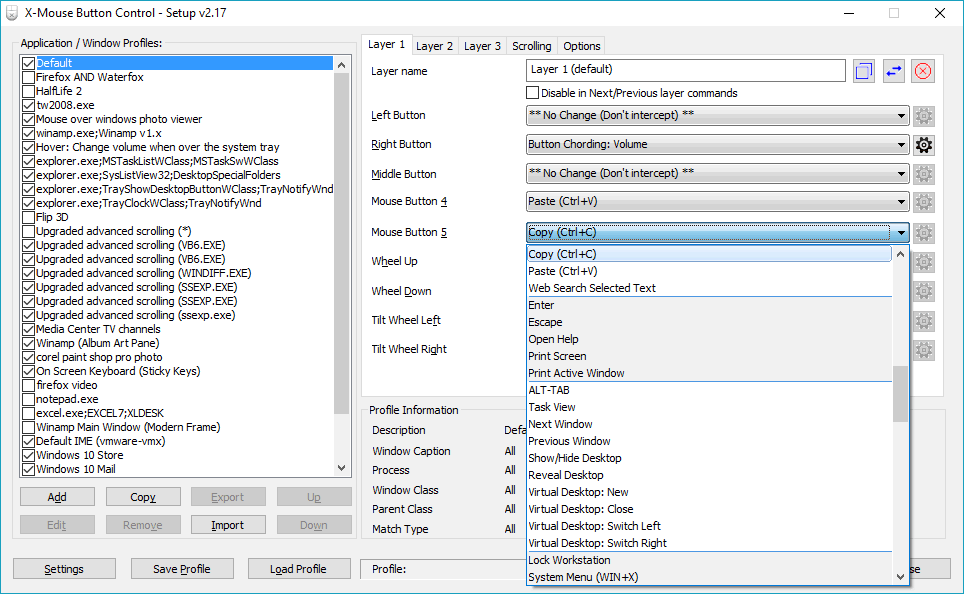
X-Mouse Button Control This program will transform your old mouse into one with more functions through mouse customization, and the program itself is very small. It can also configure different button actions for each program running on your computer as needed. The capabilities of X-Mouse Button Control.- It works very well with various games.
- Copying, cutting, and deleting can be easily done with a click; a keyboard isn't required.
- You can use the mouse to play, pause, mute, increase/decrease volume, and more.
- It is compatible with Windows Vista, 7, 8, 8.1, and 10.
- The program is small.
 Operating System: Windows XP/ Vista / 7 / Windows 8.1 / Windows 10 License: Freeware Language: English Size: 2.4 MB File Type: *.rar Password: mawto Status: Tested Installation Method: None Updated: 16/7/2020
[button color=”black” size=”big” link=”https://vps2.highrez.co.uk/downloads/XMouseButtonControlSetup.2.19.2.exe” target=”_blank” rel=”noreferrer noopener”>Download here]





