Download the free WYSIWYG Web Builder 21 (x64) Full Version (Permanent). This drag-and-drop website builder allows you to create websites without needing a server. Latest version.
You can also download it for free. Bootstrap Studio
What is a WYSIWYG Web Builder?
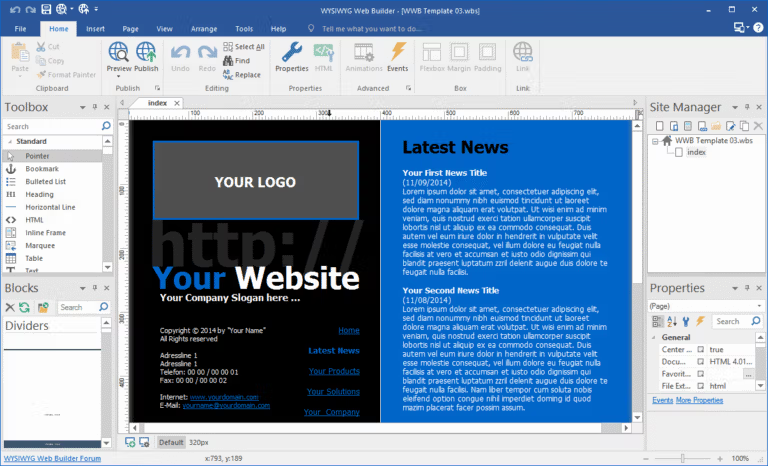
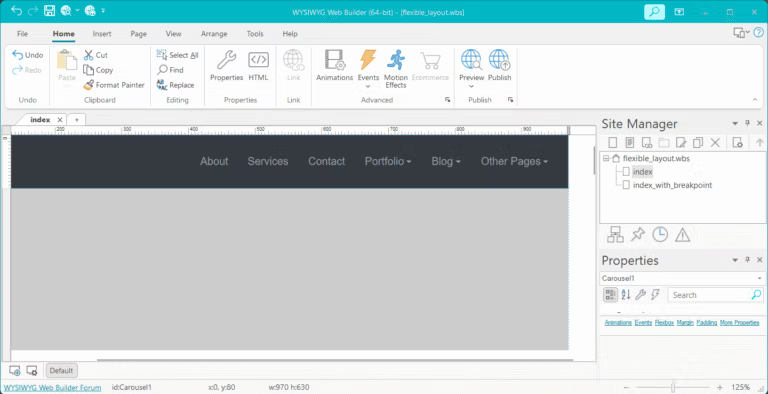
WYSIWYG Web Builder is a website development program that uses the WYSIWYG (What You See Is What You Get) principle, a computer term meaning "what you see is what you get." This means that the finished page will display exactly as designed, allowing users to see the website's appearance in real-time during creation using a drag-and-drop interface. Users of the Web Builder don't need to know or understand attributes or tags; they can simply select the display format they want.
With the WYSIWYG Web Builder, you can easily create forms using the built-in form wizard, complete with form validation and CAPTCHA tools. It also features advanced graphic tools such as shapes, textures, rotation, shadows, and many other visual effects. Furthermore, it integrates jQuery UI (Accordion, Tabs, etc.), animations, effects, and the built-in ThemeRoller theme editor. Plus, it can generate sitemaps compatible with Google/PayPal eCommerce tools and offer numerous navigation features.
Features:
- “One Click Publishing” doesn't require an FTP program or special hosting; it works with any hosting service!
- Built-in support for grid layouts, flexbox, CSS grids, or static layouts with breakpoints.
- Easily add Google Fonts and other web fonts to your website.
- CSS 3 functions can help adjust the animation style of various interface elements on a website.
- Add stunning pre-built animations and transitions, or create your own. Includes over 150 pre-defined animations.
- Use pre-built blocks to get started quickly. There are over 150 blocks!
- Image filters, shapes, galleries, carousels, lightboxes, rollover animations, YouTube, Vimeo, HTML5 video/audio.
- Supports Font Awesome, Material Icons, and many other icon libraries.
- Navigation buttons, drop-down menus, full-screen menus, featured menus, panel menus, breadcrumbs, pagination, and more!
- Hundreds of extensions are available to add extra functionality to the software, including slideshows, navigation, audio/video, web shops, information viewers, and more.
- Click Preview to display a real-time preview on the website immediately.
- You can create a variety of menu bars, such as slide menus and mega menus.
- It supports the use of JavaScript, which is a user-side processing language.
- There is a Content Management System (CMS) that allows you to easily manage and edit text on the website.
- Supports the use of jQuery UI Widgets for customizing web pages.
- Including many other abilities.
System Requirements
- Supported operating systems: Windows 11, Windows 10, Windows 8.1/7
- RAM (Memory): 2 GB RAM (4 GB recommended)
- Free disk space: 200 MB or more
File Information
- Operating System: Windows 11 / Windows 10 / 8.1 / 7 (x64)
- Risk Level: Medium
- License: Full
- Language: English
- Size: 104 MB
- File type: *.rar
- Password: mawto
- Installation Method: Available
- Updated: 11/7/2026
- Required Reading: How to Download