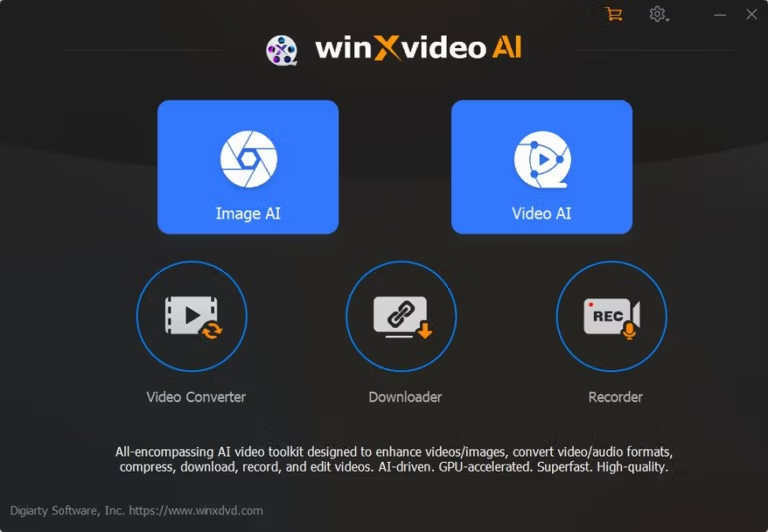
Download Winxvideo AI 4 (Full) for free permanently. This program enlarges, improves the quality of images and videos, edits and converts video files using the latest AI version. It's easy to install and includes built-in tools for file conversion, compression, and screen recording.
What is Winxvideo AI?
Winxvideo AI This is a multimedia file management and enhancement program for Windows, a revamped version of the old WinX Video Converter from Digiarty, now fully AI-powered since 2023. Its primary function is to revive dark, blurry, noisy, or low-resolution photos and videos, restoring them to a better quality in just a few clicks. Previously, such files often had to be discarded or repaired clip by clip. With this program, you simply drag and drop files, select an AI model, and click process—it handles everything else, including increasing resolution, removing noise, and color grading, resulting in ready-to-use files without needing additional editing software.
The AI side is divided into three branches. Starting with Video AI, which expands resolution from SD to 4K, reduces shaking in handheld video clips, and inserts frames for smooth video playback at 60/120/240fps, or creates smooth slow-motion footage. Next is Image AI, which can enlarge images up to 10K, remove blur, blend colors and textures for realism, and includes features for face recovery in old photos and colorizing black and white images. Finally, there's Audio AI, which removes background noise from clips and separates vocals from music. Everything is fully powered by the GPU, processing on our own machine without needing to upload files anywhere, as if we were running the entire system on our own machine. Topaz Photo AI with Topaz Video AI Combined into one.
Beyond AI capabilities, the included tools are comprehensive, encompassing video and audio conversion to popular formats, significant file compression while maintaining image quality, downloading videos, playlists, and subtitles from various websites for offline viewing, screen recording with webcam up to 4K 60fps, and basic editing functions like cutting, merging, cropping, adding subtitles, and creating GIFs—all in one place. This is ideal for creators who need to upload videos daily, those with an archive of old videos they want to keep for a long time, or those creating educational materials who want a single, all-in-one solution without having to switch between multiple tools.
Key Features
Video
- Enhance video resolution using AI. Upscale video from SD to HD or 4K, restoring lost detail. Ideal for older clips or heavily compressed files.
- Remove interference. After analysis, noise and grain are removed from the image, making clips shot in low light appear cleaner.
- Video stabilization. Reduce shaking in handheld clips or videos shot on GoPros and drones for professional-looking, stable footage.
- Increase the frame rate. AI-powered frame insertion allows for smooth video playback at 60/120/240fps or smooth slow-motion effects.
- A new AI model. Gen Detail V3 focuses on preserving facial and surface details, while Real Smooth V3 emphasizes smooth, animation-style visuals.
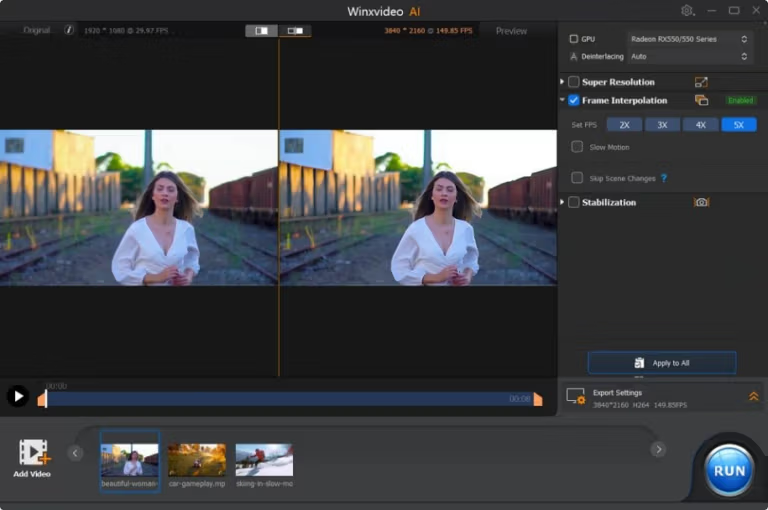
Image aspect
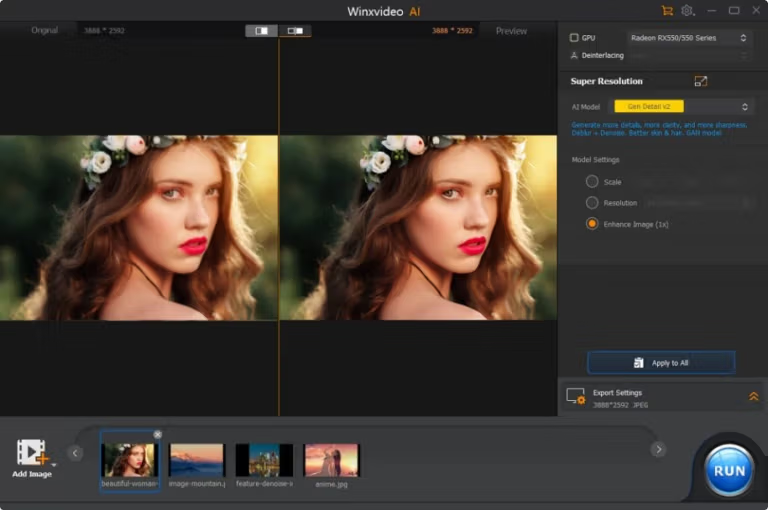
- The image can be enlarged up to 10K. Upscale photos up to 10K, sharpen blurry or small file sizes.
- Remove blur and retouch. Reduce noise and blur, then blend details and colors for a realistic look.
- Facial restoration. Restore facial features in old photos to make them sharper.
- Colorize a black and white image. Automatically add color to old black and white photos.
Other Uses
- AI voice. Remove background noise from clips and separate vocals from music.
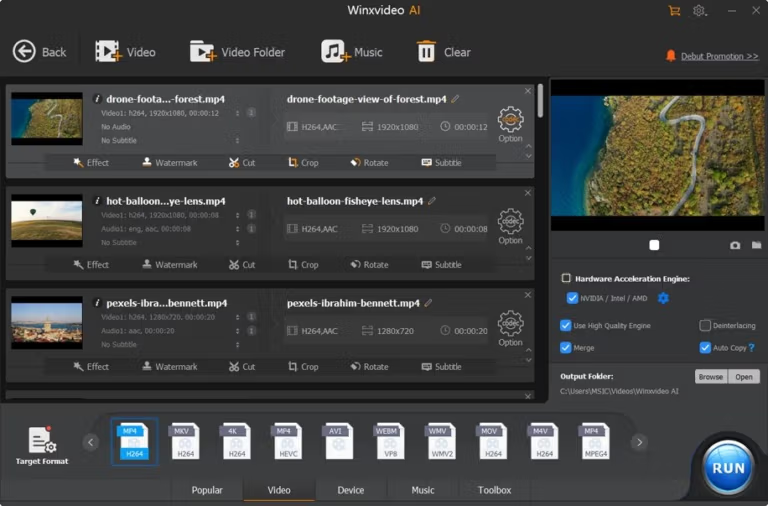
- Convert the file. Convert video and audio to popular formats such as MP4, MKV, MOV, AVI, and MP3.
- Compress the video. Video files can be significantly reduced in size while maintaining image clarity.
- Download from the web. Pull videos, playlists, channels, live streams, and subtitles from various websites and save them for offline viewing.
- Record the screen. Record your screen, webcam, or both simultaneously in up to 4K 60fps.
- Basic video editing. Cut, merge, crop, rotate, add subtitles, effects, watermarks, and create GIFs all in one.
What's new?
Version 4.11 – September 22, 2026
- Pre-defined profiles for iPhone 18. Add a dedicated file conversion profile for the 7.6-inch foldable iPhone 18 Pro, iPhone 18 Pro Max, and iPhone 18 Duo models. It automatically sets the resolution, bitrate, and HEVC/H.264 codec to suit the device.
- The AI runtime for RTX 50 is pulled when in use. It supports AI processing on NVIDIA GeForce RTX 50 graphics cards, such as the RTX 5070, 5080, and 5090, by separating the runtime from the main installer and downloading it in the background when we start using AI features. This dedicated runtime supports video upscaling, frame rate enhancement, image stabilization, and direct image recovery.
- The lighter is a 34% model. By separating the RTX 50 runtime from the main package, the installation file size was reduced from approximately 452 MB to 299 MB.
- Upgrade to Python 3.11. Overhauling the internal environment, including network and parsing components, makes the built-in link analyzer more accurate for downloaders and reduces download failure rates when retrieving media from the web.
- Fixed bugs and improved stability. Optimize memory allocation during long batch file conversions and improve stability across various hardware types.
File Information
- Operating System: Windows 11 / Windows 10 / 8.1
- Risk Level: Medium
- Developer: Digiarty Software
- Language: Multilingual
- Size: 308.31 MB
- File type: *.rar
- Password: mawto
- Installation Method: Available
- Updated: 28/9/2026
- Required Reading: Download Guide