

Download GIMP for free. This popular open-source image editing, photo manipulation, and graphic design program supports layer management, professional retouching tools, and filters. This is the latest version.
What is GIMP?
GIMP The GNU Image Manipulation Program is a leading open-source image editing and graphic manipulation software that is completely free to download and use. It's recognized worldwide as a powerful tool comparable to paid software. The program offers a comprehensive set of basic and advanced tools, including facial retouching and blemish removal, layered image manipulation, color and light adjustment with curves, and digital drawing with responsive brushes. This makes it a top choice for those seeking high-quality image editing software without worrying about costs or monthly licenses.
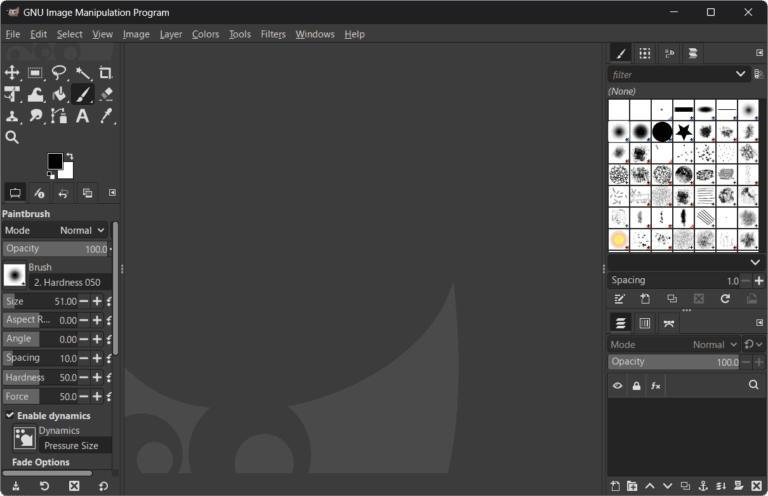
The flexibility of working is another impressive highlight. We can freely customize the tool windows, control panels, and keyboard shortcuts to suit our own work style. Furthermore, it supports almost all image file types in the industry, including JPEG, PNG, TIFF, WebP, as well as opening and editing files from... Adobe Photoshop It offers convenience, facilitating seamless coordination and workflow across platforms, and features an accurate color management system to support modern printing and digital display applications.
Beyond its built-in functions, the program's capabilities can be endlessly extended through a wide variety of downloadable plugins and scripts. The global user community and development team continuously update and improve the program, ensuring stability and security. If you're looking for a lightweight and versatile image editing program that meets all your creative needs, download and install it to start creating your next masterpiece.
Key Features
- A comprehensive set of image editing and retouching tools, including Clone Stamp, Healing Tool, Dodge and Burn, and blur filters.
- The advanced layer and mask management system supports layer grouping, blending mode adjustment, and transparency.
- Supports opening and editing various file formats such as PSD, JPEG, PNG, TIFF, GIF, WebP, and SVG.
- A highly customizable digital drawing brush that naturally responds to pressure and tilt of a tablet pen.
- Smart area selection tools include Free Select, Fuzzy Select, Select by Color, and Scissors Select.
- Professional color adjustment system including Curves, Levels, Color Balance, Hue-Saturation, and Exposure.
- Supports color managed images with ICC color profiles for printing and display.
- Freely transform shapes and viewpoints using the Unified Transform, Perspective, and Warp Transform tools.
- The automated scripting system and plugins support control programming in Python, Scheme, and C.
- The interface is customizable; tool windows can be separated or combined into a single window freely.
- It's a completely free, open-source program with no hidden ads and no hidden costs.
What's new in GIMP 3.2.6?
GIMP 3.2.6 – September 10, 2026 - Improved font loading speed and Text Tool responsiveness. - Supports Barrel Rotation for Wacom Art Pen in MyPaint Brush. - Improved layer group cropping for optimal functionality. - The Color Picker now calculates individual layer filters more accurately. - Fixed security vulnerabilities and enhanced system stability.
File Information
- Operating System: Windows 11 / 10 (64-bit)
- License : Freeware / Open Source
- Developer: GIMP Development Team
- Version: 3.2.6
- Language: Multilingual
- Size: 310 MB
- File type: EXE
- Updated: September 11, 2026
- Required Reading: Download Guide





