

Download Adobe Acrobat Reader DC 2026.002.21931 for free. This standard PDF reader and manager supports accurate form completion and electronic document signing. The latest version is easy to download via a direct link.
What is Adobe Acrobat Reader DC?
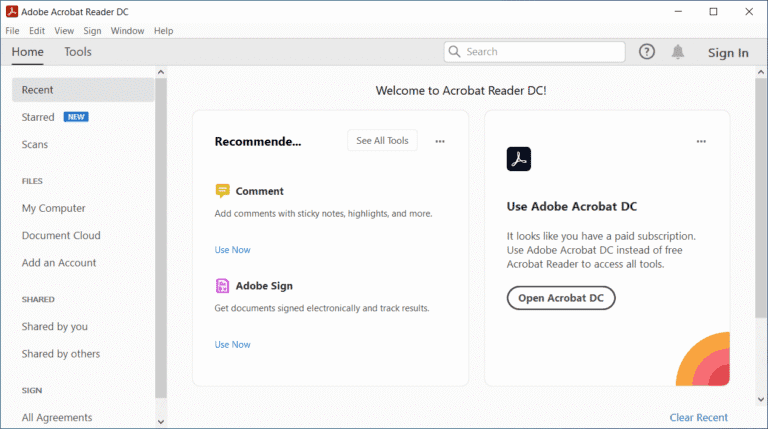
Adobe Acrobat Reader DC PDF is a widely used program for opening and reading PDF documents. This type of document retains its original layout, text, and images when opened on different devices, making it ideal for reading manuals, invoices, forms, and business documents. The program can quickly search for words or phrases within files, zoom in on details, print documents, and open files attached to emails or downloaded from the web directly, without needing to install a full-fledged PDF editing tool.
In addition to reading documents, Adobe Acrobat Reader DC supports adding comments, filling out forms, and electronically signing open documents. It also helps read text and adjusts the view for optimal reading on different screen sizes. Frequently opened files can be saved in a recently opened list for easy resumption. Dragging multiple files to open simultaneously facilitates document comparison, and the side toolbar provides access to search, print, and save without switching windows. Furthermore, you can choose to display pages continuously or one page at a time, rotate documents, and adjust contrast for clearer text reading, making it suitable for personal documents, office work, and study.
Working with official documents or business contracts requires software that maintains security standards and displays results accurately. This program features a reliable digital signature verification system, enabling faster and more secure document approval. It also includes accessibility features for visually impaired users. If a smaller file size option is needed, this might be worth considering. Foxit PDF Reader You can join in.
Key Features
- Read all versions of PDF files correctly on all devices according to the standard.
- It efficiently supports the playback of PDF files on web browsers.
- Quickly open and read large or complex PDF files.
- We can handle document printing with the exact size and sharp images you want, matching the original.
- You can print PDF files directly from the program screen without needing any other tools.
- Accurately find the words, phrases, and functions you need within a PDF document.
- Add comments, highlight, and underline text in a file that is open and editable.
- Fill out the PDF form and save all the information in the designated fields.
- Sign electronically and add a digital signature to official documents.
- Adjust the zoom, rotate the page, and change the display format to suit reading.
- Read the text using the Read Out Loud function to help access documents for the visually impaired.
- Save and share documents securely through Adobe Document Cloud.
System Requirements
– 1.5 GHz or faster processor
– Windows Server 2008 R2 (32-bit and 64-bit), 2012 (64-bit), or 2012 R2 (64-bit); Windows 7 (32-bit and 64-bit); Windows 8 (32-bit and 64-bit); Windows 10
– 1GB of RAM
– 380 MB of available hard disk space
– 1024×768 screen resolution
– Internet Explorer 8, 9, or 10, 11; Firefox Extended Support Release
What's new?
Improvements in version 2026.002.21931
- Resolved the issue of the AI Assistant freezing while processing questions when opening a PDF file by double-clicking in Reader.
- Resolves issues installing and using 32-bit Adobe Acrobat and Reader on devices using ARM architecture.
File Information
- Operating System Windows 11 / 10 (x64)
- Developer Adobe Systems
- License Freeware
- Language English
- Size 748 / 585 MB
- File type *.exe
- Updated on : 17/9/2026
- Required Reading: Download Guide
==== Acrobat Reader DC 2026 (64-bit) ====
==== Acrobat Reader DC 2026 (32-bit) ====





