
Download 3uTools 9 in Thai for free. This iOS device management program allows you to check device information, unlock iPhones, move photos, manage files, flash firmware, and check battery condition—all functions included. This is the latest version.
What is 3uTools?
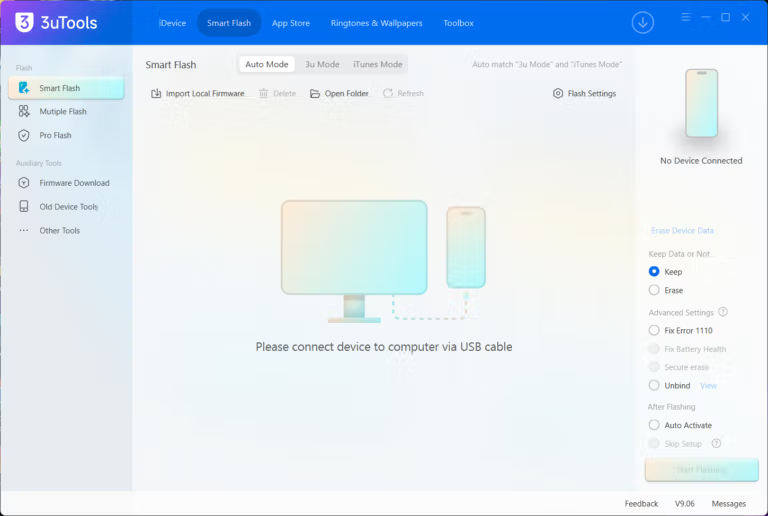
3uTools is an iOS device management program for Windows computers designed to manage iPhone, iPad, and iPod touch in one place without relying solely on iTunes. The program connects to the device via a USB cable and immediately displays essential device information, including model, color, capacity, storage space, installed iOS version, network lock status, and battery health, allowing users to know their device's condition without navigating through multiple menus on the device itself.
The primary function of 3uTools is systematic file and data management. Users can back up the entire device or select specific parts and restore them when switching to a new device or encountering issues. For those facing frozen devices or recovery mode issues, there are specialized tools like Tenorshare ReiBoot to assist. Additionally, it allows for easier moving of photos, music, videos, ringtones, books, and documents between the computer and the device compared to traditional syncing, as files are displayed in a clear list and can be selected individually or in bulk. For users who enjoy customization, the program also features tools for creating ringtones from favorite songs, downloading wallpapers, and managing installed apps, including installation, uninstallation, and app backup.
Another highlight is the technical tools for those who need deep-level device maintenance. 3uTools supports flashing iOS firmware or downgrading to versions that Apple still allows for installation. The program automatically downloads the correct firmware file for the model and provides clear step-by-step instructions throughout the process. Furthermore, it includes jailbreak functions for supported models and versions, complete with necessary warnings before proceeding.
Aside from these main tasks, 3uTools also includes supplementary tools such as junk file cleaning, image compression, video conversion, and detailed hardware information viewing. It is ideal for general users who want to safely back up and transfer files, as well as those who prefer to maintain their devices themselves. Therefore, 3uTools is the ultimate all-in-one software for managing an iPhone or iPad with a Windows computer, covering everything from basic tasks to technical operations.
Key Features
- Firmware flashing and jailbreaking. Supports both Easy Flash and Pro Flash modes with just a single click.
- IPSW firmware download. Quickly search and download matching firmware files that are still open for signing.
- File management and transfer. Transfer media files, photos, music, videos, and contacts between a PC and iOS devices.
- Device condition report check. Check the history of genuine hardware component replacements via the Verification Report.
- Backup and restore data. Features a Backup & Restore system for both full backups and selective restores.
- Battery status check. Displays charge times and detailed real battery health.
- Free download library. A collection of applications, ringtones, and wallpapers ready for instant installation on the device.
- Ringtone conversion and editing. Ringtone Maker tool adapted for iOS formats.
- Home screen organization. Conveniently manage iPhone icons and home screens from a computer.
- Junk and cache file cleaning. Free up device storage space with the Clean Garbage tool.
What's new
Version 9.13.013
- iPhone Duo photos. Improved photo display.
- Wi-Fi photo transfer. Improved Wi-Fi photo transfer feature.
- IPA file signing. Improved IPA file signing feature.
- Fix bugs. Fixed several known bugs
file information
- Operating System: Windows 11 / 10 / 8.1 / 7
- Developer: 3uTools
- License: Freeware
- Language: Thai / Multilingual
- Size : 195.97 MB / 206.37 MB
- File type: EXE
- Updated on: November 5, 2026
- Need to read: Download Guide
==== Download 64-Bit ====
==== Download 32-Bit ====