
Download Notepad++ 8, a free text editor that helps you edit text and write code. It supports multiple languages, opens files in tabs, offers search and replace functionality, syntax highlighting, and runs smoothly on Windows for everyday tasks.
What is Notepad++?
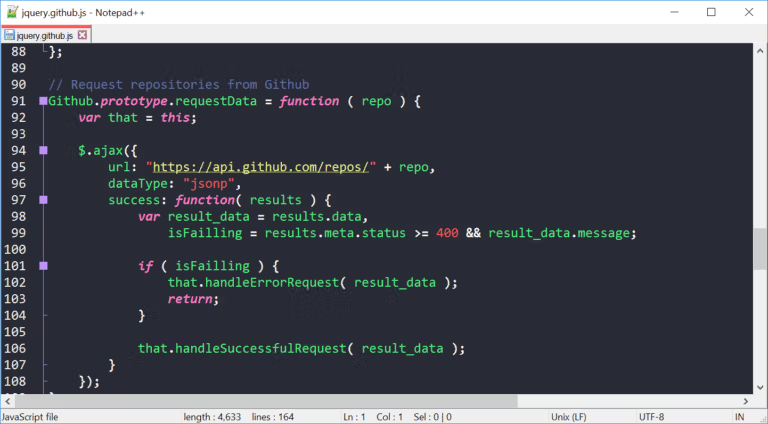
Notepad++ It's an open-source text and code editor that runs on Windows using the Scintilla engine for fast file opening and command response. The program supports many file types, from plain text, HTML, CSS, JavaScript, and PHP to programming language files. It displays code structure and colors differently depending on the language, making it easier to read, check, and edit documents than the basic Notepad.
Tabbed editing allows you to open multiple documents in a single window, while the find and replace system supports searching within the current file, multiple files, or entire folders, making it ideal for repetitive text editing and batch code checking. Additionally, it offers macro recording, automatic commands, code folding, word completion, and a column-based text selection tool. For comparison, consider other text editors. EditPlus There are many similar approaches to coding and file management.
Notepad++ is resource-efficient and can open large numbers of documents without complicating the workflow. It supports Unicode and the Thai language and offers plugins to enhance its capabilities, such as text export, data conversion, or integration with external tools. Numerous settings allow users to customize the appearance, keyboard, and syntax highlighting to suit their needs. Changing the encoding and viewing invisible symbols also helps in more detailed troubleshooting, making it suitable for note-taking, editing configuration files, web development, and software development.
Key Features
- Open multiple files simultaneously through the tabbed interface.
- Highlight grammar and code structure in color according to the chosen language.
- Find and replace text in the current file, multiple files, or an entire folder.
- Supports Regular Expression search and multiple matching options.
- Automatically complete words and function names to help write code faster.
- Fold and expand code blocks to handle files with long structures.
- Record and run macros for repetitive editing tasks.
- You can select and edit column-based text in the document.
- Create a User Defined Language to define the syntax of specific files.
- Supports plugins for adding tools and connecting workflows.
- Supports Unicode and works with the Thai text.
- There is a portable version that can be launched from an external folder without installation.
What's new?
Improvements in Notepad++ 8.9.8.1 (September 24, 2026)
- Fixes a security vulnerability in the UAC operation by adding caller authentication for enhanced security.
- Fix program crashes (errors) when running the Open file and Search on Internet commands.
- Address the Array Out-of-Bounds risk in Function List systems during function code processing.
- Improve UNC path detection to prevent NTLM data leakage vulnerabilities.
- Improve the stability of the NPPM API and prevent sudden shutdowns when receiving incorrect arguments.
File Information
- Operating System: Windows XP/ Vista / 7 / 8.1/ 10 / 11
- Developer: Don Ho
- License: Freeware
- Language: Multilingual
- Size: 7 MB
- File type: *.exe
- Updated: 25/9/2026
- Required Reading: Download Guide





