Download EaseUS PDF Editor Pro 6 (Full) free permanent full version with Thai language support, a versatile PDF management and editing software for opening, reading, converting, merging, and signing PDF documents. Latest version, easy to install and ready to use.
What is EaseUS PDF Editor Pro?
EaseUS PDF Editor Pro is a PDF editing and management program designed for people who work with PDF documents every day, allowing them to open and edit files immediately without converting back and forth or starting documents over from scratch. The program opens various PDF formats, including documents created from office programs, scanned paper files, and files received from others, enabling users to edit text, add or delete images, rearrange content positions, and reorganize page layouts just like editing a regular document file.
The program's editing tools cover basic to detailed tasks. Users can type new text over existing text, change fonts, sizes, and colors, insert images, links, watermarks, and page numbers, delete unwanted pages, rearrange page order, split a single PDF file into multiple files, or combine multiple files into one. It also features tools for highlighting text, underlining, adding notes, and stamping, making it ideal for proofreading, sending documents to colleagues for feedback, or marking areas that need revision later.
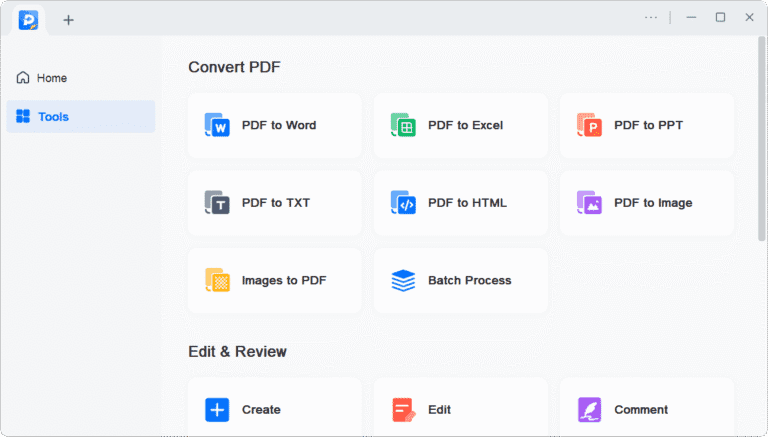
The program also helps convert files and manage documents for various uses. It can convert PDFs back to Word, Excel, PowerPoint, text, or images, and create new PDFs from document files or images. It features an optical character recognition (OCR) system for images or scanned files, turning text in scanned files into searchable and copyable text, while form documents can be filled out directly without manual printing.
For security and document organization, the program allows users to set passwords to lock files, reduce file sizes for email delivery or storage in limited spaces, and add digital signatures to verify the signer's identity. For those handling large volumes of documents, this program serves as a central tool combining editing, converting, merging, and document protection in one place, reducing the steps of switching between multiple programs and accelerating PDF workflows without complex learning curves. If you want to compare it with other PDF software, there is also Foxit PDF Editor Pro to try as well.
Features:
- All-in-one PDF function
- Convert PDF files to and from various formats (Excel, Word, PowerPoint, images).
- Edit, OCR, merge, split, compress, create, and annotate PDFs.
- Sign, encrypt, remove password, and add watermark to a PDF.
- Convert PDFs efficiently.
- Create a blank PDF or convert images and Office files to PDF.
- Preserve the original content and format during conversion.
- Convert PDF files to over 10 different formats without losing original fonts, images, and formatting.
- Scanned PDF files can be edited using OCR technology for 29 languages.
- Easily create or edit PDFs.
- Edit PDFs with confidence by adding, modifying, or deleting text, images, and links.
- Page management: Insert, delete, rearrange, split, crop, rotate, and resize.
- Collaborate with team members by adding comments, highlights, and bookmarks.
- Customize PDF forms.
- Create easily fillable PDF forms with 6 interactive form controls.
- Export and import data for multiple PDF form formats with a single click.
- Manage and secure PDFs.
- Easily combine multiple PDF files for better organizational performance.
- Reduce PDF size without losing quality.
- Split PDF files by page, size, or bookmark.
- Digitally sign the PDF and set a password for protection.
- Add watermarks with customizable rotation, opacity, size, and position.
What's new in EaseUS PDF Editor 6
- Improved basic PDF tools. Edit, convert, and sign PDF files more conveniently and efficiently.
- AI-driven PDF workflow. Streamline PDF workflows more smoothly with AI technology.
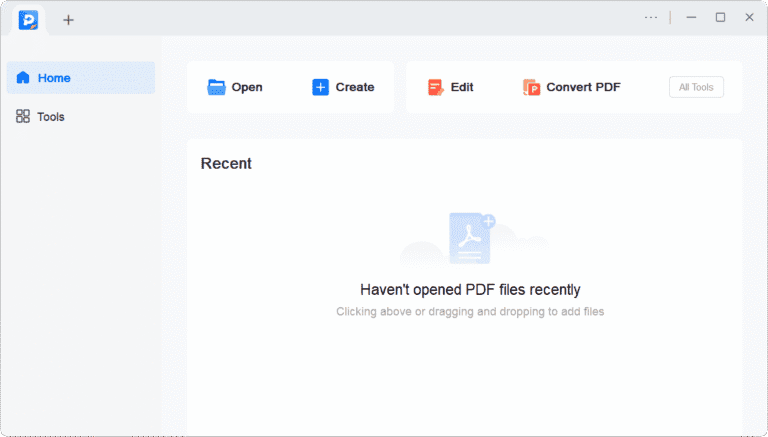
- New, more intuitive interface. Redesigned program interface for better file management.
- Improved OCR quality. Read text from scanned files more accurately, making scanned text better for searching and copying.
- Create fillable PDF forms. Equipped with tools to create custom fillable PDF forms.
file information
- Operating System: Windows 11 / Windows 10 / 8.1 / 7
- Risk Level :🟡Low Risk (Low Risk)
- Developer: EaseUS
- License : Full
- Size : 137.54 MB
- File type : *.rar
- Password : mawto
- Installation method: Yes
- Updated on : 9/11/2026
- Need to read: Download Guide