
Download Nitro PDF Pro 26/14 Enterprise (Full) x86/x64 full version, a free PDF reader, editor, and creator/editor. This is the latest version.
What is Nitro PDF Pro?
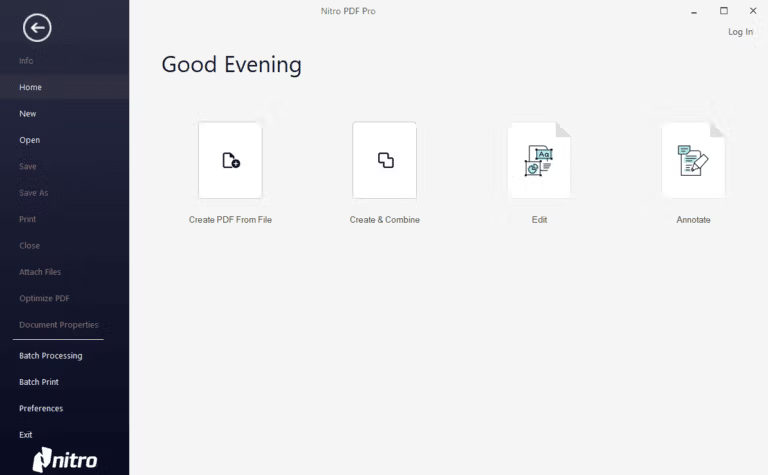
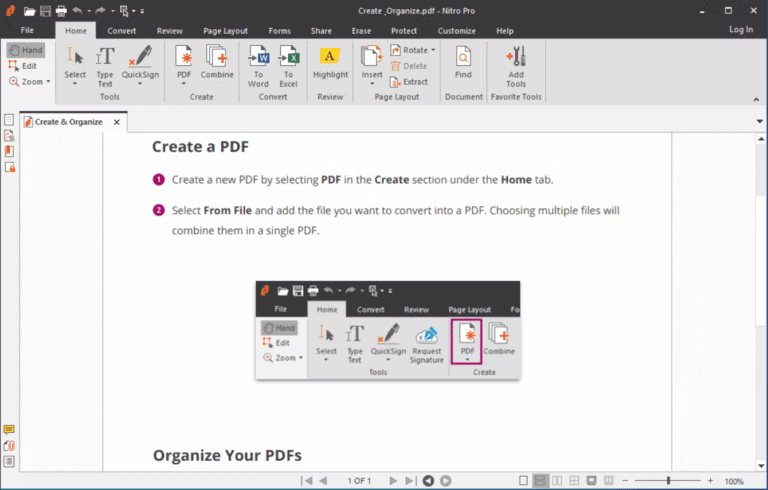
Nitro PDF Pro is... A PDF reader program that has the ability to read, edit, convert, or create PDF files, similar to other programs. Adobe Reader However, the program has a similar interface to Microsoft Office, making it easy to use. It's another suitable PDF reader program because of its simple and user-friendly functions, beautiful and minimalist design, and fast performance. Therefore, Nitro PDF Pro is ideal for those who prefer using PDF readers. It's a professional tool that allows you to work with PDF documents, unlike other programs that only convert these files to other formats but also create, edit, and convert them completely. Furthermore, it integrates seamlessly with Microsoft Office, converting PDFs to MS Word documents quickly and easily. Try downloading and using it!
Nitro Pro features
– Create PDFs and merge files from documents, images, or almost any type of file.
– Convert Word, PowerPoint, and Excel files to editable PDFs.
– Convert PDF files to editable Word, PowerPoint, and Excel files.
– Signing and certifying documents digitally.
– Edit a PDF file
- Add password protection and permissions to PDFs.
Creating and editing PDF forms.
– Annotate PDFs by highlighting, striking through, and underlining text with annotations.
– A familiar Microsoft Office-style interface for ease of use.
– Lightweight deployment with slim server and desktop options.
– Nitro Analytics for insights into printing activity and document workflows.
– Certified by NIST 800-53, HIPAA, SOC2 Type 2.
What's new?
Nitro PDF Pro 26.1.6.0 for Windows Enhance your Arabic and Hebrew documents with OCR capabilities. You must first install the relevant Language Pack to convert scanned documents into easily searchable and editable text. See the developer's website for more information. Details:
This version also focuses on fixing issues encountered in real-world use, including printing multiple pages, renaming the File and Preferences menus, keyboard shortcut descriptions, and managing removable headers and footers.
- Solve the problem of converting documents to PDF/A and opening password-protected documents.
- Optimize performance when opening or processing large documents.
- Fixes issues with iManage and sorting PDF Portfolio files sent via email.
What's new?
Nitro PDF Pro 26 focuses on modernizing the PDF user experience, including a redesigned interface, tools, and workspace layout. It also incorporates AI tools for document work, such as extracting data to spreadsheets, creating forms, and assisting with managing important data.
Nitro's Release Notes also mention stability improvements and fixes for issues opening the program in certain Windows environments. Therefore, we recommend that users who work with important PDF files test opening, editing, and saving files in their own work after the update.
File Information
- Operating System: Windows 11 / 10 / 8.1 (x64)
- Risk Level: 🟡 Low Risk
- Developer: Nitro Software, Inc.
- Language: English
- Size: 541.88 MB
- File type: *.rar
- Password: mawto
- Installation Method: Available
- Updated: 9/8/2026
- Required Reading: Download Guide
==== Download Nitro PDF Pro 26 (Latest) ====
==== Download Nitro PDF Pro 14.43.7 (x64) ====
Download Nitro Pro 14.19.1.29 (32-bit compatible)