
Download Duplicate Photo Cleaner 2025 Full Version Free Permanently. This program finds and deletes duplicate image files on your computer. Latest version, easy installation.
About Duplicate Photo Cleaner
Duplicate Photo Cleaner is a program that helps find and delete duplicate images in minutes. Simply set the similarity threshold to 100%. It differs from other duplicate image finder programs because it compares photos like a human would, finding similarities in your images and easily locating duplicates. It can also detect photos of the same object, resized images, and edited images. You can find duplicate and similar images even if they are in different formats. It supports all popular image formats, including JPG, PNG, TIFF, GIF, RAW for all popular camera brands, PSD, HEIC/HEIF, and many more.
Qualifications:
- Why use it?
- It's an app that manages duplicate and similar images you need.
- Unlike other duplicate image finder, it compares images to human likeness.
- It can detect images with similar content, resized images, and edited images.
- The perfect duplicate image finder for Windows & Mac.
- It works well on both Windows and Mac.
- You can find duplicate photos hidden in various programs such as Adobe Lightroom and Mac Photos.
- Add folder
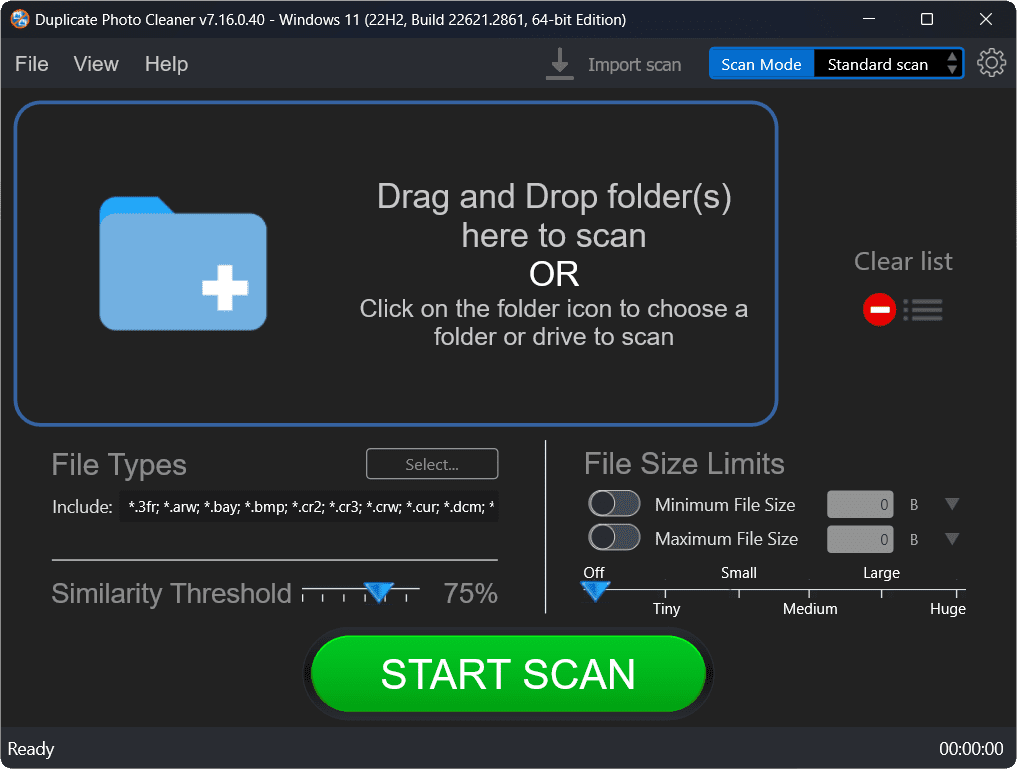
- Open the program and drag the folder you want to scan.
- You can connect a camera or phone to add it to the scanning process.
- Scan for duplicates and similar items.
- Start scanning and wait for the program to find duplicate and similar images.
- The scan won't take long.
- Delete duplicate images in one click.
- Review the scan results and select the images you wish to delete.
- Do it all in one click!
- Supported file formats
- Supports all image file formats, such as JPG, PNG, TIFF, GIF, RAW, PSD, HEIC/HEIF and others.
- Find duplicate and similar images.
- Manage your albums and easily delete duplicate photos.
- Manage images with similar content.
- The uniform content scanning mode makes it easy to sort "Unsorted" albums.“
- Compare the images in folder 2 or more.
- Merge folders and manage backups with Folder Comparison mode.
- Search for images based on elements.
- Select details in an image and find all images that have the same element.
- Remove duplicate photos from Lightroom.
- Clean up Lightroom to manage your images efficiently.
File Information
- Operating System: Windows 7 / Windows 8.1 / Windows 10 / 11 (x64 only)
- Risk Level: 🔴High Risk
- Developer: WebMinds, INC
- License: Full
- Size: 22 MB
- File type: *.rar
- Password: mawto
- Link updated on: 25/12/2025
- Required Reading: Download Guide