

Download the free Windows 11 Context Menu Manager program. This program manages right-click menus (Context Menus) and allows you to remove OneDrive menu items in the latest version of Windows 11.
About Windows 11 Context Menu Manager
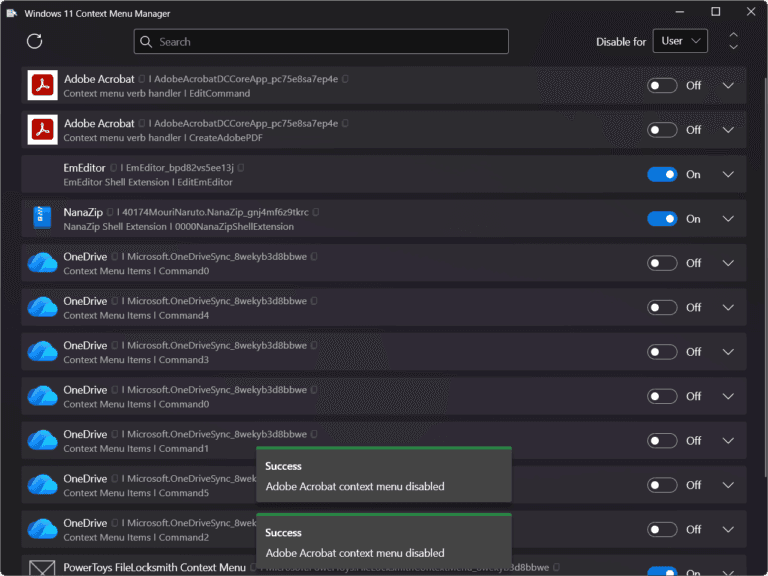
Windows 11 Context Menu Manager is a tool for managing the right-click menu, or context menu, in Windows 11. This is the menu that appears when you right-click a file, folder, or area on the screen. Normally, when we install additional programs, these menus tend to be added, making the system cluttered and difficult to use.
This program allows you to easily view all right-click menu items in the system and select to enable or disable unwanted menu items without having to manually modify the Registry, which is usually a complex and risky method that can cause system problems. Furthermore, some versions are portable and can be used immediately without installation.
This program is ideal for those who want to organize their right-click menu, reduce clutter, and make using Windows 11 more convenient and faster. It's especially helpful if you feel your right-click menu has too many options or items you never use. It helps free up space and improves workflow by eliminating the need to view unwanted application menus.
Features:
- The program has a simple and user-friendly interface.
- Easy to use and not complicated, suitable for both general and advanced users.
- Manage the right-click context menus of various programs in Windows 11 from a single location.
- Displays a list of all menu items added by various programs.
- Easily and quickly open or close unwanted menu items.
- Reduce the clutter on the right-click menu to make it more convenient to use.
- No need to modify the Registry manually, reducing system risk.
- It helps the right-click menu work faster.
- Portable and no installation required.
File Information
- Operating System: Windows 11 / 10 / 8.1 (x64)
- License: Freeware
- Developer: github.com/branhill/windows-11-context-menu-manager
- Language: English
- Size: 15 MB
- File type: *zip
- Updated: 29/4/2026
- Required Reading: Download Guide





