Download Windows 10 Pro 20H2 Activated 64-bit Build 19042.985 May 2021 + Office 2019 built-in. Single file installation; instantly activates genuine 64-bit software. Install via USB | 5.60 GB
Windows 10 20H2 is...
The Windows 10 October Update (20H2) doesn't bring about many changes overall. This update focuses primarily on bug fixes and improving system performance. As usual, Maewto has provided the latest Windows 10 Pro 20H2 update file from the most reliable source for download, following the previous version... Windows 10 20H1 Or Windows 10 2004 That version has been released and updated to a certain level of stability. Details about the new features in Version 20H2 can be found below.
What's new in Windows 10 20H2?
– The “System” option in Windows Settings has been removed.
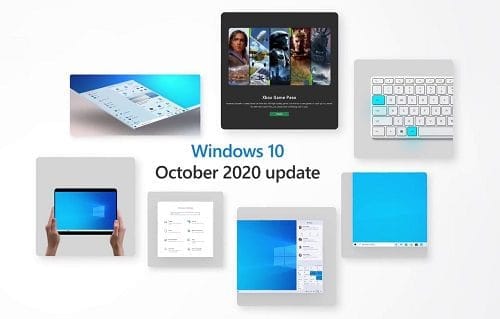
- The Start Menu has been redesigned and now features a new function called "Theme-aware tiles." The tile color will change depending on the Light or Dark theme being used, and you can even set the tile color to match the background image's color scheme.
– Microsoft Edge (Chromium-Based) is built-in; you don't need to download it separately.
– The Your Phone app can now display applications from Android smartphones and can be controlled via Windows 10. This feature is currently compatible with Surface Duo and several Samsung models.
- The system for pinning websites to the Taskbar has been revamped.
– Turn off Focus Assist audio notifications.
– Improved the Alt+Tab system to allow switching tabs in Microsoft Edge as well.
– You can adjust the refresh rate directly in Settings by going to Settings → System → Display → Advanced Display Setting and selecting the appropriate setting.
– Automatically switches to tablet mode when the keyboard is detached on 2-in-1 devices such as Microsoft Surface.
Is Windows 10 20H2 good? / Problems
Overall, this version of Windows 10 20H2 differs from many previous initial update releases in that it contains virtually no major issues affecting a wide range of users. Some of the problems encountered have already been resolved, some have been mitigated, and some are currently being investigated in collaboration with relevant developers. Details of the issues are as follows:
You may receive an error when accessing the sign-in options or as an MMC snap-in user.
– You may receive a blue screen with the code “DRIVER_VERIFIER_DMA_VIOLATION (e6) An illegal DMA operation was attempted by a driver being verified.” when plugging in a Thunderbolt NVMe SSD.
– Certificates may disappear after updating to a newer version of Windows 10.
– When installing third-party drivers that are in the wrong format, you may receive an error such as “Windows can't verify the publisher of this driver software” or “No signature was present in the subject”.”
– Problems when using Microsoft IME for Japanese or Chinese languages.
– Errors or issues occurring during or after updating devices with certain Conexant and Conexant ISST audio drivers, which Synaptics and Microsoft are currently resolving.
File Information
* File: PROX64.OFF19.ENU.MAY2021.iso
* Size: 5.75GB
Format: Bootable ISO
* Windows 10 Pro
* Office 2019 ProPlus
* Activators: HWID and Online KMS
Note: With Microsoft Office 2019 pre-installed, you can use Office 2019 right away after installing Windows 10.
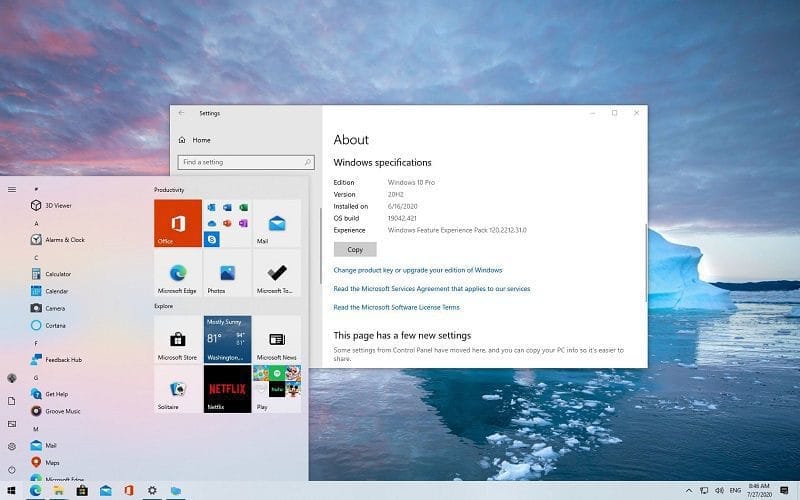
Update content
Integrated/Pre-installed:
* Office 2019 ProPlus VL 64bit
* Servicing Stack Update:
* KB4598481
* CumulativeUpdate:
* KB5003173
* NET Framework 3.5
* Cumulative Update for
* NET Framework 3.5 and 4.8:
* KB4601554
SetupComplete / Post-install:
* Defender Updates
Credit
* WindowsAddict, Authtor of Windows Activation Script
* Generation 2
The website only provides the 64-bit version for download because the proportion of people downloading the 32-bit version is very low.