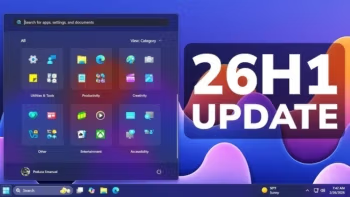
Download the Windows 11 26H1 ISO (Build 26100.9168) x64 August 2026 MSDN for free on compatible devices. Detailed information on features, updates, requirements, and things to know before installing on eligible machines is included.
What is Windows 11 26H1?
Windows 11 26H1 26H1 is a special version of Windows 11 designed by Microsoft to support new hardware (new devices) specifically released in early 2026. It's also a version that won't be an in-place upgrade from 24H2 or 25H2 on existing machines. In other words, you'll only see 26H1 pre-installed on new notebooks/PCs; it's not an update option that users can manually select.
In terms of core features, 26H1 has a functional set equivalent to the Windows 11 2025 Update (25H2) and continues to receive regular monthly security, quality, and new feature patches. Therefore, daily use will be virtually indistinguishable from 25H2. The real difference, however, lies in the future update path: devices running 26H1 will not be eligible for the annual feature updates in the latter half of 2026, as 26H1 is built on a system optimized for next-generation silicon and partnered with OEM/Si partners.
Based on the latest cumulative patches (e.g., KB5101681, KB5121000, KB5120996), the new features that 26H1 users will actually receive in mid-to-late 2026 are the same as those received by 24H2/25H2. These include taskbar customization (relocation, smaller size), quieter widgets, selective update pause (up to 35 days), Screen tint feature, touchpad gesture control, Windows Hello ESS support for external fingerprint sensors, Voice Isolation in Voice Access, and improvements to File Explorer/Windows Search.
What is 26H1, and why does it seem different from a regular update?
- 26H1 is a hardware-optimized release that Microsoft explicitly states is for new devices released in early 2026 and is not offered as an in-place update from 24H2/25H2 on existing machines.
- The key features of 26H1 are the same as those of 25H2 (Windows 11 2025 Update), and it will continue to receive regular monthly security/quality/feature updates.
- Important limitation: Devices running 26H1 will not be eligible for the annual feature update in the latter half of 2026 because the 26H1 infrastructure is optimized for specific hardware platforms.
What's New in Windows 11 26H1
Although version 26H1 isn't a major annual feature update, 26H1 users receive new features through cumulative updates, many of which are the same features received in 24H2/25H2 during the same period, such as:
- Resource management and efficiency: Improved CPU scheduling and memory management ensure smoother switching between demanding applications. Additionally, optimized SSD caching results in faster and more stable file read/write operations on NVMe drives.
- How AI works at the system level: Enhance the integration of AI into the operating system to work directly with the new generation chip's NPU, such as context-based file searching rather than just searching by filename, and improve Windows Copilot to respond to complex commands faster and more accurately.
- Advanced security: Improved Core Isolation and Virtualization-based Security (VBS) to consume fewer system resources, while adding credential protection that integrates deeply at the hardware level.
- Taskbar: The taskbar can be moved (bottom/top/left/right) and there's a "small taskbar" option to save screen space.
- Widgets: A “quieter” widget experience reduces distractions on the lock screen by displaying only the weather widget by default.
- Windows Update: Pause updates by selecting an end date (up to 35 days) and improve progress calculation/cleanup after updates.
- Accessibility: Features like Screen tint, Magnifier improvements, and Voice Isolation in Voice Access help reduce background noise.
- Windows Hello: Enhanced Sign-in Security (ESS) supports peripheral fingerprint sensors.
- File Explorer / Search: Displays file sizes in easy-to-read KB/MB/GB, supports opening folders in new tabs from the address bar/Home screen, and improves app search to be more typo-tolerant and support searching with only two characters.
- Touchpad: Control the base speed of gesture scrolling/zooming and enable accelerated scrolling for long documents.
- Smart energy management: The system adjusts power usage based on user behavior in real time, helping to extend battery life on newer laptops without compromising processing performance during heavy usage.
System Requirements
- Operating System: Windows 11 26H1
- Processor: 1 GHz or higher, 2 cores or more, on a 64-bit compatible CPU.
- Memory: 4 GB RAM or more
- Free space: 64 GB or more, and allow extra space for updates.
- Additional features include: UEFI with Secure Boot, TPM 2.0, DirectX 12 with WDDM 2.0, a 720p HD display larger than 9 inches, and internet access for updates.
File Information
- Operating System: Windows 11 (x64)
- Developer: Microsoft
- Version: 26H1
- Language: Multiple languages, including English and Thai.
- Size: 7.9 GB
- File type: *.iso
- Updated: 25/8/2026
- Required Reading: Download Guide
Warning for Windows 11 26H1
⚠️Warning for 26H1: This version is specifically for select devices using Qualcomm Snapdragon processors. Although a downloadable x64 ISO is available below, installation is not recommended as it may encounter bugs, reduced compatibility, malfunctioning features, and the inability to upgrade to 26H2. For computers using the x64 architecture, installation is recommended. Windows 11 25H2 instead
Download link
Windows 11 26H1 Consumer
Build: [26100.9168] (Updated August 2026)
| Language | Arch | File Details |
|---|---|---|
| English | ARM64 | en-us_windows_11_consumer_editions_version_26h1_updated_aug_2026_arm64_dvd_c2bc5d06.iso SHA-256: 6b38817b516abbd8787fe09b8dcbfd24e946e160313e2d0b9a6b7f35f0f74202Download: NTriver |
| English | x64 | en-us_windows_11_consumer_editions_version_26h1_updated_aug_2026_x64_dvd_c2bc5d06.iso SHA-256: 820c65c601f04a96a9a3ecc07d930077062492683ef83c9fdfdf3ba3511aeb0fDownload: NTriver |
| Thai language | ARM64 | th-th_windows_11_consumer_editions_version_26h1_updated_aug_2026_arm64_dvd_c2bc5d06.iso SHA-256: fdec89e7836f99096bbd4fe6245fee6d1e366bca61916b7532f20a03555822a3Download: NTriver |
| Thai language | x64 | th-th_windows_11_consumer_editions_version_26h1_updated_aug_2026_x64_dvd_c2bc5d06.iso SHA-256: 0c46d7fe2198afd9dadc737293405f5b52753a7453da1034fad4cfa11e66d279Download: NTriver |
DownloadFor other languages
Windows 11 26H1 Business
Build: [28000.2704] (Updated August 2026)
| Language | Arch | File Details |
|---|---|---|
| English | ARM64 | en-us_windows_11_business_editions_version_26h1_updated_aug_2026_arm64_dvd_c2bc5d06.iso SHA-256: f0cea331935d801b0f1a305232d8e8392ba2cbc13d27c9e86527badab58c3574Download: NTriver |
| English | x64 | en-us_windows_11_business_editions_version_26h1_updated_aug_2026_x64_dvd_c2bc5d06.iso SHA-256: 17c7047ae8392725148488eced5a52435c7f95d29c388f6ee9cbae9bdeccb263Download: NTriver |
| Thai language | ARM64 | th-th_windows_11_business_editions_version_26h1_updated_aug_2026_arm64_dvd_c2bc5d06.iso SHA-256: 477e7264ea2593c2b2d960a274dfb1a530dfbae40384d1708a19f5a9ce85c787Download: NTriver |
| Thai language | x64 | th-th_windows_11_business_editions_version_26h1_updated_aug_2026_x64_dvd_c2bc5d06.iso SHA-256: 6d80797fabdd082d85636dd33cbc760d5c0ef4c29cdf776630274dd328be444aDownload: NTriver |
DownloadFor other languages