Download the Windows 11 25H2 ISO Pro/Home (Build 26200.9168) x64 Consumer/Business Edition file for free permanently. Includes WinRAR, 7-Zip, and NanaZip. Can be installed even without TPM 2.0. Installation instructions included.
About Windows 11 25H2
Windows 11 25H2 This is an annual feature update that may seem very similar to previous versions at first glance, but behind the scenes is a significant structural overhaul to fully embrace the AI era and dispel the old image of a complex operating system. The key highlights of this update include the following:
Interesting features of Windows 11 25H2.
1. AI that is more than just a chatbot, but a system.
In this version, Microsoft isn't just adding Copilot for us to talk about; they're actually integrating AI into the OS at a real level. A key feature is Automatic Super Resolution (Auto SR), which uses an NPU (Neural Processing Unit) to upscale images in applications and games for sharper visuals without consuming core system resources. Another improved Intelligent Search system allows for more accurate file searching using natural language. For example, typing "budget document revised last week" will let the system understand the context immediately without needing to remember the exact file name.
2. The era of frequent restarts is over with Hotpatching.
One of the changes that users will likely appreciate most is the introduction of Hotpatching in the user-friendly version of Windows 11. This technology allows Windows to install monthly security updates instantly without restarting the computer, reducing frustration from interruptions while working or the computer unexpectedly restarting while you're away.
3. The complete transformation of the Control Panel into Settings.
25H2 marks a significant step in closing the chapter on the Control Panel we've used since Windows 95. Many previously hidden menus, such as advanced Power Plan settings, color management, and font management, have been completely moved to the Settings app with a modern and user-friendly interface. This change results in a more consistent system UX/UI, avoiding jarring transitions between the old and new interfaces.
4. A more flexible Start Menu and Taskbar.
In terms of appearance, Microsoft has improved the Start Menu for better organization, particularly the management of app categories in the "All Apps" section, which was previously a long list but has been simplified for easier use. The taskbar widgets have also been redesigned to reduce unnecessary news clutter and allow users more freedom to customize widgets actually used for work (such as CPU Usage and Calendar).
System Requirements:
- CPU: Minimum speed 1 GHz, with 2 or more cores, 64-bit compatible or SoC
- GPU: Supports DirectX 12 / WDDM 2.x
- RAM: Minimum 4 GB
- Storage: 64GB and above
- Display: Over 9 inches, HD resolution (720p) or higher
Features:
- Pre-Activated (DLA)
- UEFI-ready
- Use the attached Rufus USB tool to create a UEFI-bootable drive.
- .WIM is not compressed to .ESD for faster installation.

Included:
- Windows 11 25H2 Build 26200.9168 Consumer MSDN
- Windows 11 Home
- Windows 11 Home N
- Windows 11 Home Single Language
- Windows 11 Education
- Windows 11 Education N
- Windows 11 Pro
- Windows 11 Pro N
- Windows 11 Pro Education
- Windows 11 Pro Education N
- Windows 11 Pro for Workstations
- Windows 11 Pro N for Workstations
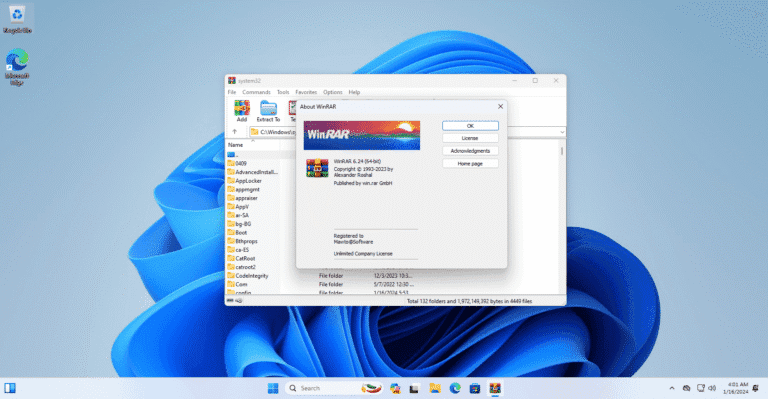
- WinRAR 7.23 Final (Choose to install to the Desktop)
- 7-Zip 26.02 (Choose to install on the Desktop)
- NanaZip 6.5.1800.0 (Install on Desktop)
- LANGUAGE: ENGLISH US
What's New
- Update Windows To 25H2 Build 26200.9168
- Update new versions of Nanazip, 7-Zip, WinRAR.
Installation
- A Clean Install is recommended.
- You should connect to the internet during installation to enable activation.
- Use Rufus, which is included in the attached file, to create a bootable USB.
- For devices that already have an OEM license, we recommend using the Untouched file.
- Read the installation instructions first.
Credit
- abbodi1406, Author of Activation Script
- I hope you enjoy this release!
- Best regards,
- MAWTO
File Information and Downloads
- Operating System: Windows 11 (x64)
- License: Full
- Language: US English
- Size: 8.26 GB
- File type: *.rar
- Password: mawto
- Updated: 26/08/2026
- Required Reading: Download Guide
***If you encounter any issues during installation, please let us know.***
You can still read How to Install Windows 11 with and without a USB drive without logging in
Devices available: OEM License The motherboard is already installed. It is recommended to use the file. Untouched / But if you want to change the edition, for example from Home Be Pro: Use the file. Pre-activated
====⬇ Pre-activated ISO file ⬇====
====⬇ Original MSDN File (Untouched ISO) ⬇=====
Windows 11 25H2 Consumer
Build: [26200.9168] (Updated August 2026)
| Language | Arch | File Details |
|---|---|---|
| English | x64 | en-us_windows_11_consumer_editions_version_25h2_updated_aug_2026_x64_dvd_ec320f81.iso SHA-256: df078c9afc8ddcbbd7bd32822aec0f13b25c2fbe0a07dffb98e140a8fc61a0c1Download: NTriver |
| Thai language | x64 | th-th_windows_11_consumer_editions_version_25h2_updated_aug_2026_x64_dvd_ec320f81.iso SHA-256: 9043c42b651f3d295080c69b45f8a8fc9afe393bf0462cc78ed902c6c9863e82Download: NTriver |
DownloadFor other languages
Windows 11 25H2 Business
Build: [26200.9168] (Updated August 2026)
| Language | Arch | File Details |
|---|---|---|
| English | x64 | en-us_windows_11_business_editions_version_25h2_updated_aug_2026_x64_dvd_6e2205f9.iso SHA-256: bb869df5553c66892d00eefa00cae3ae40fb8b9d2185e86fa3b6c79a7f58532eDownload: NTriver |
| Thai language | x64 | th-th_windows_11_business_editions_version_25h2_updated_aug_2026_x64_dvd_0125433d.iso SHA-256: 907da38967f216a73542a4e62a258337a929266f60a36b6ba53686ea903deaffDownload: NTriver |
DownloadFor other languages