Download the Windows 11 26H2 (Build 26300.9457) x64 ISO file for Pro, Home, Consumer, and Business Editions. It includes WinRAR, 7-Zip, and NanaZip. Installation is possible even without TPM 2.0. Installation instructions are included.
About Windows 11 26H2
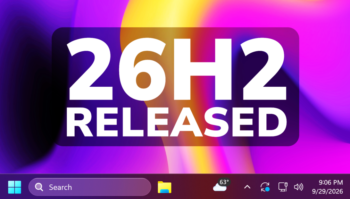
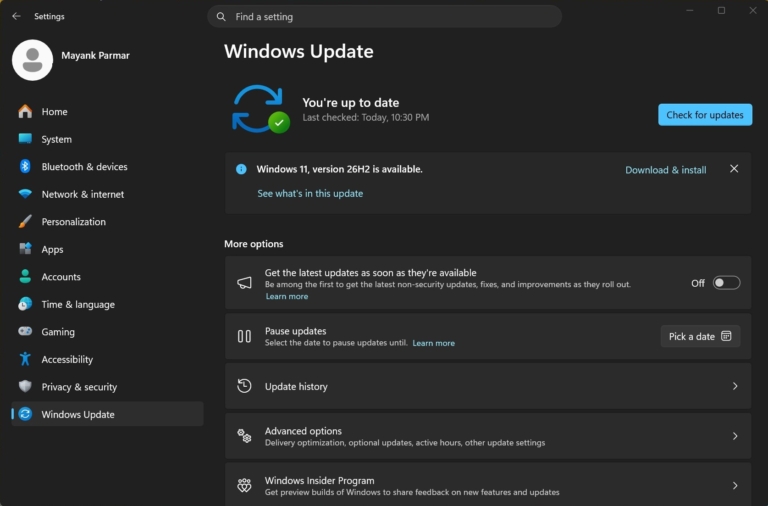
Windows 11 26H2 This refers to the annual feature update for Windows 11, officially called the Windows 11 2026 Update by Microsoft, which was released on September 29, 2026. The special thing about this update is that Microsoft didn't send a large update requiring a system-wide reinstallation, but instead opted for an Enablement Package, a file only 174 KB in size. Machines already running 24H2 or 25H2 simply installed this package and restarted once to instantly switch to 26H2. This method eliminates the headaches of traditional annual updates, such as lengthy downloads of several gigabytes and strange bugs after the update is complete, because almost all of the 26H2 features have already been gradually rolled out through monthly updates throughout the year.
New features in 26H2 focus on practical everyday use rather than flashy features. The most requested feature, the ability to move the taskbar to any edge of the screen, is back, along with a smaller taskbar option for those who want to save screen space. File Explorer receives AI actions for direct image management, summarizes document content from OneDrive or SharePoint, and supports more compressed file formats. Windows Search is noticeably smarter, tolerating typos in names and searching for apps using only partial characters. On the security side, there's Administrator protection, granting temporary administrator privileges only when necessary, and separating profiles to reduce the risk of malware attempting to escalate privileges.
The group that should most consider upgrading to 26H2 are those currently using 24H2, as that version's support ends on October 13, 2026. Those on 25H2 who update regularly hardly need to do anything special; a single minor update will instantly upgrade them to 26H2 status and add another 24 months of support. The only caveat is that machines pre-installed with 26H1 (the version for new hardware in early 2026) cannot be upgraded to 26H2. If you're still unsure which version to stay with, check out the details of the previous version in this article. Windows 11 25H2 Pro / Home To aid in decision-making.
Interesting things about Windows 11 26H2
1. Update with a 174 KB file. A single restart is sufficient.
26H2 comes with an Enablement Package, KB5121794, measuring just 174 KB. This is significantly smaller than previous annual updates that required downloads of several gigabytes and gambled on boot success. The only condition is that the machine must be running 24H2 or 25H2 with the September 2026 update already installed. After installation and a single restart, you'll immediately receive version 26H2 and the new support lifecycle. It feels like a regular monthly update, not a version upgrade. The reason for this small file size is that all three versions use the same code on the same servicing branch. The code for various features is already included with the monthly updates; this package simply serves to activate dormant features. Then, changing the build number from 26200 to 26300, compared to a full update package weighing around 6.5 GB, reduces it to just 0.003%. Microsoft officially released 26H2 on September 29, 2026, resetting the support cycle. Home and Pro editions receive 24 months, while Enterprise and Education editions receive 36 months. Microsoft's own definition is a compilation of “innovation, security improvements, and performance enhancements throughout the past year,” not a whole set of new features.
2. Move the taskbar to any edge of the screen.
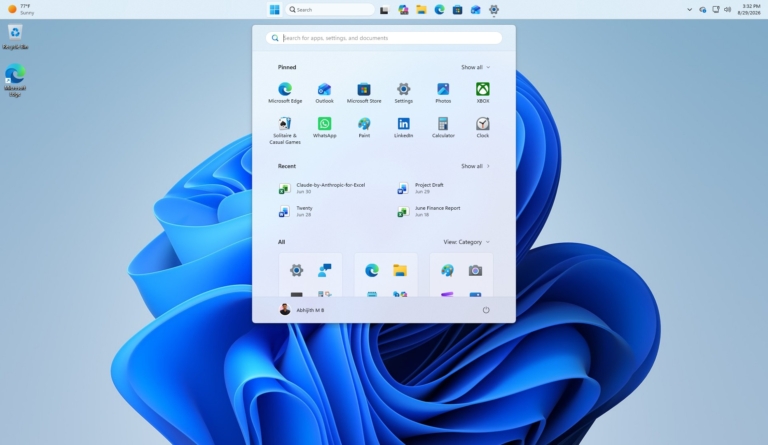
A feature users have been requesting since the early days of Windows 11 has returned in 26H2. We can now move the taskbar to the top, left, or right of the screen as preferred, with a smaller option to save vertical space. Many OLED display users have praised this as solving burn-in problems without needing additional software. It's a welcome return of a long-lost basic feature.
3. Smarter File Explorer and Search.
File Explorer in 26H2 receives AI actions for managing images with a single right-click, summarizing document content from OneDrive or SharePoint without opening the file, and supporting a wider variety of compressed file types. Windows Search has been improved to be more typo-resistant, finding apps using only partial characters, and automatically indexing frequently used folders. These are small adjustments that, combined, make everyday use noticeably smoother.
4. Enhanced security without disturbance.
26H2 enhances security in several ways that are barely noticeable to the average user. Administrator protection grants temporary administrator privileges only when needed and separates profiles. Smart App Control can now be enabled or disabled without reinstalling the system. Enhanced Sign-in Security for Windows Hello now supports external USB fingerprint sensors, and the system begins supporting post-quantum encryption like ML-KEM and ML-DSA, preparing for the future.
Is Windows 11 26H2 any good?
Based on comments on ExtremeITReview's post, the most prominent sentiment is, "It's just 25H2 renamed 26H2." Many users confirm that after trying it, it's almost indistinguishable from 25H2, including those who reinstalled the OS for their partners, those who completed the update in 3 minutes, and those who summarized it as, "Everything's the same, just with extended support for another 2 years." One user explained that 26H2 is essentially the latest updated version of 25H2, simply renamed. Going forward, Microsoft will be changing its update method to gradually adding features in small increments, resulting in smaller patches. Microsoft itself echoed this, stating that all three versions share a common servicing branch. John Cable emphasized that installation is "like a typical monthly update; it involves a small downloaded file and a single restart."“
Most people who have updated report that everything is working fine. A major point of praise is the speed of the update; many said it downloaded almost instantly, and by the time they checked again, their device was prompted to restart. Some reported it took less than a minute. Usage is normal, and games run as before. Some users even reported smoother performance, with some saying it only used 4.3GB of RAM after removing unnecessary programs and AI, and others saying BF6 ran significantly smoother. ROG Xbox Ally X owners were overjoyed to finally be able to display the battery percentage.
However, some people encountered problems. The most frequently reported case was the computer restarting 3-4 times after the update, forcing them to uninstall the software. Although some explained that multiple restarts with a major update are normal, other issues included excessive battery drain, printer sharing malfunctions, lag after the update, and installation failures with ReviOS, which is not yet supported. Gamers also asked if Wardogs was compatible, to which the answer was to wait, as it seemed unlikely to be playable.
Another large group is the "wait and see" crowd, those who are hesitant to update for fear of another Windows crash, or those who suggest inviting the brave ones to go ahead. In summary, based on all the real-world feedback, 26H2 is primarily an update that only changes the number and extends support. Most people who updated didn't encounter problems; some experienced a slight improvement in smoothness. However, if you're on 25H2 and don't want to upgrade, updating monthly isn't a bad option. This aligns with media tests concluding that 25H2 and 26H2 are virtually indistinguishable in real-world usage.
System Requirements:
- CPU: Minimum speed 1 GHz, with 2 or more cores, 64-bit compatible or SoC
- GPU: Supports DirectX 12 / WDDM 2.x
- RAM: Minimum 4 GB
- Storage: 64GB and above
- Display: Over 9 inches, HD resolution (720p) or higher
Features:
- Pre-Activated (DLA)
- UEFI-ready
- Use the attached Rufus USB tool to create a UEFI-bootable drive.
- .WIM is not compressed to .ESD for faster installation.
Included:
- Windows 11 26H2 Build 26300.9457 Consumer MSDN
- Windows 11 Home
- Windows 11 Home N
- Windows 11 Home Single Language
- Windows 11 Education
- Windows 11 Education N
- Windows 11 Pro
- Windows 11 Pro N
- Windows 11 Pro Education
- Windows 11 Pro Education N
- Windows 11 Pro for Workstations
- Windows 11 Pro N for Workstations
- WinRAR 7.23 Final (Choose to install to the Desktop)
- 7-Zip 26.03 (Choose to install on the Desktop)
- NanaZip 7.0.1843.0 (Install on Desktop)
- LANGUAGE: ENGLISH US
What's New
- Update Windows To 26H2 Build 26300.9457
- Update new versions of Nanazip, 7-Zip, WinRAR.
Installation
- A Clean Install is recommended.
- You should connect to the internet during installation to enable activation.
- Use Rufus, which is included in the attached file, to create a bootable USB.
- For devices that already have an OEM license, we recommend using the Untouched file.
- Read the installation instructions first.
Credit
- abbodi1406, Author of Activation Script
- I hope you enjoy this release!
- Best regards,
- MAWTO
File Information and Downloads
- Operating System: Windows 11 (x64)
- License: Full
- Language: US English
- Size: 8.42 GB
- File type: *.rar
- Password: mawto
- Updated: 30/09/2569
- Required Reading: Download Guide
You can still read How to Install Windows 11 with and without a USB drive without logging in
Devices available: OEM License The motherboard is already installed. It is recommended to use the file. Untouched But if you want to change the edition, for example from... Home Be Pro: Use the file. Pre-activated
==== Consumer File (Pre-activated ISO) ====
==== Original MSDN File (Untouched ISO) =====
Windows 11 26H2 Consumer
Build: [26300.9457] (Updated September 2026)
| Language | Arch | File Details |
|---|---|---|
| English | x64 | en-us_windows_11_consumer_editions_version_26h2_x64_dvd_af326c9d.iso SHA-256: bd4307df32bc8af33b39ccecb1174aeb345386630f89a2b86c7a4e36b55ea650Download: NTriver |
| Thai language | x64 | th-th_windows_11_consumer_editions_version_26h2_x64_dvd_06fb2f76.iso SHA-256: 127dcc66ed7c1a797863fd3573ef5f2f17bdecb72425e74b7aa5186f50fada4aDownload: NTriver |
DownloadFor other languages
Windows 11 26H2 Business
Build: [26300.9457] (Updated September 2026)
| Language | Arch | File Details |
|---|---|---|
| English | x64 | en-us_windows_11_business_editions_version_26h2_x64_dvd_16357792.iso SHA-256: 9a9428dcf8ad48391744ac63062619e05758230fe4e9c9753515d413cfc316bbDownload: NTriver |
| Thai language | x64 | th-th_windows_11_business_editions_version_26h2_x64_dvd_bdba4e98.iso SHA-256: 17f3efef6d4fea20ec2d0f1a8697a1a5f14bea9868abc842ac05803c7e8bdc40Download: NTriver |
DownloadFor other languages