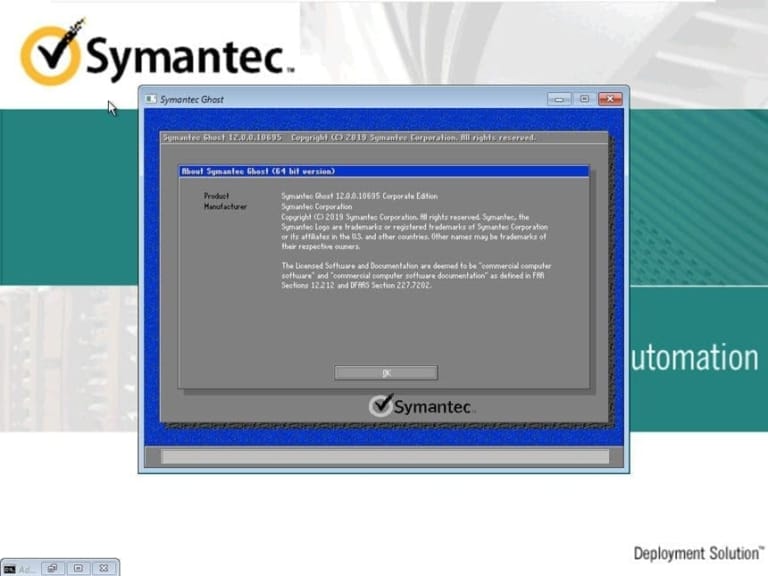
Download the Symantec Ghost 12 BootCD ISO (or Norton Ghost) program. Download the bootable disc for ghosting Windows 10/11 and back up your hard drive so you can install it on multiple computers.
What is Symantec Ghost?
Symantec Ghost 12 (or Norton Ghost, Ghost32) is a data backup and recovery program that backs up entire hard drives. It can compress data into a single image file or split it into smaller files as specified. It's one of the most popular backup programs due to its ease of use and stability. It has the ability to clone Windows to other machines, making it easy to install multiple Windows programs simultaneously. It can back up various files including images, videos, and important documents, or even the entire hard drive. It's ideal for users who frequently format their computers. It supports full-file backup, features fast file compression and backup technology, and includes a recovery function to retrieve lost or accidentally deleted files. A status indicator displays the operating status of various programs and the computer system, clearly showing the required storage space for backup in a graph format, and much more.
List of features
- Disk imaging: Allows you to create a complete image of your hard drive, including the operating system, installed applications, data, and settings.
- Cloning: You can use it to clone a hard drive, either to another hard drive on the same computer or to a different computer.
- Partition copying: Individual partitions can be copied, allowing you to transfer data or create backups in specific areas of the hard drive.
- Scheduled backups: You can set up regular backups of your hard drive to ensure your data is always protected.
- Incremental backup: Incremental backups are available, which only back up changes made since the last backup. This can save time and storage space.
- Compression: Backup images can be compressed, which helps reduce the storage space required.
- Encryption: Encryption options are available for backup images, protecting your data from unauthorized access.
- Network support: Images can be backed up and restored over the network, allowing you to manage a large number of computers.
- Multicast: Supports multicast technology, allowing you to deploy images to multiple computers simultaneously.
- Customizable usage: Allows you to customize image usage, including software configuration and presets.
How to use Symantec Ghost
The implementation involves several steps, which may vary depending on your specific needs and environment. Here is a general outline of the process:
- Create a Ghost disk or bootable USB drive from the downloaded ISO file.
- Boot the computer using the USB drive you created.
- Use the Ghost Console to create an image of the target computer's hard drive or partition. This image can be saved to a local drive, a shared network drive, or other storage device.
- Once an image is created, it can be used to restore the target computer to a previous state, whether on the same computer or another computer with similar hardware.
- If you are deploying an image to multiple computers, you can use multicast technology to streamline the process.
- You can also customize the deployment process by pre-configuring the software and settings for each computer.
Overall, the process involves creating a backup image of a computer's hard drive or partition, and then using that image to restore the computer to a previous state. It's a powerful tool for system migration, disaster recovery, and large-scale deployments in enterprise environments. However, it requires technical expertise and may involve complex configurations, depending on the specific use case.

File Information
- Operating System: Windows 11 / Windows 10 / 8.1
- Developer: Broadcom
- License: Full
- Language: English
- Size: 486 / 386 / 302 MB
- File type: *.rar
- Password: mawto
- Updated: 2/2/2025
- Required Reading: Download Guide
==== Win11 PE x64 ====
==== Win10 PE x64 ====
==== Win10 PE x86 ====