
Download 4DDiG Partition Manager 4 (x64) for free, the full, permanent version. This partition management program is for shrinking, expanding, merging, and cloning disks, migrating Windows to SSD/HDD, converting MBR/GPT, recovering partitions, and creating WinPE for managing disks outside the system.
What is 4DDiG Partition Manager?
4DDiG Partition Manager This is a disk and partition management program for Windows that helps us organize storage space more systematically, whether it's creating, deleting, formatting, shrinking, expanding, moving, or merging partitions. A key feature is its disk map, which clearly shows the location and size of each drive, making it easier to plan before using commands compared to working with system tools that display long lists of information. The program supports various hard disk and SSD formats, as well as NTFS, exFAT, FAT16, and FAT32 file systems, making it suitable for managing system drives, preparing new disks, and resolving insufficient space issues.
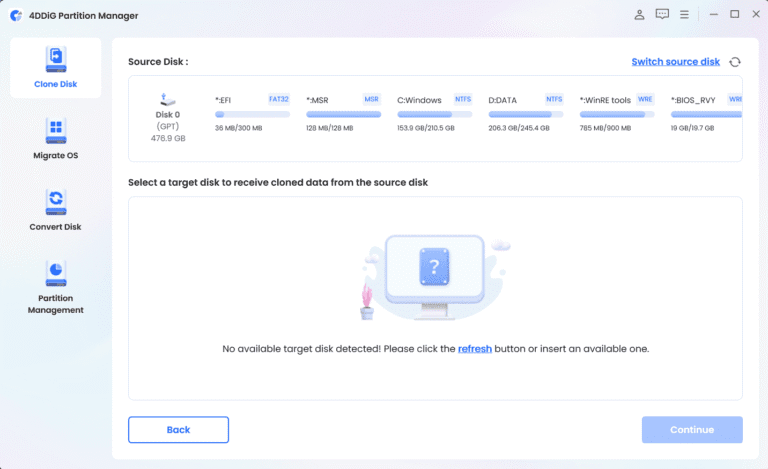
Another prominent feature is disk cloning and migrating Windows to a new SSD or HDD, copying the system, applications, drivers, settings, and important files to the destination drive without having to reinstall Windows from scratch. It also includes tools for backing up files, disks, or the system for recovery in case of problems, including restoring lost partitions, repairing damaged partitions, and creating WinPE USBs for booting or troubleshooting outside of Windows. These functions are ideal for those upgrading to an SSD, needing to organize their drive, or wanting to prepare a backup plan before restructuring the disk.
4DDiG Partition Manager also supports converting disks between MBR and GPT without erasing data, and includes tools to help detect and bypass some Windows 11 requirements in case the hardware doesn't meet the standards. However, working with partitions and disk cloning directly affects data, so you should back up your files and verify the source and destination disks before starting. For a comparison of more partition management programs, see... EaseUS Partition Master It also includes tools for partitioning, cloning, and restoring partitions.
Key Features
- Create, delete, format, shrink, expand, move, and merge partitions via disk mapping.
- Clone the entire disk or select a specific partition.
- Move your Windows system to a new SSD or HDD without reinstalling the system.
- Move apps, large folders, and data to another drive to free up space.
- Convert disks between MBR and GPT without erasing data.
- Supports NTFS, exFAT, FAT16, and FAT32 file systems.
- Back up your files, disk, or Windows system in preparation for recovery.
- Restore missing partitions and repair damaged partitions.
- Create a WinPE USB for booting and troubleshooting outside of Windows.
- Check and help bypass some requirements for upgrading to Windows 11.
- Securely wipe data from the disk or partition before using it further.
- Decrypt or manage BitLocker on disks and partitions.
File Information
- Operating System: Windows 11 / 10 / 8.1 / 7 (x64)
- Risk Level: 🟡 Low Risk
- License: Shareware
- Version: 4.4.1.2
- Developer: Tenorshare.
- Language: Multilingual
- Size: 102.83 MB
- File type: *.rar
- Password: mawto
- Installation Method: Available
- Updated: 3/9/2026
- Required Reading: Download Guide