Download the myspoti app and listen to Spotify music with a free, ad-free account. Choose any song, skip unlimited tracks, and enjoy synchronized lyrics and official music videos. Easy APK installation without rooting your device.
About myspoti
myspoti This is a mobile music streaming app for Android that opens Spotify in its own way. Instead of opening the main Spotify app, users log in with their existing Spotify account and can listen to familiar music, playlists, albums, and podcasts from a new, lighter, and simpler interface. The app doesn't create a separate music library; liked songs, curated playlists, and recently played songs all come from the existing account.
The most attractive feature of myspoti for many is the ability to listen to music with a free account without ads interrupting the song. Normally, free music streaming involves intermittent ads, but this app is designed to let the music flow continuously, just like a paid account, even though the user is still using a free account. You can press play and the music will keep playing without having to skip ads. Another unofficial Spotify app that works similarly is… Spotilol
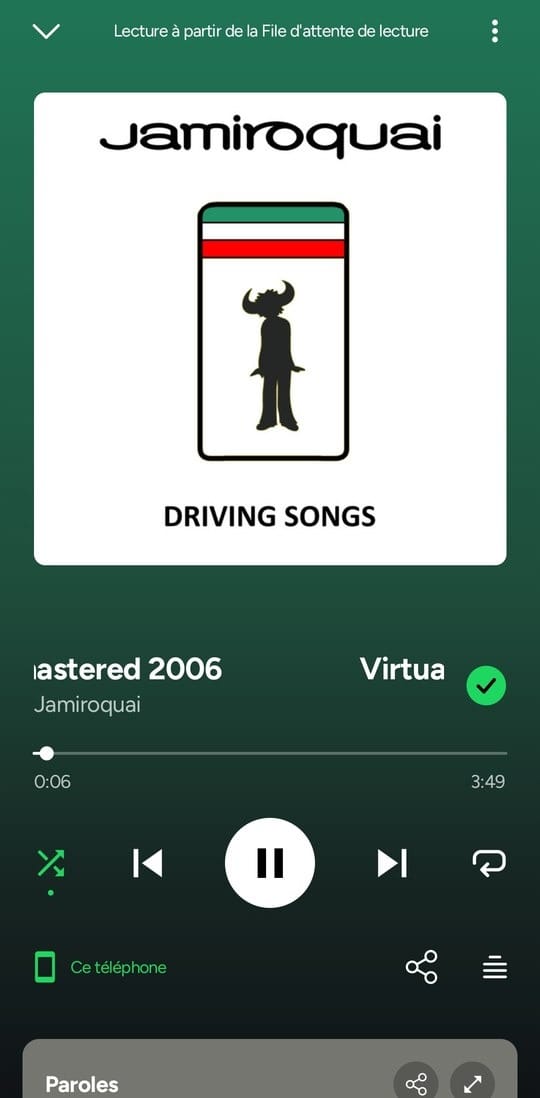
Two other things this app prioritizes are lyrics and videos. While the song is playing, the lyrics scroll in perfect sync with the music, making it easy to sing along without having to guess which part comes first or last. The music videos displayed are also official videos from the artists, not just clips uploaded by others with the artist's name added, so you don't need to switch to another app to watch the video.
The behind-the-scenes workings of myspoti are quite straightforward. The app acts as a control center, while the actual audio comes from Spotify's official web player, running in the background. This ensures that listening counts and music history are still credited to the user's account just like listening through a browser. Importantly, users log in directly through the Spotify website, without needing to store their username or password with another app.
Overall, myspoti is ideal for those who already use Spotify regularly but are tired of ads, want a cleaner and smoother interface, and want to see lyrics and music videos in the same place without switching apps, creating a new account, or moving playlists. Simply open the app, log in with your existing account, and continue listening to your favorite songs.
Key features of myspoti
Listening to music
- Listen without ads. Free accounts allow you to play music continuously without audio ads, video ads, or banner ads interrupting your songs.
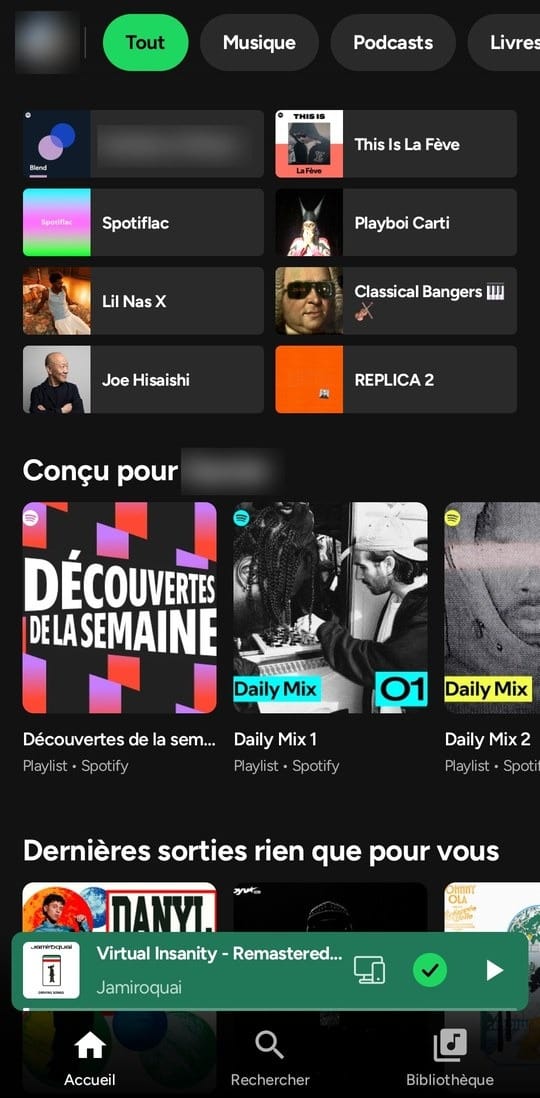
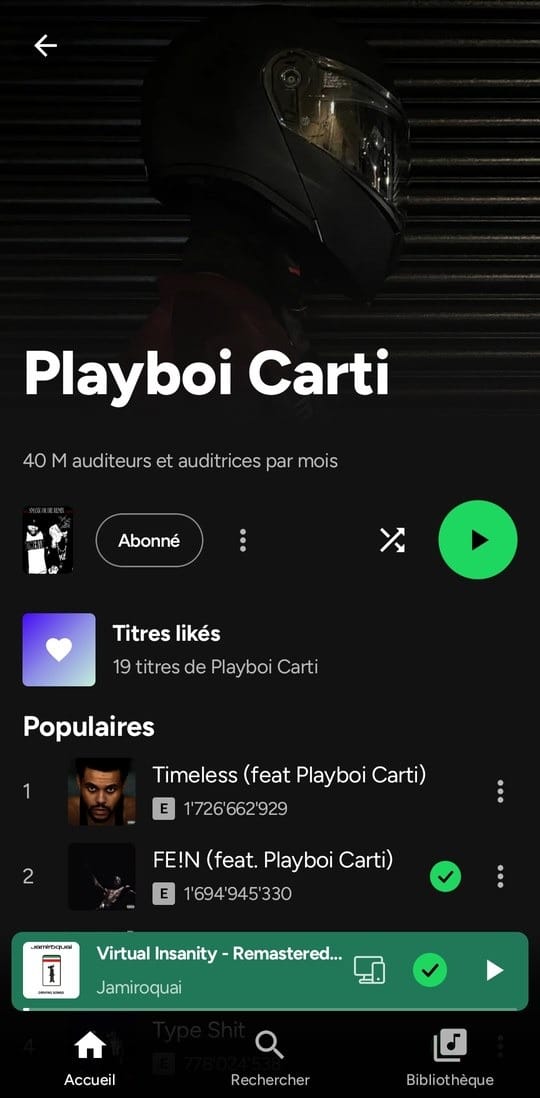
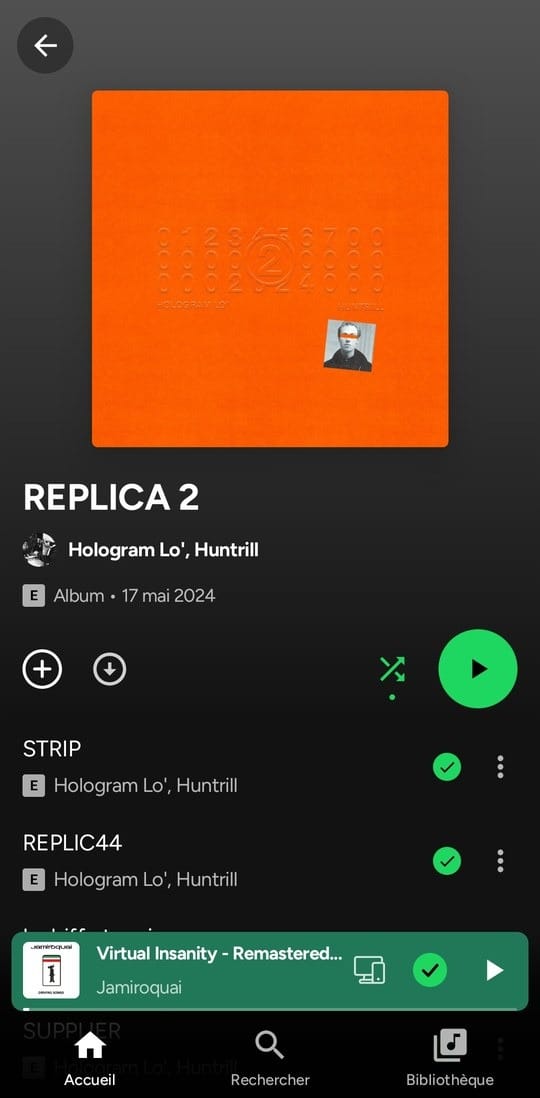
- This is a complete overview of Spotify. Open the homepage, search for new songs, view the music library with folders, and see artist pages, albums, playlists, and profiles just like the original app.
- Choose any song. Play songs randomly (Smart Shuffle), queue songs by dragging and dropping, repeat, adjust crossfade, and set a sleep timer.
- Podcasts and audiobooks. It has its own dedicated player, allowing you to adjust the speed, fast-forward or rewind in 15-second increments, and mark it as finished listening.
- You can continue listening on any device. Supports Spotify Connect, Jam, Bluetooth (displaying headphone name), lock screen, notifications, widgets, and Android Auto.
lyrics and music video
- The lyrics are in time with the rhythm. The lyrics scroll word by word when the source music has rhythm information, or line by line as set, along with a translation.
- The meaning of the song from Genius. Tap the lightbulb icon to read the story behind the song, or press and hold the underlined line to see a description of that line. Translate into the user's language.
- Official music video. The artist's video plays in sync with the music and can be viewed in full screen.
- Choose the audio for the video. Play the video with the sound muted while listening to the music, or listen to the audio from the clip itself, while the stream count on Spotify continues as normal.
Playlist
- Create and manage playlists. Create a new album, edit the name, description, and cover image, rearrange the songs, and set them to public, private, or for friends to edit.
- Add songs from your playlist. Find songs on Spotify right below the playlist cover, along with song recommendations to add.
- Shared playlist. Invite friends with the link, see who's in the playlist, and know who added each song.
- Share using the Spotify Code. Share songs, albums, artists, or playlists as scannable codes in the Spotify app, or send them as links.
Listen offline
- Download via extension. Install the download source extension from your settings, then download all your favorite songs, albums, playlists, or tracks to listen to offline.
- Choose the format based on the extension. The downloaded files are in a format supported by that extension, such as FLAC, M4A, or MP3, or they can be converted to a smaller AAC format on the device.
- The encrypted files are stored in the app. Downloaded songs are encrypted and can only be played on mySpoti, while downloaded playlists will always sync with Spotify whenever new songs are added.
- Listen to the audio files on your device. In addition to downloaded music, you can also play audio files stored on your device within the app.
Extension
- Extensions from other developers. Scripts running in the sandbox add new lyric sources, audio sources, or download sources, new homepage sections, menu items, and tools that use your Spotify account.
- See the permissions before installation. During installation, the extension will be shown what it will do, along with the author's reasons. Important permissions will be marked, and you must accept them before installation.
- Updates that request additional permissions must await confirmation. Updated extensions that request more permissions will not install automatically but will wait for user confirmation and only display the changes.
- Audio source from the extension. When audio source extension is enabled, every song played will first be requested from the extension, and if the extension doesn't have the song, it will revert to playing from Spotify as normal.
And others.
- Summarize your own listening experience. View your most frequently listened-to songs, artists, and albums and save them on your device.
- Supports 10 languages. It works in English, French, German, Spanish, Italian, Portuguese, Greek, Russian, Polish, and Simplified Chinese.
- Save data and battery. Data saver mode and battery saver mode can be enabled as needed.
- The appearance can be customized. Use the AMOLED all-black theme and customize the app's accent colors as you like.
What's new?
Version 2.0.1
- This issue addresses music playback problems in some accounts. In free accounts where Spotify is rejecting playback of all songs on certain devices and in some countries, rejected play requests are resubmitted using the same method used by other web player apps. If that method works, playback will continue that way. A new diagnostic report will also detail which methods have been attempted.
Frequently Asked Questions (FAQ):
- Will my account be safe after using it? The Myspoti app connects to Spotify just like when you listen through a regular browser, and login is done directly through the Spotify website. Therefore, login information is secure. However, because the app has an ad-blocking function, which violates Spotify's terms of service, there is still a risk to your account.
- What should I do if I get the warning "Spotify refused to play this"? This problem is often found in newly created or free accounts. A basic solution is to go to... Settings → Export a diagnostic report. Then, submit this report file via Discord or open an issue. The file will only contain the most recent activity log (the response from the Spotify system) and your mobile device model. No passwords or login tokens will be stored.
- Will downloaded songs count towards Spotify Wrapped?Not counted. Because music played from downloaded files does not send listening data back to Spotify (only statistics are counted in the MySpoti summary page), except for regular online streaming and music videos, which still count towards Spotify Wrapped as usual.
- What types of data are sent from a mobile phone?
- Music playback statistics: Sent directly to Spotify.
- Lyrics: Data retrieved from song lyrics websites.
- Meaning of the song: Data retrieved from Genius.
- Language translation: Sent via Google Translate
- Music video: Playing directly from YouTube.
- Downloading music: Download from the destination server of the extension you choose to install. The hostname will be provided before installation.
- No personal or usage data is sent to the app developer.
Features not available in this app:
- There is no penetration testing of copyright protection (DRM) and no direct audio extraction from Spotify.Offline music files are retrieved from download extensions you've installed. If the extension doesn't contain the files, the music won't play because the Myspoti app itself doesn't have its own built-in download sources or files.
- There is no falsification of ad listening status.The app never sends false information to trick the system into thinking you've finished listening to the ad.
Disclaimer::
Blocking ads violates Spotify's Terms of Service and may result in account suspension. Users do so at their own risk. If you enjoy and wish to support artists, we recommend subscribing to Spotify Premium or purchasing official music. The Myspoti app is not affiliated with or endorsed by Spotify AB.
How to install myspoti
- Download the .apk file from our link below (make sure the file size matches what is specified in this article).
- Install the downloaded .apk file as usual without needing to root your device.
- Open the app to use.
File Information
- Operating system: Android 10 or higher
- Developer: kota-zo
- Languages: English, French, German, Spanish, Italian, Portuguese, Greek, Russian, Polish, Simplified Chinese
- Size: 14 MB / 16 MB
- File type: apk
- Version: 2.0.1 / 2.0.2 Beta 7
- Updated: October 26, 2026
- Required Reading: Download Guide
==== v2.0.1 ====
==== v2.0.2 Beta 7 ====